Installation and commissioning
31
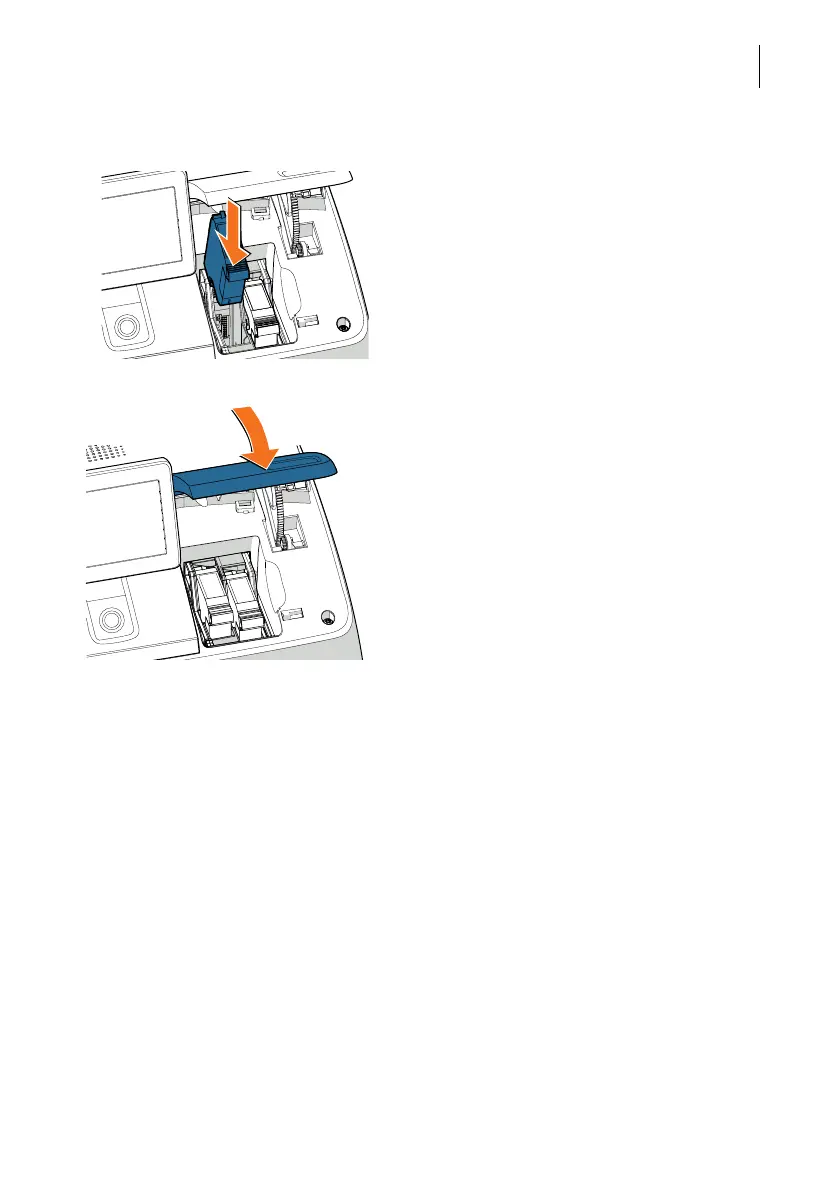
• Repeat these steps to insert the second ink
cartridge.
• Close the printing system flap:
Push the flap down at the PostBase Fusion
logo until the lock snaps into place.
Be patient: PostBase Fusion will now pre-
pare the cartridges for use.
Calibration PostBase calibrates the new ink cartridges
after you install them. You can see the pro-
cess progress on the display. Please wait
until calibration is complete.
Cleaning The ink cartridges are cleaned after calibrat-
ion. The cleaning process is automatic.



 To Next Page