PostBase Fusion
32
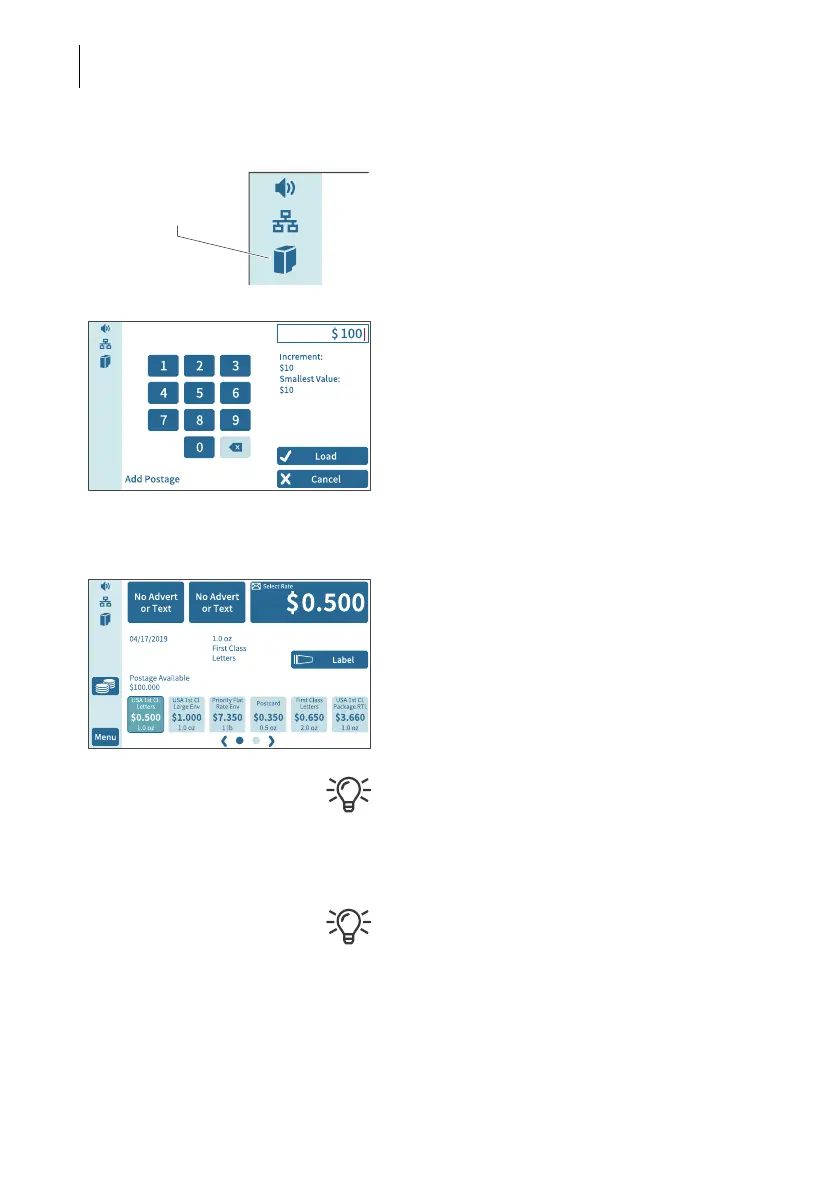
PostBase Fusion displays the “Full cartridge”
icon in the menu bar.
Load postage / Contact data center
In order to print postage, the
PostBase Fusion must have available funds.
To download postage, this requires a con-
nection to the data center.
• Follow the instructions on the display.
Home screen (example) Installation complete
When PostBase Fusion displays the Home
screen, the postage meter installation has
been successfully completed.
To install the “PostBase Fusion Feeder”,
continue with Step 7.
Volume, display inclination and brightness
can be adjusted directly on the display frame.
The M
ENU button is used to access other sys-
tem settings (e.g. PIN protection, standby
time).
Visit the customer portal MyFP. Your pass-
word-protected access will provide you with
all the important information about your mail-
ing system, extensive administrative func-
tions for cost accounts and user profiles, as
well as convenient reporting functions.
Icon:
Full cartridge



 To Next Page