Appendix – Moving the PostBase One to another location
155
Switch off
• Switch off the franking system.
• Empty the label dispenser.
• Switch off connected external devices
(e.g. PC).
• Pull the power plugs of the franking
machine, as well as all components con-
nected to it (feeder, power supply unit of
the sealer, …) from the socket(s).
• Pull the Ethernet cable from the network
connection.
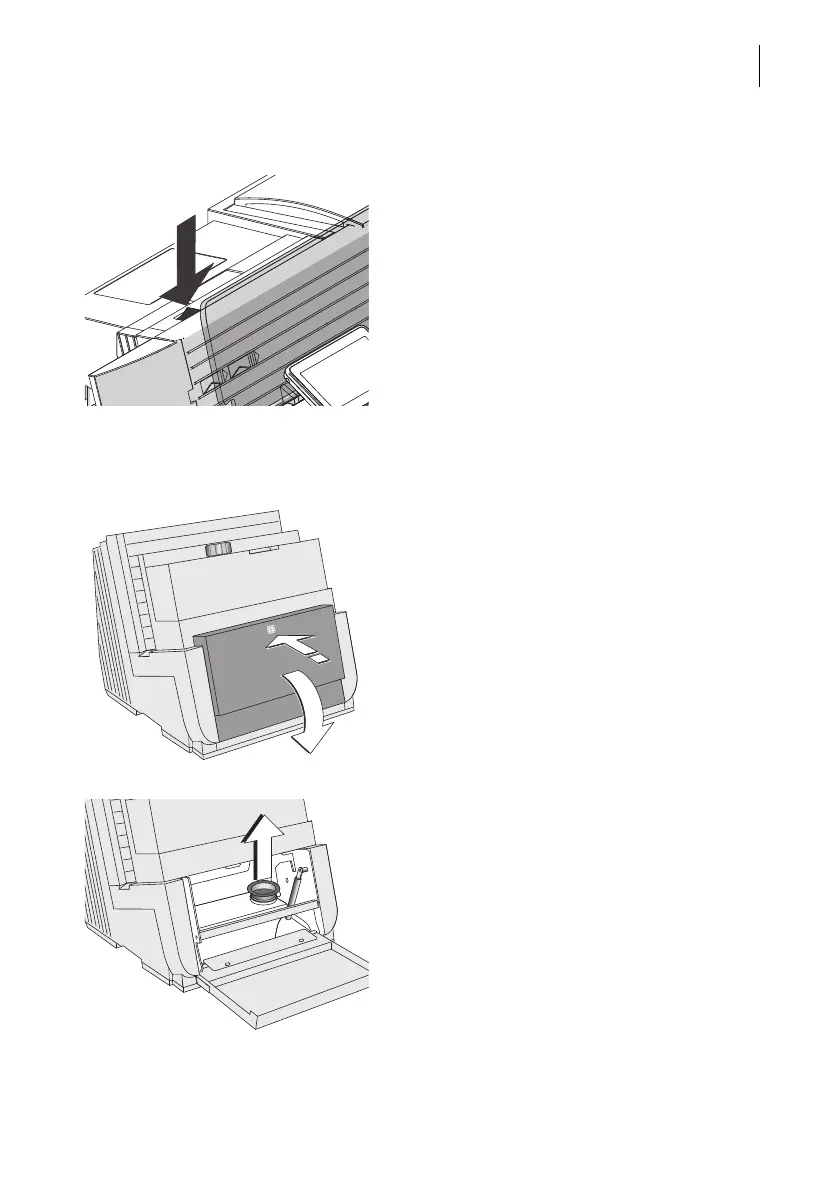
Empty the sealant tank
• Open the lid: Press on the marker, then
flap down the lid.
• Pull out the yellow plug of the sealant tank.



 To Next Page