Appendix – Moving the PostBase One to another location
161
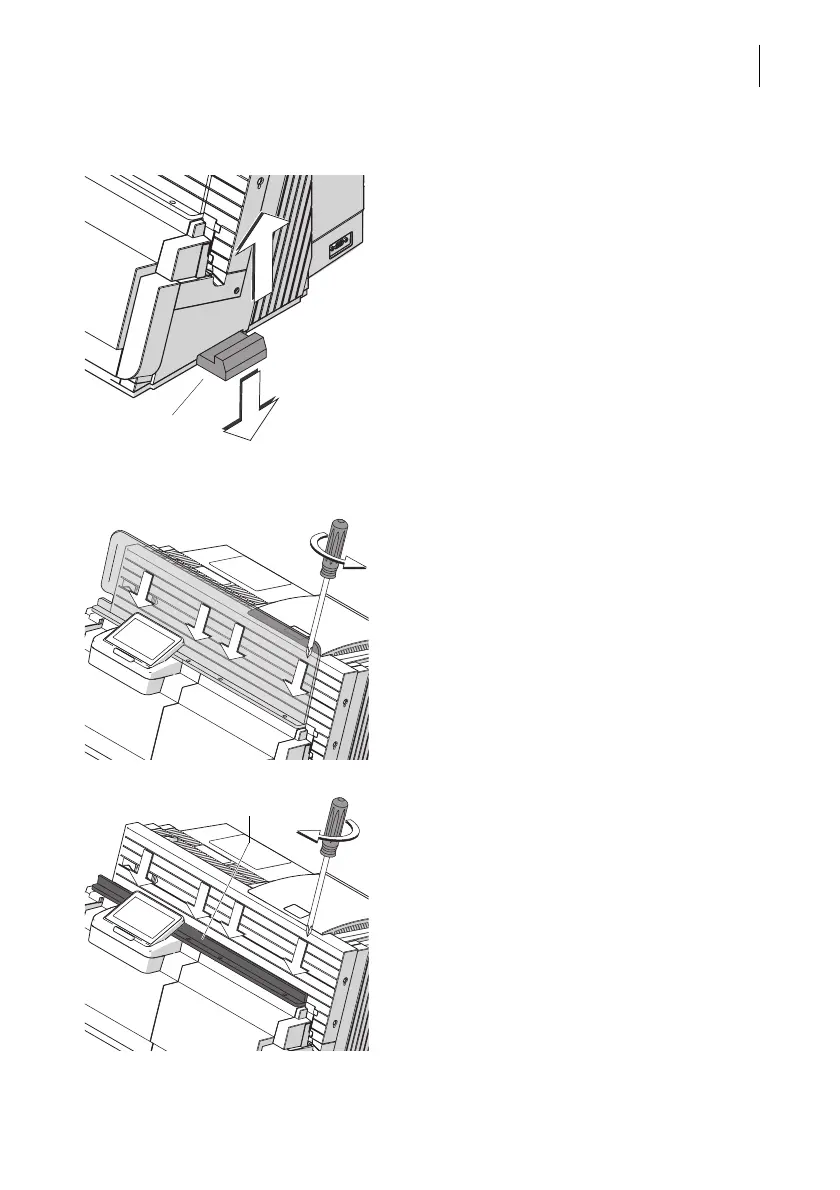
Remove housing connector
The connectors for mechanic coupling of the
housings are located in the clearances of the
side walls.
To remove the connectors:
• Slightly lift the affected component and
remove the connector to the bottom.
Remove the protective glass from the franking machine
When using the original packaging for trans-
port, you have to remove the protective
glass.
The protective glass is fastened to the hous-
ing of the franking machine with four screws.
• Remove the four screws.
• Remove the protective glass.
• Fasten the transport bar (part of the origi-
nal packaging) to the housing of the frank-
ing machine with the four screws.



 To Next Page