PostBase One Franking System
32
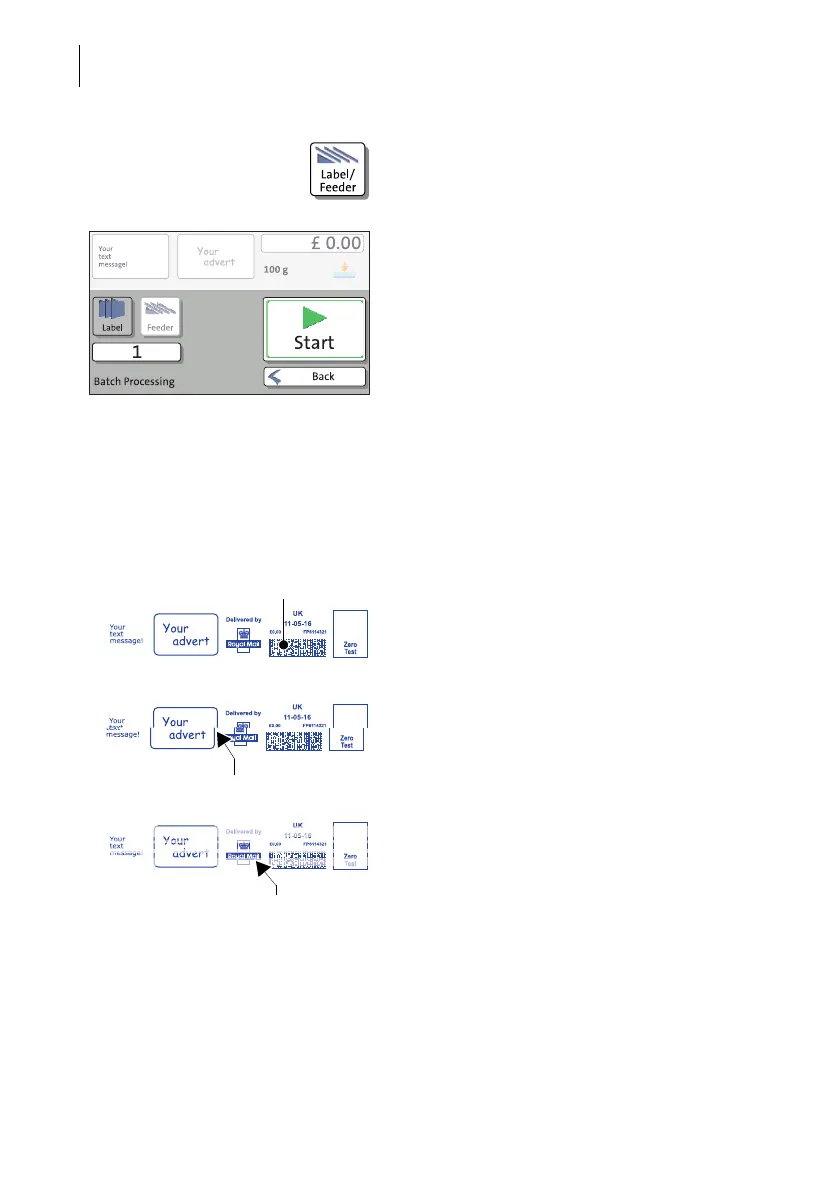
• In the Home screen, press the LABEL/
FEEDER button.
PostBase One opens the pop-up “Batch
Processing”.
•Select L
ABEL.
• Press the START button.
PostBase One prints a label.
Checking the print quality
Make sure the PostBase One always pro-
vides clean and legible franking imprints.
• Check the print quality. There must not be
any offsets, blurred or blank spots. Pay
special attention to the data matrix symbol.
This illustration shows a perfect imprint.
When there are offsets / shifts in the imprint:
• Align the ink cartridges. Read chapter 15.6
on page 116.
When there are blurred or blank spots in the
imprint:
• Clean print system. Read chapter 15.7 on
page 118.



 To Next Page