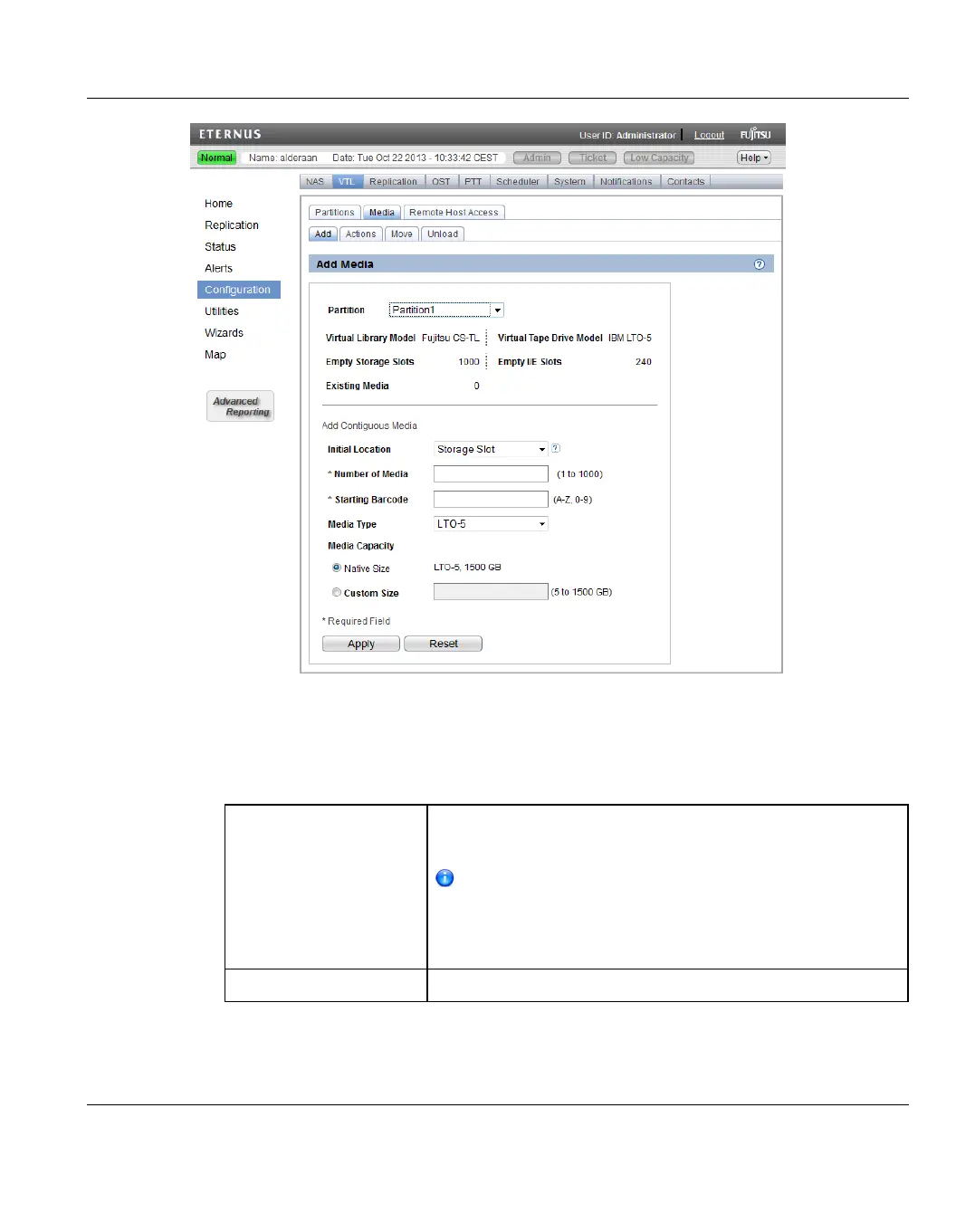
Figure 149: Media Add Page
To add virtual tape cartridges to a partition:
1. In the Partition drop-down box, select the partition where the media will be created.
2. Under Add Contiguous Media, enter information about the media:
Initial Location The initial location for cartridges after they are created
(Storage Slot or I/E Slot).
You cannot create more cartridges than the number of
available slots in the initial location. For example, if 50
I/E slots are available, you cannot create more than 50
cartridges if the initial location is set to I/E Slot.
Number of Media The number of cartridges to create in the partition.
ETERNUS CS800 225
10 Configuration





 To Next Page