10 GPSMAP
®
700 Series Owner’s Manual
Charts and 3D Chart Views
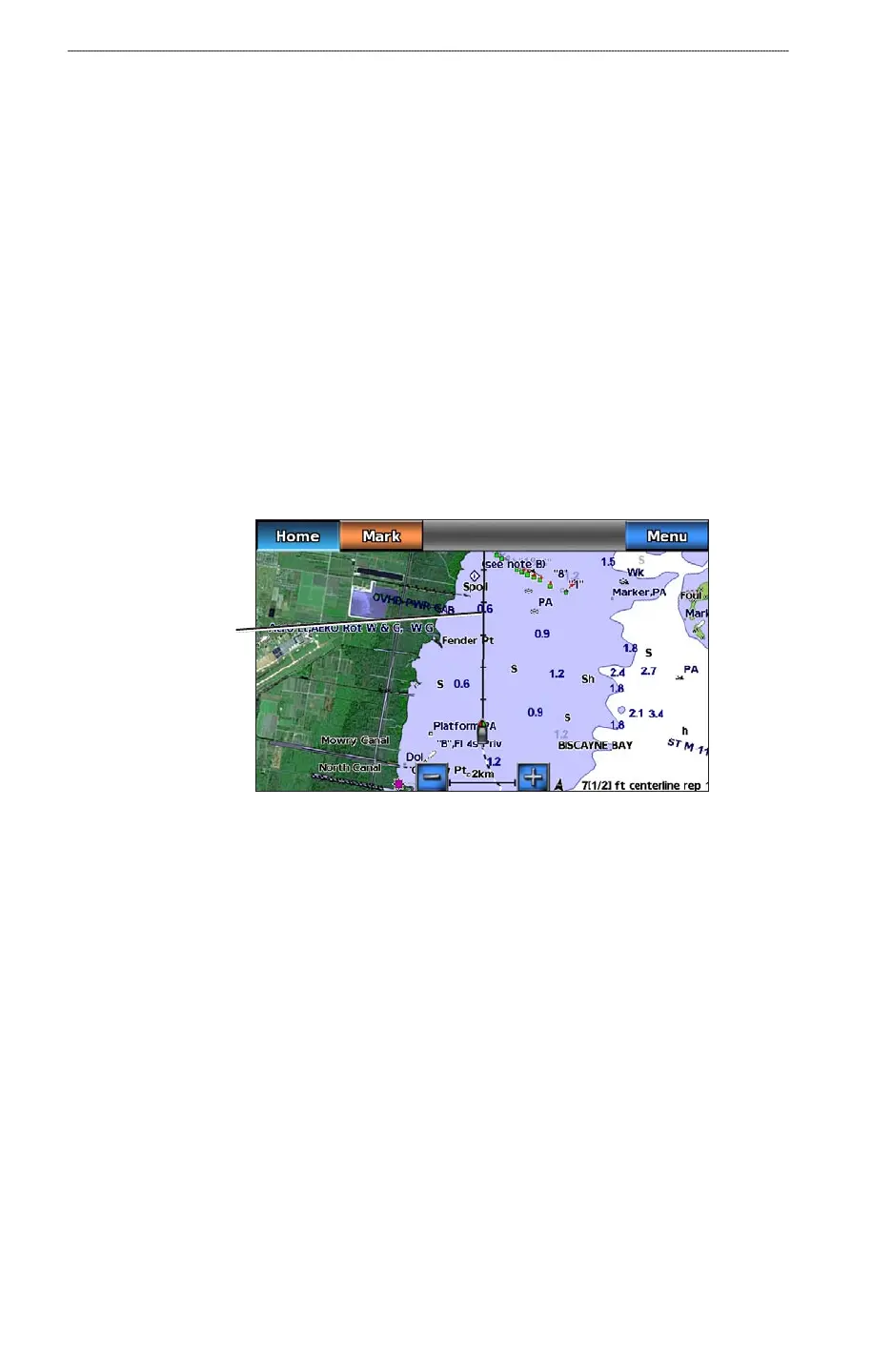
Showing and Conguring the Heading Line
The heading line is an extension drawn on the map from the bow of the boat in the direction of
travel. You can congure the appearance of the heading line for the Navigation chart or the Fishing
chart.
NOTE
: The Fishing chart is available with a preprogrammed BlueChart g2 Vision data card.
1. From the Home screen, select
Charts.
2. Complete an action:
Select Navigation Chart > Menu > Navigation Chart Setup > Chart Appearance >
Heading Line.
Select Fishing Chart > Menu > Fishing Chart Setup > Chart Appearance > Heading
Line.
3. Complete an action:
Select Distance. Enter the distance to the end of the heading line.
Select Time. Enter the amount of time until you reach the end of the heading line.
4. Select
Done.
Heading line
Showing and Conguring Spot Depth Soundings
On the Navigation Chart, you can turn on spot soundings and set a dangerous depth. Spot depths that
are equal to or more shallow than the dangerous depth will be indicated by red text.
1. From the Home screen, select
Charts > Navigation Chart > Menu > Navigation Chart Setup
> Chart Appearance > Spot Depths > On.
2. Select
Spot Depths > Dangerous.
3. Enter the dangerous depth.
4. Select
Done.
•
•
•
•













 To Next Page