GPSMAP
®
700 Series Owner’s Manual 47
Almanac, On-boat, and Environmental Data
1. From the Home screen, select Information > Dashboard Gauges > Wind > Menu > Change
Upwind Scale.
2. Complete an action:
Select Change Upwind Scale. Set the maximum and minimum values that appear when the
upwind close hauled wind gauge appears.
Select Change Downwind Scale. Set the maximum and minimum values that appear when
the downwind close hauled wind gauge appears.
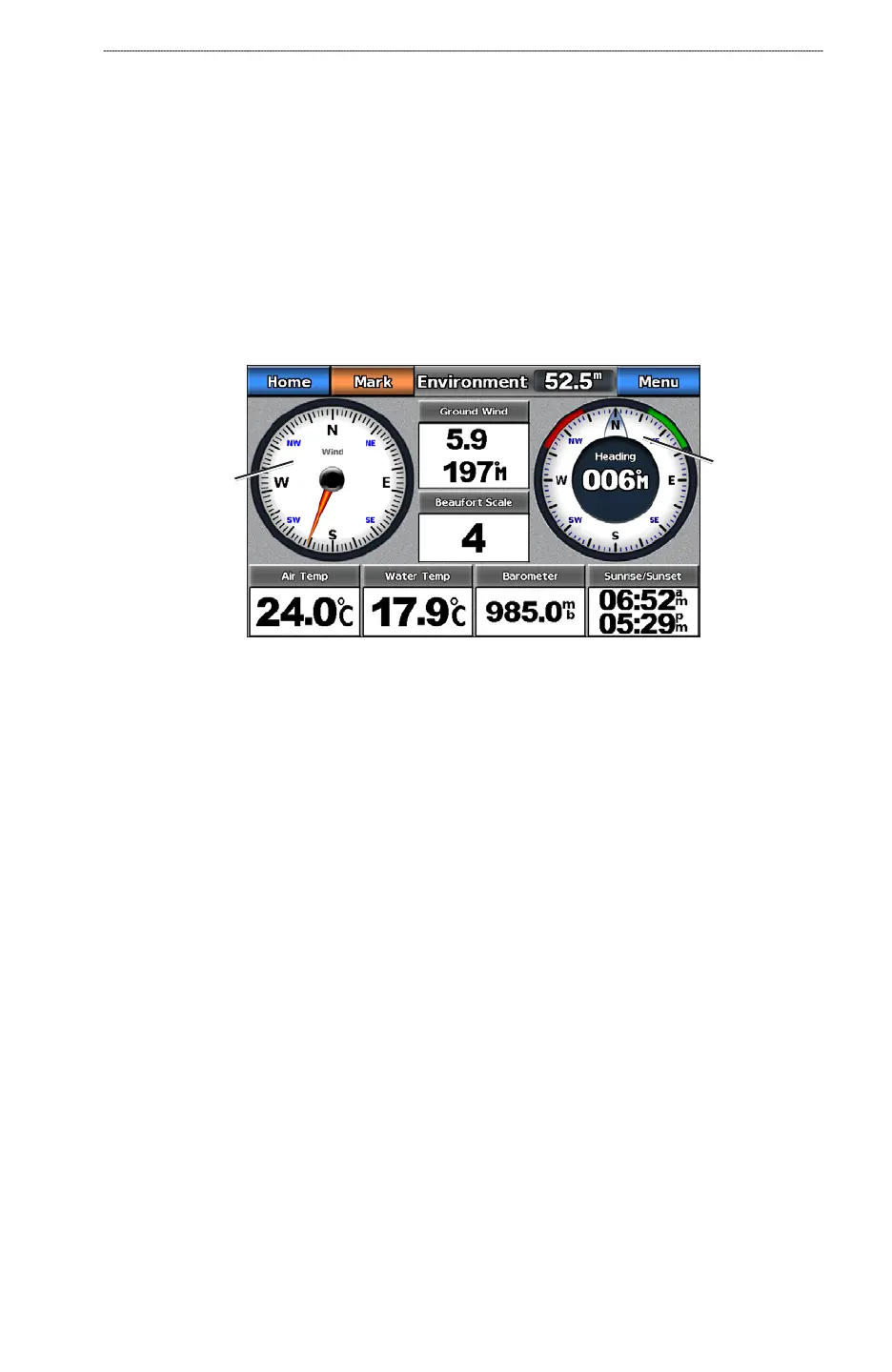
Environment Gauges
Viewing Environment Gauges
From the Home screen, select Information > Dashboard Gauges > Environment.
Compass
Wind gauge
Conguring the Heading Source
You can specify the alignment of the wind gauge on the Environment page.
1. From the Home screen, select
Information > Dashboard Gauges > Environment > Menu.
2. Complete an action:
Select Alignment > North Up to set the top of the wind gauge to a north heading.
Select Alignment > Head Up to set the wind gauge to rotate to match the orientation of the
compass display.
Conguring the Heading Source
You can specify the source of the heading displayed on the wind gauge. Magnetic heading is the
heading data received from a heading sensor, and GPS heading is calculated by your chartplotter
GPS (course over ground).
1. From the Home screen, select
Information > Dashboard Gauges > Environment > Menu.
2. Complete an action:
Select Heading Source > GPS Hdg.
Select Heading Source > Magnetic.
Setting the Barometer Reference Time
You can specify the reference time used to calculate the barometer trend. The trend is indicated in
the barometer eld.
From the Home screen, select Information > Dashboard Gauges > Environment > Menu >
Baro. Ref. Time.
•
•
•
•
•
•













 To Next Page