Revision C CASE 12-27
2060290-201
Exercise Test Setup
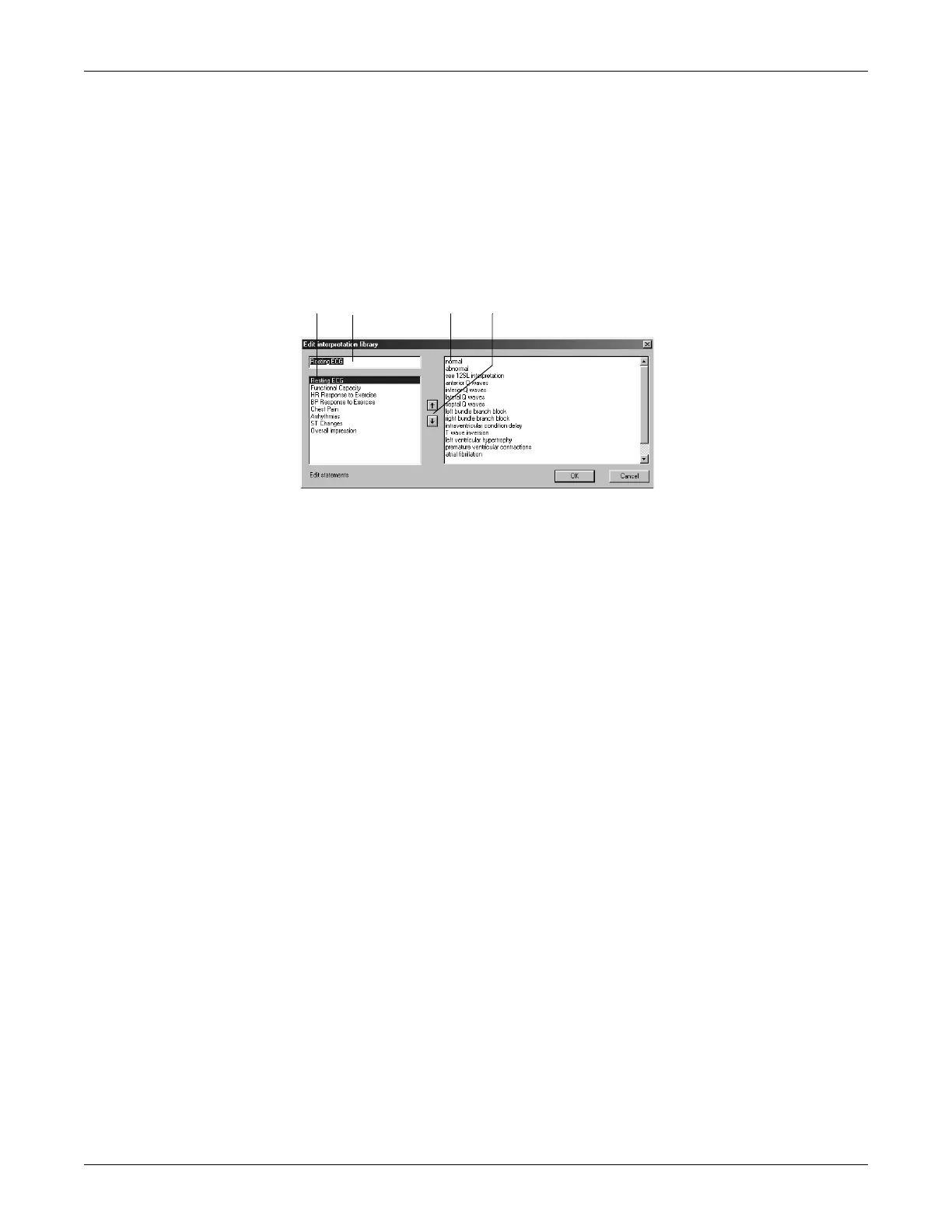
Editing the Interpretation Library
Click Modify.... to open the Interpretation Library window.
Note
You can edit the eight preset topics in the window on the left. Do not
edit the topics, if data will be sent to MUSE. Additional statements
can be entered in the window on the right. To do so, click in the blank
space below the last statement.
1. Select the topic to edit.
2. Click in the text box and edit the text.
3. Delete or change existing statements or add new ones (a maximum of
20 statements can be entered for each topic).
4. Click the up/down arrows to change the order of topics and
statements.






 To Next Page