Front Panel Control
B
B-14 Gilson 157/159 UV-VIS Detectors User’s Guide
Setup Menu
Fraction
A fraction collector can be controlled through the terminal strip on the back
of the detector.
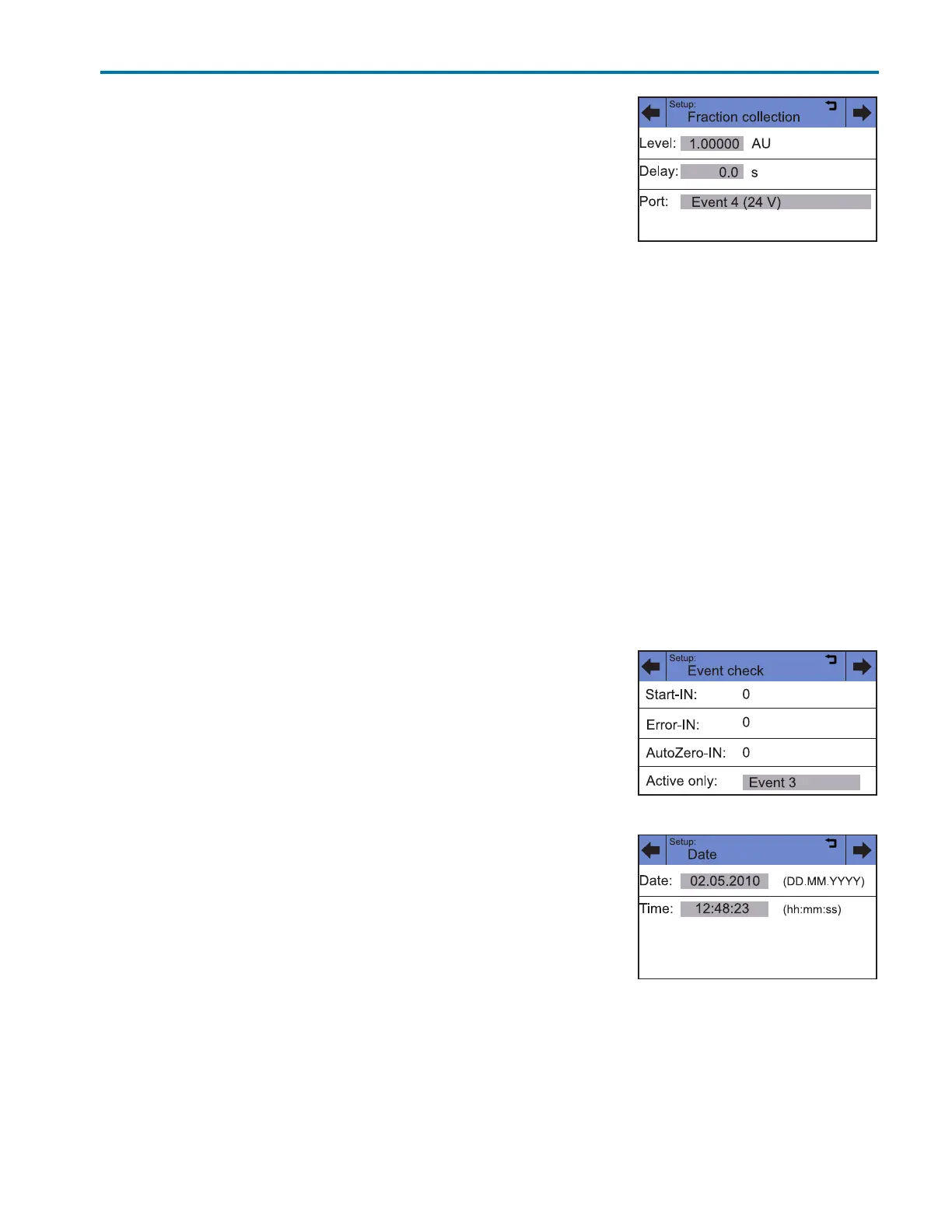
Setup > Fraction > Level
The Level line is used to specify the signal height that needs to be exceeded
to switch to the next position on the fraction collector.
Setup > Fraction >Delay
With the value in the Delay line, the propagation delay due to the dead volume of the capillaries between
detector and fraction collector is taken into account.
Setup > Fraction >Port
When the set threshold in the Level is exceeded, the event output selected in the Port line is switched and
remains active until the signal drops below the threshold value. The threshold always relates to the signal on the
first measuring channel C1. If in the first channel the result of an offset (1/2) or (2/1) is displayed, then the result
of the offset is valid; the unit AU has no meaning in this case.
The following event outputs can be selected in the Port line:
• Event 1 (relay contact EV 1)
• Event 2, Event 3 (TTL outputs EV 2, EV 3)
• Event 4 (switch voltage +24V valve)
Setup > Event
Touch the gray field in the Active only line, to check the condition of the
event connections.
Setup > Date
Touch the gray buttons next to Date and Time to set the date and time for
the detector.
Figure B-26: Setup >Fraction
Figure B-27: Setup > Event
Figure B-29: Setup > Date














 To Next Page