EasyManua.ls Logo

Grace m908 - USB Audio Setup; Computer Audio Requirements

Grace m908
135 pages
Print Icon
To Next Page IconTo Next Page
To Previous Page IconTo Previous Page
Loading...
m908 User Manual, Rev. G
8 USB Audio Setup
8.1 Computer Audio Requirements
The m908 ships with a standard USB type A to type B cable. The type A connector plugs in to
the computer and the type B connector to the m908 USB Audio jack.
The m908’s asynchronous mode USB controller supports standard driverless operation on
Mac OSX since version 10.8.5. Sample rates up to 192kHz are supported.
Page 118 of 135 Table Of Contents

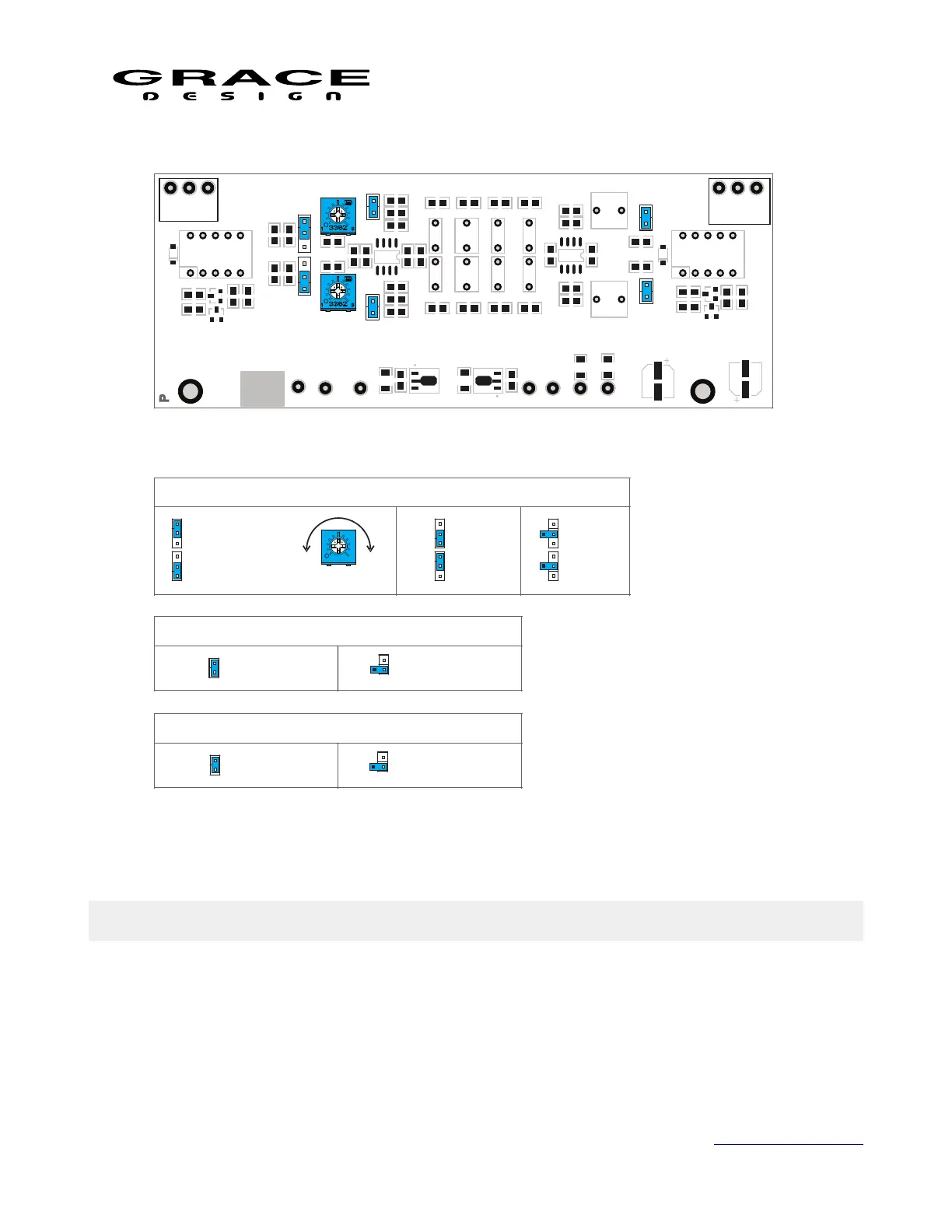
GAIN
J3, J4
HIGH GAIN
60dB
J3, J4
LOW GAIN
40dB
12Hz SUBSONIC FILTER (HPF)
J5, J6
HPF ON HPF OFF
J5, J6
R14
C6
J3, J4: Closed: Hi Gain
-18V
+18V
R9
R23
C22
U4
J5
C21
L
G R
U2
R16
R13
C10
C13
R18
U3
R20
C12 C15
C7
U1
R11
R10
C8
C9 C11
C16
nEN
R22
C18
GND
R27
R26
R25
C19
C14 C17
R24
R28
R30
J6
R32
R31
C20
R29
D2
C23
MH2
Q4
C24
R33
R34
Q3
K2
Output
R15 R17 R19 R21
AT171
R G
Input
L
J3
J1, J2: Input Z
VR1
D1
K1
MH1
R2
R1
Q2
R3
REV
GND
R4
R6
C2
J2
Q1
R5
R8
C1
R7
J1
-15V
VR2
J4
+15V
C4
C5
R12
C3
P171 RevA
J5, J6:
Closed:
Subsonic
Filter
CARTRIDGE LOADING
J2
J1
VARIABLE
0-500 Ω
FIXED
100 Ω
J2
J1
FIXED
47K Ω
J2
J1
500Ω
VR1, VR2
PHONO INPUT MODULE PCB
Illustration 106: RIAA Phono Module Jumper Locations

Table of Contents

Related product manuals