m908 User Manual, Rev. G
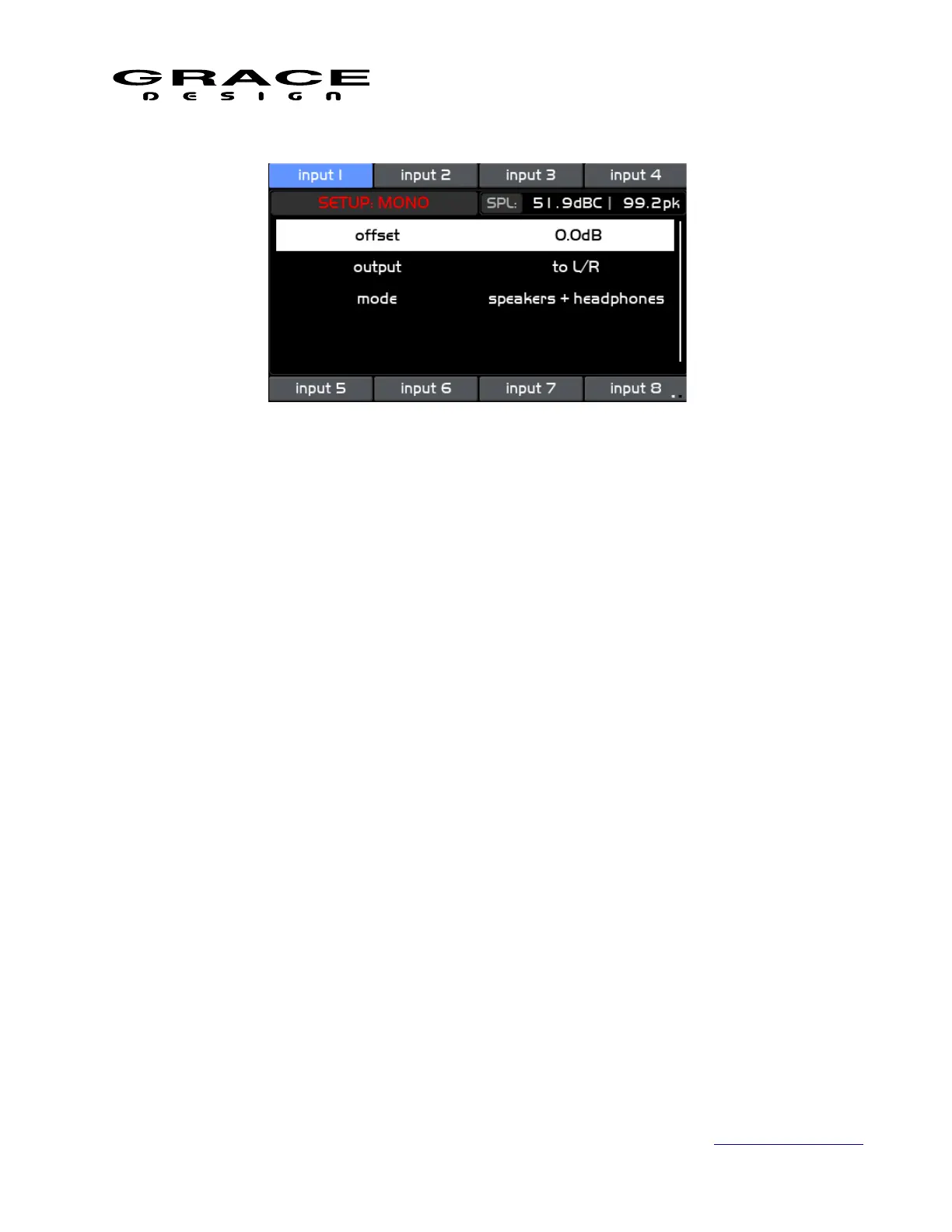
This screen contains the following a list of setup parameters that can be highlighted by turning
the VOLUME encoder knob. The available parameters are:
• offset Sets the amount of attenuation upon summing the Left and Right channels. Range
is <0 to -12dB> in 0.5dB steps.
Analog mixers would have varying summing laws for summing to mono depending on
the type of circuitry being used. Passive summing would result in a -6dB attenuation for
signals panned hard right or left. Active summing amplifiers would result in a -3dB
attenuation. Use this parameter to match the perceived loudness from stereo to mono.
• output Sets the output path for the MONO signal. Options are<to L/R, to C>
◦ to L/R sends the MONO signal to the Left and Right speaker equally.
◦ to C Sends the MONO signal to the Center speaker only. Left and Right speakers are
muted.
• mode Sets which monitor paths are affected by MONO. Options are <speakers +
headphones, speakers only, headphones only>
Press the SETUP switch to save and exit Setup Mode.
6.3.13 (L-R) setup
Push the SETUP switch then push-hold MONO / (L-R) switch to enter the Setup (L-R) screen.
If (L-R) was active before pushing SETUP it will remain active. If (L-R) was not active then
press-hold the (L-R) switch to activate the (L-R) function for auditioning
Page 94 of 135 Table Of Contents



 To Next Page