m908 User Manual, Rev. G
Selecting "NO" will return to the workflow editing screen.
Selecting "YES" will exit to the main workflow setup screen.
To return to the home screen press-release the flashing SETUP switch.
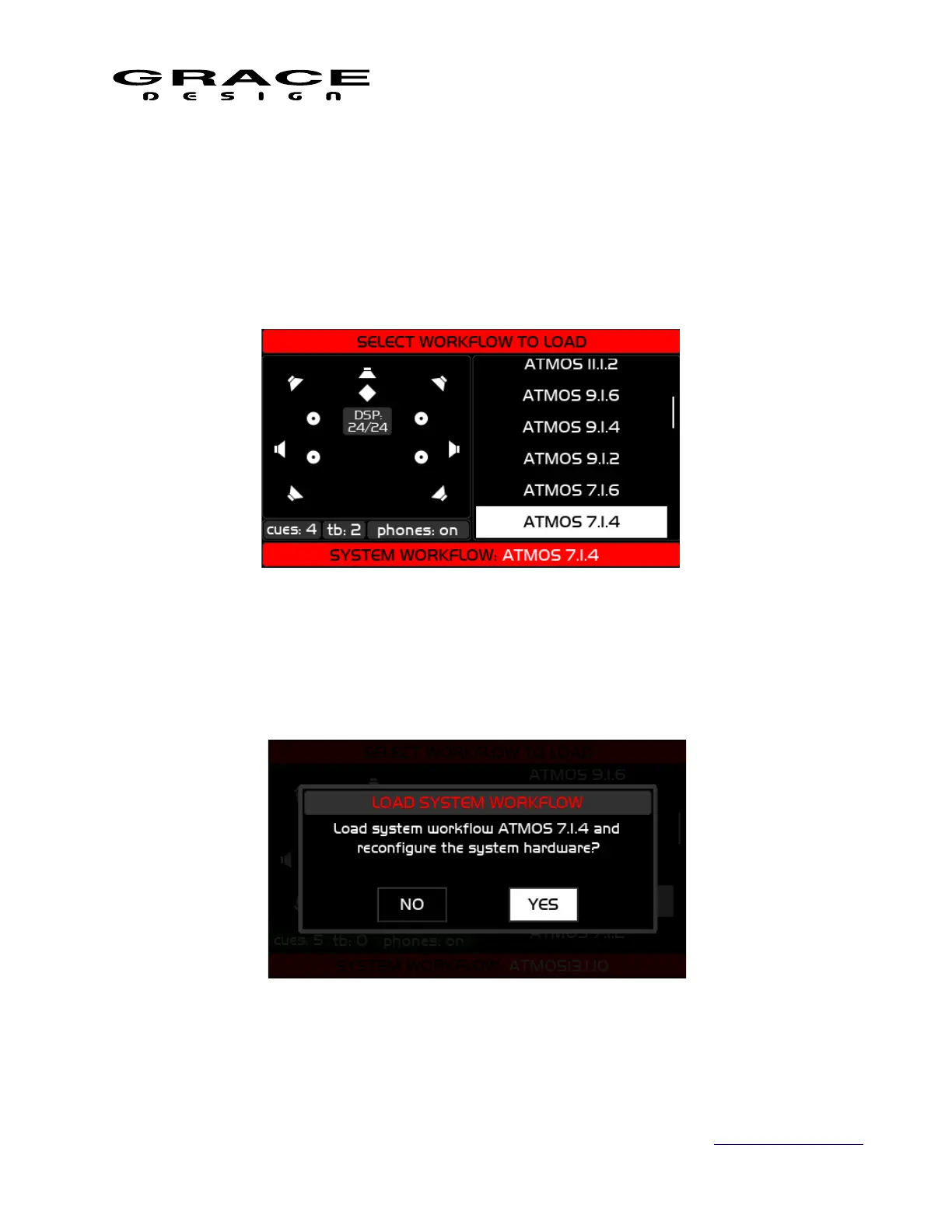
6.2.8 Workflow Load
The Select Workflow To Load screen displays a list of the Workflow presets that have been
saved on the m908. While scrolling through the list of workflows the DSP channel allocations
will be displayed on the left window. Push the VOLUME encoder to select a workflow. A
confirmation dialog box will appear asking if you want to load the selected preset.
Select YES to load the workflow in to the m908. The system will be updated. Select NO to go
back to the Select Workflow To Load screen.
Page 62 of 135 Table Of Contents



 To Next Page