m908 User Manual, Rev. G
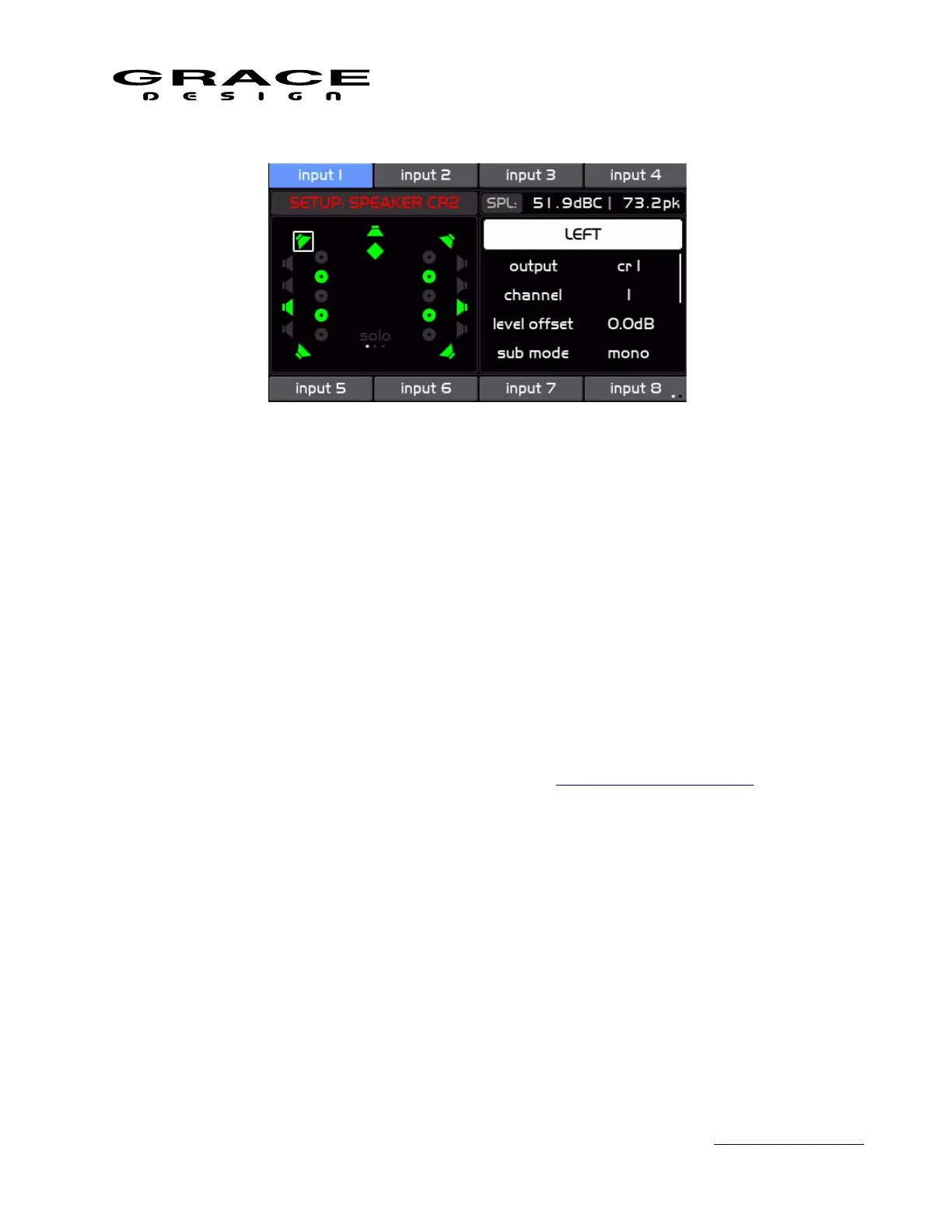
The Channel Setup screen is where speaker output channels are enabled and routed from DSP
speaker output channels. As well, delay, level offset, and bass management parameters are
adjusted here.
The left side of the screen window shows all of the available speaker locations enabled in the
current Workflow. Speaker Icons that are white (or green if signal is present) are enabled for the
currently selected Control Room output. Speakers that are disabled are gray. The currently
selected speaker channel has a white box around it.
On the right side of this screen there is a list of options and the top item is highlighted initially:
◦ channel name The name of the currently currently selected channel in the left
window. Pushing the VOLUME encoder enters the Channel Select mode. Turning the
encoder scrolls through the available channels. Pushing the VOLUME encoder selects
the highlighted channel for routing etc. See the Standard Channel Routing section of this
manual for details on channel routing.
◦ output Selects the speaker output connector for the currently selected speaker. Select
"disabled" if the selected speaker is not used in the current speaker system. The selected
speaker icon will turn gray.
◦ channel Select the desired connector channel for the currently selected DSP speaker
output. Select "disabled" if the selected speaker is not used in the current speaker
system. The selected speaker icon will turn gray.
NOTE: If the selected connector channel is already in use by another speaker channel in the
same Control Room speaker system or a Cue or Meter signal a dialog box will appear asking if
you want to replace the existing routing with the new selection.
Page 83 of 135 Table Of Contents



 To Next Page