m908 User Manual, Rev. G
To exit the workflow edit window: scroll to <exit> and push the VOLUME encoder.
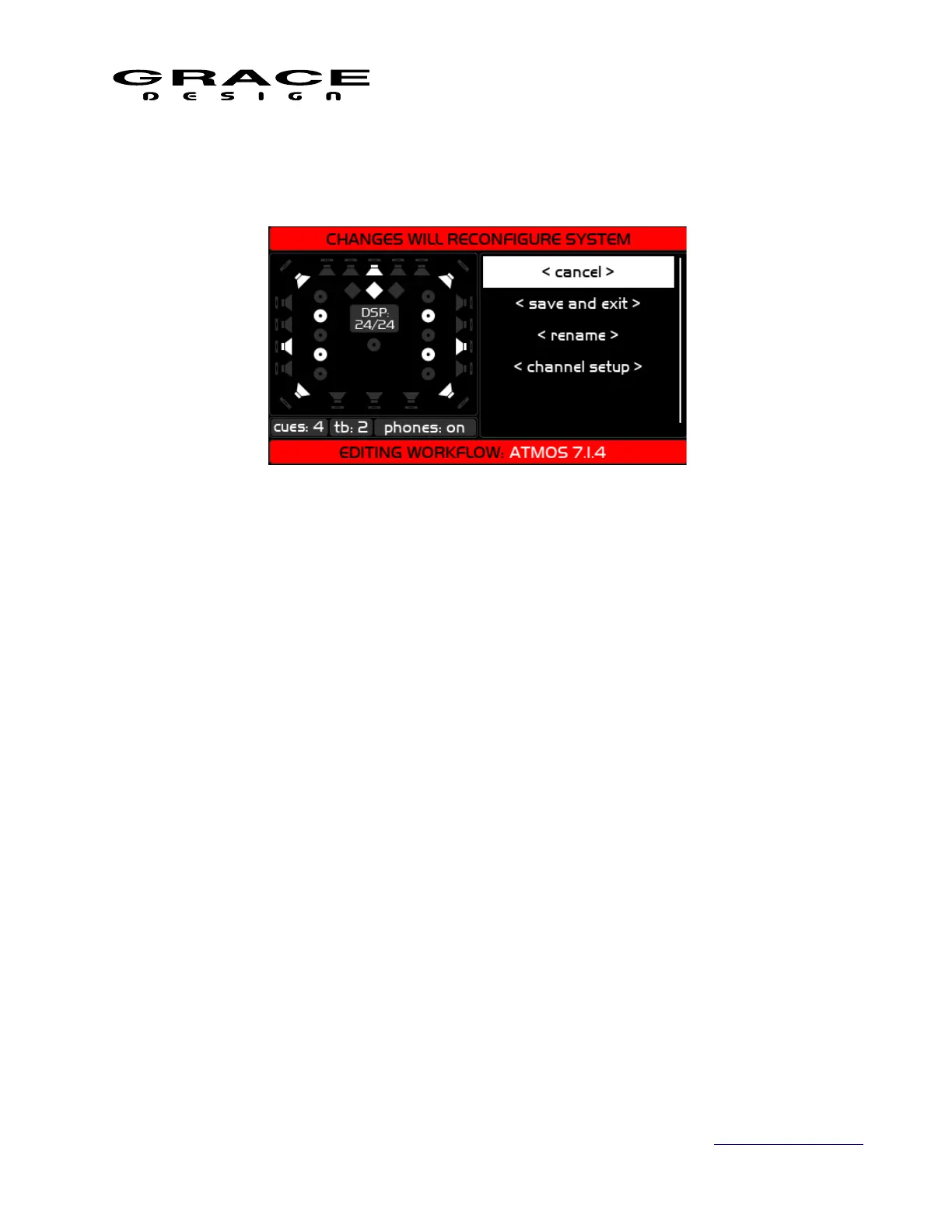
6.2.3 Editing Workflow Screen
In the right window the following menu items are:
1. <cancel> Returns to the previous screen. Asks if you want to exit without saving.
2. <save and exit> Saves the changes to the edited workflow and returns to the previous
screen. Asks if you want to save your changes.
3. <rename> Opens the workflow name editing screen with keyboard.
4. <channel setup> Enters channel setup mode where speakers, cues, talkback mics and
headphones can be added or subtracted from the workflow.
In the left window all of the available speaker positions will be visible. If a speaker position is
enabled for the current workflow it will be white. If it is not enabled it will be gray. At the bottom
of this window the number stereo cues, talkback mics, and headphone status is displayed.
Page 56 of 135 Table Of Contents



 To Next Page