Windsor 500 User Manual - Issue C
Logging on
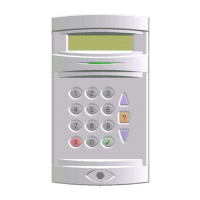
A user logs on to the system by entering a user PIN (4 to 6 digit code) at a Keypad then presses ’Enter’.
Alternatively the user can log on by inserting a valid electronic key at the Keypad or Keypoint. The system
will check that the entered PIN code or Electronic Key is valid before permitting access to the system user
functions.
Company Name
Enter-****
When the user enters a PIN code at a Keypad, the display will not show the user PIN
code. Instead, an asterisk will be shown for each digit entered.
Invalid PIN Code or Electronic Key
Company Name
Incorrect PIN
If an incorrect PIN code or Electronic Key is used at a Keypad, the LCD will show an
’Incorrect PIN’ display for 4 seconds or until another key is pressed.
Out Of Service
If more than the programmable limit of attempts are made to enter a valid PIN code,
the Keypad will be locked out and the display will show ’Out of Service’ for a period of 5
minutes. Any attempt to enter a PIN code or Electronic Key during the locked out
period will extend the period by another 5 minutes.
If an invalid Electronic Key is used at a Keypoint, the ‘Ready’ LED will be illuminated and the set and unset
buttons on the Keypoint will simply not function.
User Access Time
Important Note: When a user logs on to the system a selection must be made from the user menu
within two minutes of log on, otherwise they will be automatically logged off.
Engineer On Site
Out Of Service
When an engineer logs on to the system, all system Keypads will be inoperable and the
display will show ‘Out of Service’
Technical Manuals Online! - http://www.tech-man.comTechnical Manuals Online! - http://www.tech-man.com


 To Next Page