Windsor 500 User Manual - Issue C
Unset Workshop
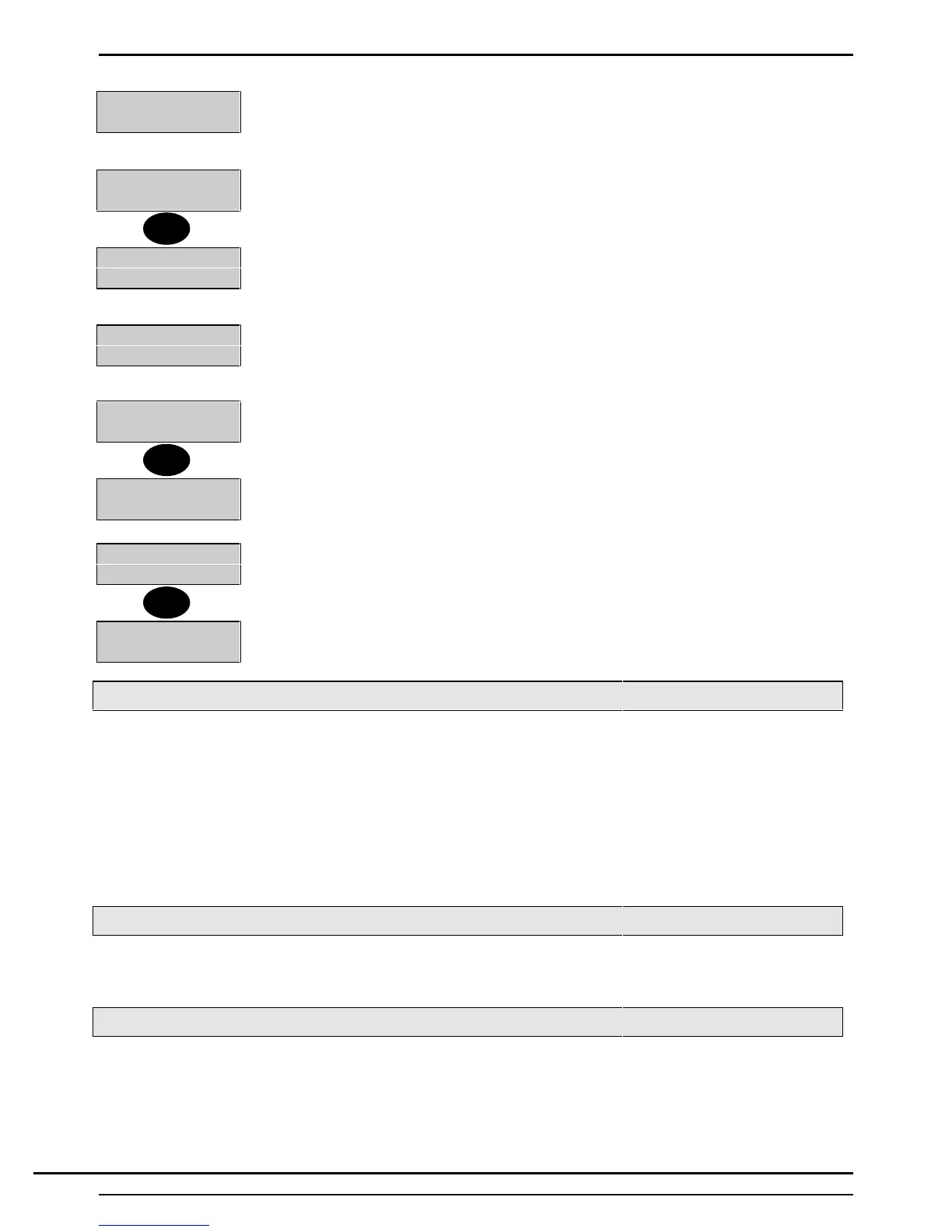
1. If the Keypad has been configured for ‘Timed’ or ‘EnEx', on certain areas, these will
automatically unset. If not, the display will show the user menu.
1=Unset 2=Eng
6=Text 7=Light
2. Press ‘1’ to access the unsetting options.
Workshop Unset
3. If the Keypad is programmed to permit unsetting of only one area, or if only one
area is set, the area will immediately unset.
1=Unset 2=Set
4=Test 5=Eng......
4. If the Keypad area authority permits unsetting of more than one area, or if other
area(s) remain set, the 'User Options Menu' will be displayed. If so, proceed as
follows:
8=Group
5. If group unsetting is configured then when unset is selected, this will be option 8.
Unset:
Set: 1 2 3
6. Select group and the display will show the current unset status.
Unset: + 2
Set: 1 3
7. Select the area/s to unset and these will now be displayed in the unset status
8. Select confirm and the group unset will take place
Group Unset
9. After group unset, the menu will be displayed and the user will be logged off.
Unsetting from a Keypoint
An area (or system) can only be unset using an Electronic Key providing the user has authority to unset the
required area (or system), and that it is inserted in a Keypoint authorised to unset the area (or system).
1. Enter a valid and authorised Electronic Key at a Keypoint.
2. Press the 'Unset ' button.
3. The area (or system) authorised by the Keypoint and user authority will unset. The 'DAY' LED will be
illuminated. Removing the Electronic Key will extinguish the ‘DAY’ LED.
Unsetting from a Keyswitch
To unset an area from a Keyswitch, turn the Keyswitch to the 'Unset' position. The area under the control of
the Keyswitch will immediately unset.
Instant Automatic Unsetting
If the commercial event programmer has been programmed for automatic unsetting, areas under the control
of the event programmer will immediately unset at the pre-programmed time each working day. The event
programmer schedule will not operate on non-working days and holidays.
1
8
↵
Technical Manuals Online! - http://www.tech-man.comTechnical Manuals Online! - http://www.tech-man.com


 To Next Page