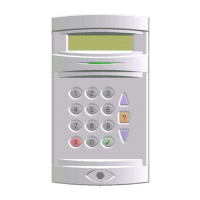
Windsor 500 User Manual - Issue C
Changing PIN Codes
General
Any user can change their own PIN code at any time, provided the selected PIN code is not already being
used. All user PIN code changes are recorded in the system event log.
Changing Own PIN Code
2=Set 4=Test
5=Eng 6=Text.....
The option 8 ’PIN’ is always made available to any user and is included in the user
options menu after logging on. To change your own PIN code proceed as follows:
1. Select 8 from the user options after logging on at a Keypad.
7=Light 8=PIN
↵ = Next Page
2. You may require to use the ▼ button to see the option 8 displayed.
1=Own PIN
2=User PIN
3. The display may prompt for the identity of the PIN holder. Either a users or your own
(Manager User Only). In this case the appropriate option is to press ‘1’.
Old PIN
Number-
4. The display will prompt for the user's old PIN code. Enter old PIN code.
New PIN
Number
5. The display will prompt for a new PIN code. Enter your new PIN code or insert your
Electronic Key
Note: If the PIN code selected is already in use, the display will show that the selected
code is not available. Re-enter another PIN code. See also 'PIN Code Clash'.
Re-Enter PIN
Enter-
6. The display will prompt for the new code to be re-entered. Re-enter your new PIN
code or re-insert your Electronic Key
7. Press enter' to register new PIN code and to return to the user options menu.
7=Light 8-PIN
↵ = Next Page
Changing Other User PIN Codes
2=Set 4=Test
5=Eng 6=Text
A ‘Manager’' user can change other users PIN codes as follows:
1. Select 8 from the user options menu after logging on at a Keypad.
7=Light 8=PIN
↵ = Next Page
2. You may require to use the ▼ button to see the option 8 displayed.
Old PIN
Number-
3. The display will prompt for the user's old PIN code. Enter ‘Manager’' PIN code.
1=Own PIN
2=User PIN
4. The 'Manager' is given a choice of changing their own PIN code or changing an
other user PIN code. Select 2 to change another user's PIN code.
User Number
5. The display will prompt for the user number. Enter a desired user number.
8
1
↵
8
2
Technical Manuals Online! - http://www.tech-man.comTechnical Manuals Online! - http://www.tech-man.com


 To Next Page