6.3 Setup Menu
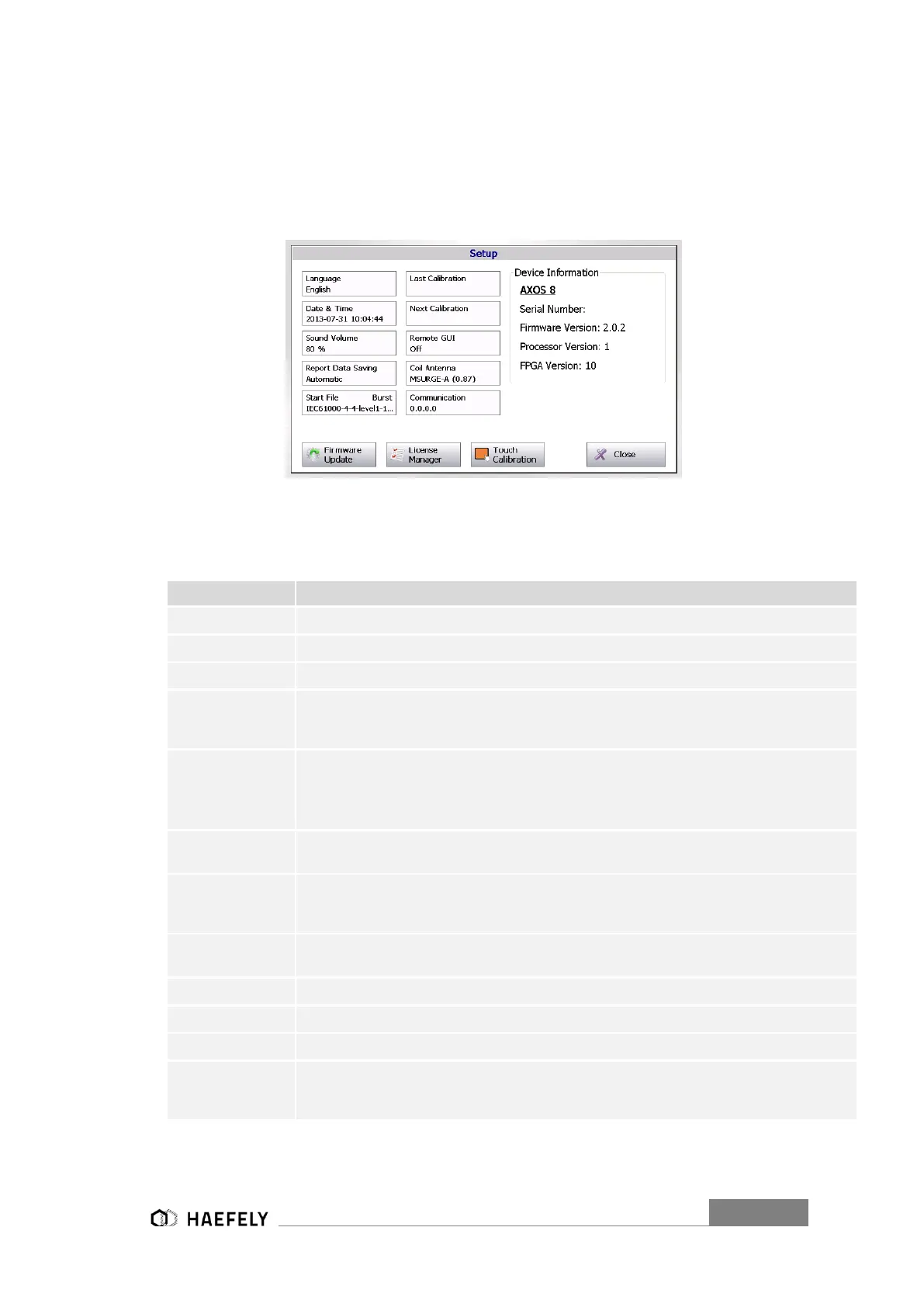
The Figure 5-3 shows the “Setup” menu after selecting this button in the starting field. Every
button is explained in the Table 5-4.
Figure 6-3 Setup Menu
In the right upper corner the current software version, serial number is displayed. The FPGA
indicates the hardware of the chip version
Selection of different language, only English at this moment.
Edit the current date and time
Adjusting of sound operating volume and warn signals
Reporting data can be automatically saved when pushing the device in USB port or
manually by pressing the “Rep.Data” in the menu of every application and then entering
the device
Selection of predefined test in accordance with particular norm for Surge, Burst,
Magnetic field,
Voltage dips & interrupts; ring wave and TW8 it gets only applied from an external
start/stop automatic (
Factory calibration from HAEFEY TEST AG, in future term the “next calibration” becomes
“last calibration
Recommended calibration period from HAEFELY is 2 years, however, it always depends
on the quality management system of every company and certainly the test requirements
of equipment and certification environment
Remote GUI is possible to access when license key purchased from the HAEFELY;
switch on/off of communication between remote computer and AXOS8 possible
Entering of new “coil Antenna” factor as described in capture 7.2.1
Communication via RJ45 at the rear view of AXOS8
For updating the new operating software of the AXOS8
Entry of license codes for Surge, Burst, Magnetic field, Voltage Dips & Interrupts, ring
wave and TW8 as well as remote GUI. After entering the license code, accessible in
main menu


 To Next Page