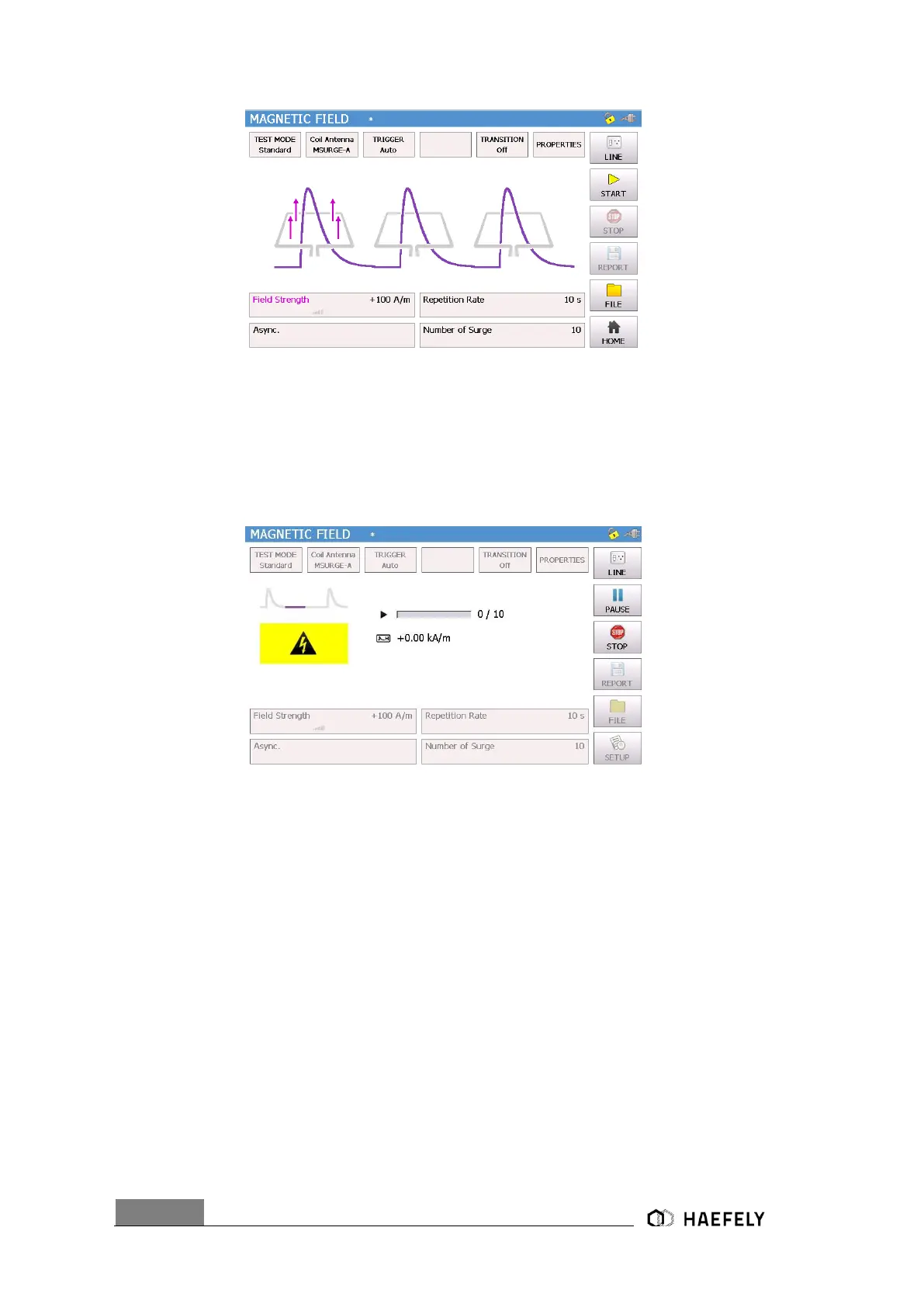
Figure 8-2: Magnetic field Standard mode
When “Line” button pushed, “EUT Supply Input” connected with L, N, PE front view and in the
right corner the plug flashes red. After pushing the “Start” button the surge impulse gets applied.
In Figure 8-3: Magnetic field charging is the Surge impulse proceeding. The magnetic field will be
displayed and the safety symbol is flashing. The test can be stopped by pushing the “Stop” button.
When pushing the “home” button the starting screen as shown in Figure 2-1 gets displayed.
Figure 8-3: Magnetic field charging
In following points “Coil Antenna”, “Trigger”, “Transition” and “properties” will be described. When
being in the “Setup” menu (Figure 6-3 Setup Menu), manual has been selected for “rep data”,
therefore a test report can be written on a USB device simply by pressing “Rep.Data”. However,
first connect device to USB port.
8.2.1 Coil antenna
The setup menu contains a standard predefined coil (MSURGE-A with coli factor 0.87) in
accordance to IEC 61000-4-9. It can be add up to 10 different coil factors to the menu. By selecting
“delete” coil antenna gets erased.


 To Next Page