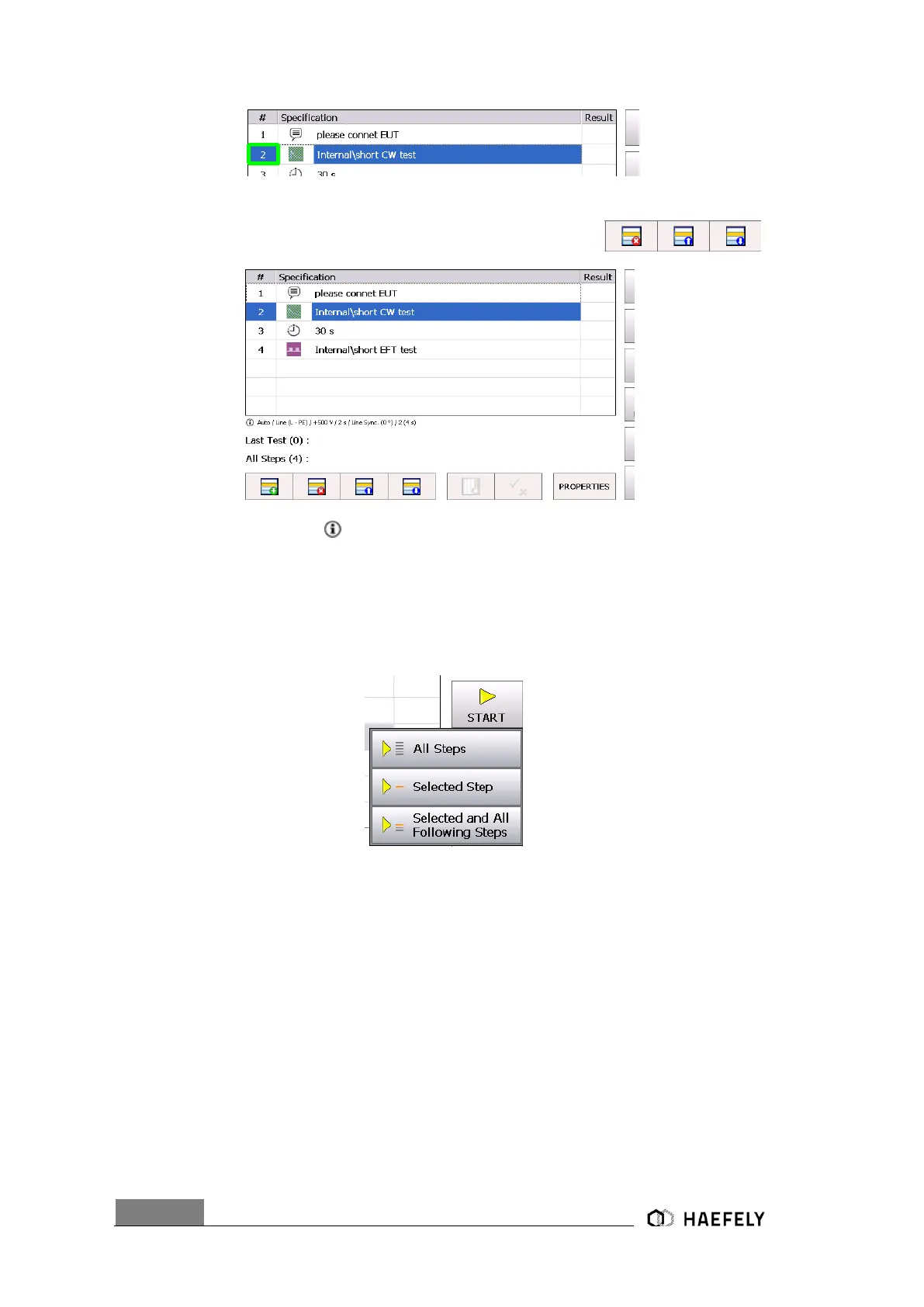
Selected Steps can be moved up, down or can be deleted by buttons
At bottom of Sequence Steps main parameters of selected Step are shown.
13.2.2 Start Sequence
After selecting the start following three options get displayed:
When selecting all steps every command gets applied to EUT and after finished following windows
gets shown in accordance to programmed function.
Finally, when test sequence passed, Figure 12-8 comes up. It does not control the immunity
criteria of the EUT. Must be checked manually as described in capture 12.2.3.


 To Next Page