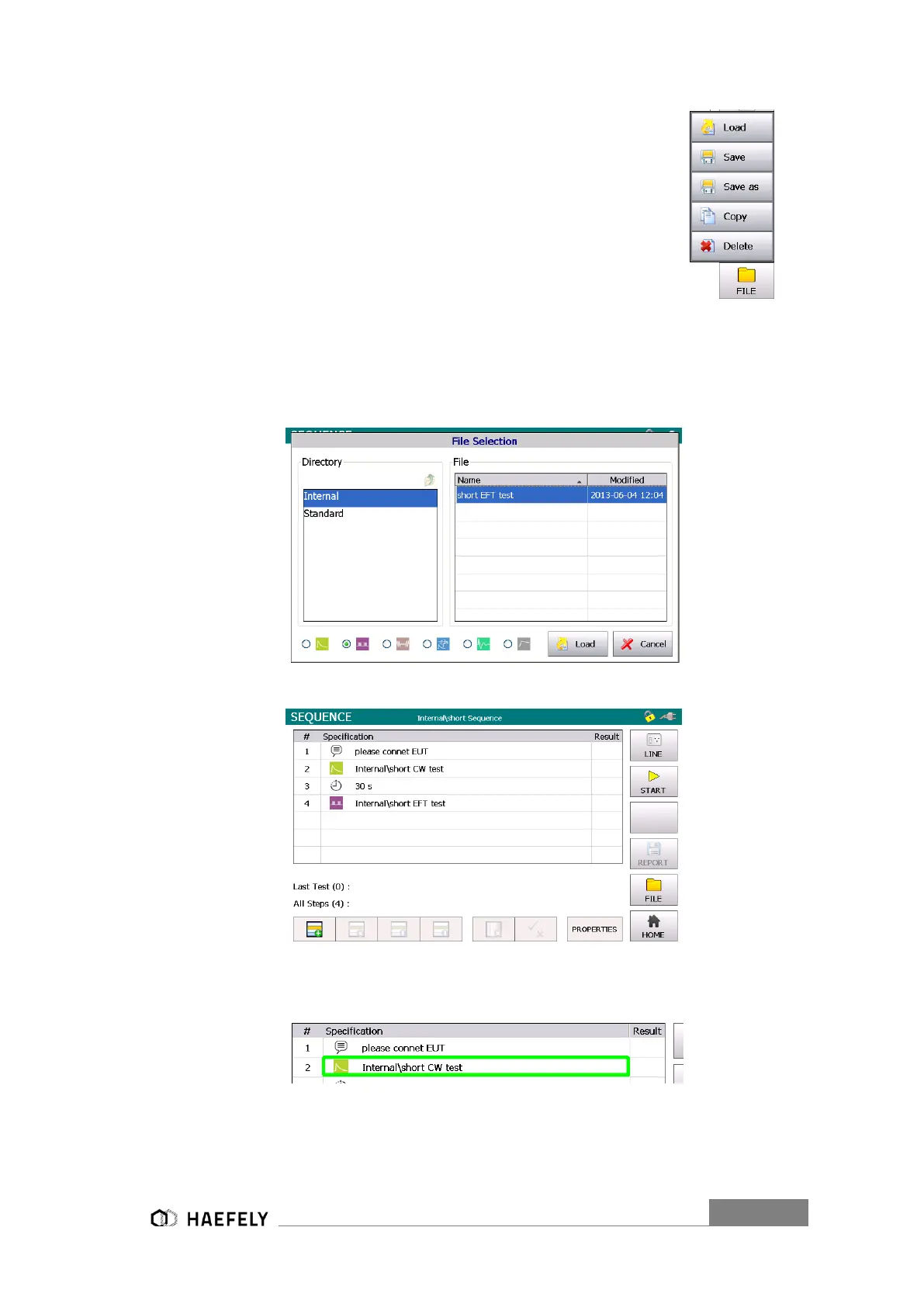
When loading an existing “file” (which had been previously saved on internal
SD card), “load” button must be selected. It works similar as in operating
menu of single impulse form, for example combination wave generator.
No new test can be created, only existing file can be loaded from either
the internal or standard directory. On the other hand adjustment of files
can be done in normal application mode of either generator.
Figure 13-6: Sequence file selection
Figure 13-7: Sequence operation diagram
Steps can be editted by clicking on the Specification area of any Step, e.g. for Step #2:
Steps can be selected (without editting) by click the # area.


 To Next Page