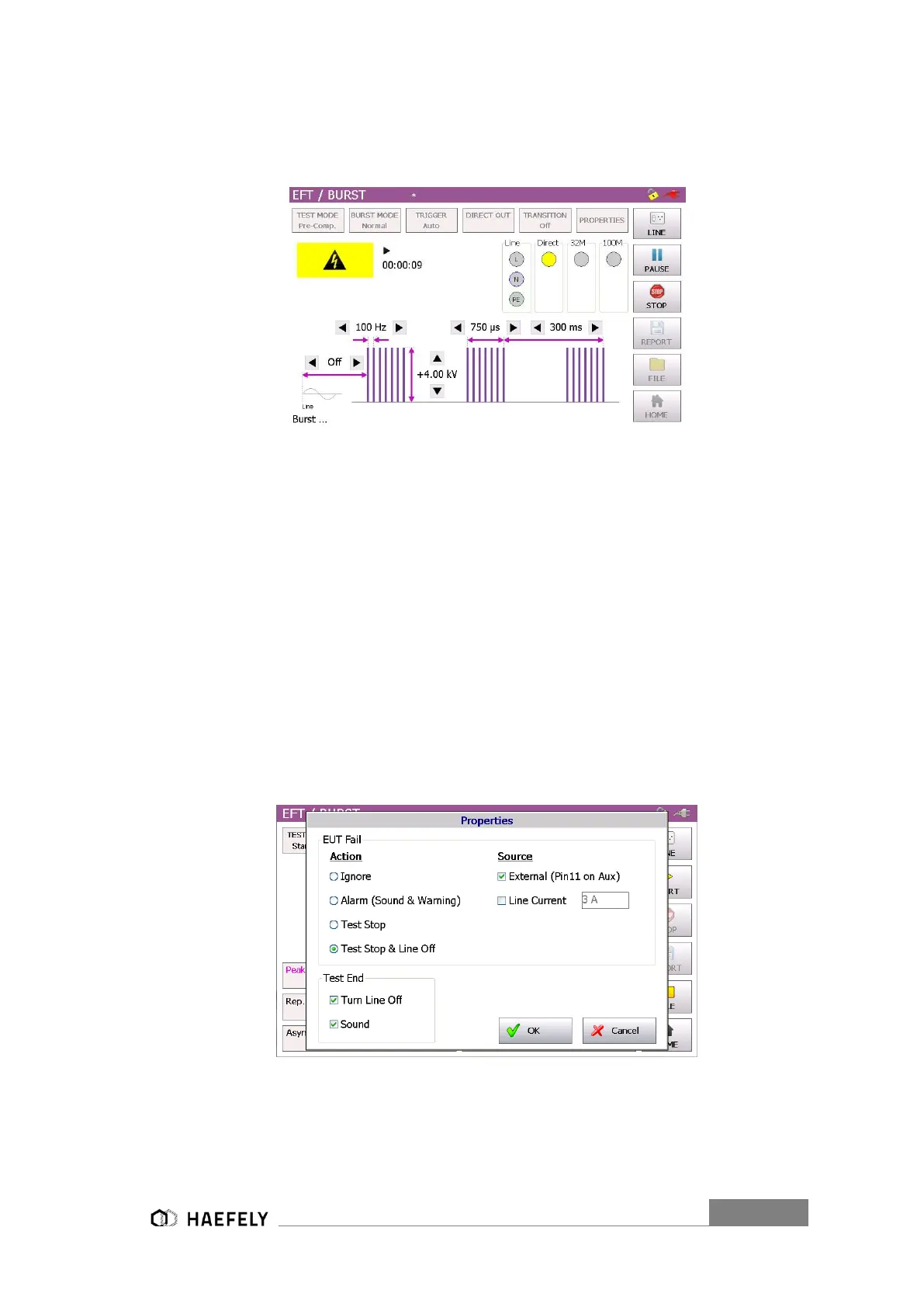
However, when every parameter has been adjusted, the “Start” button can be pushed and
generator is charging. Now, the following graphic should be displayed. The selected output path
(direct or line (3phase CDN 32M or 100M external unit)) is flashing yellow.
Figure 11-4: Burst pre-compliance mode charging
The Burst waveform gets stopped, when pushing the “Stop” button. Afterwards, test report can
be saved on the USB device.
11.2.1 Output & Coupling Paths
In Burst testing mode every line signal gets tested against GND (PE). In direct output the signals
stands on the position 8 in Figure 6-1 Axos Front view. It gets connected directly to the EUT or
will be used for verification of the Burst waveform. Furthermore, it can be connected to three-
phase test CDN. For further assistance please contact HAEFELY directly.
11.2.2 Properties
The next window shows the property window of the Burst waveform. Detailed description of each
parameter can be read in the Table below.
Figure 11-5: BURST properties


 To Next Page