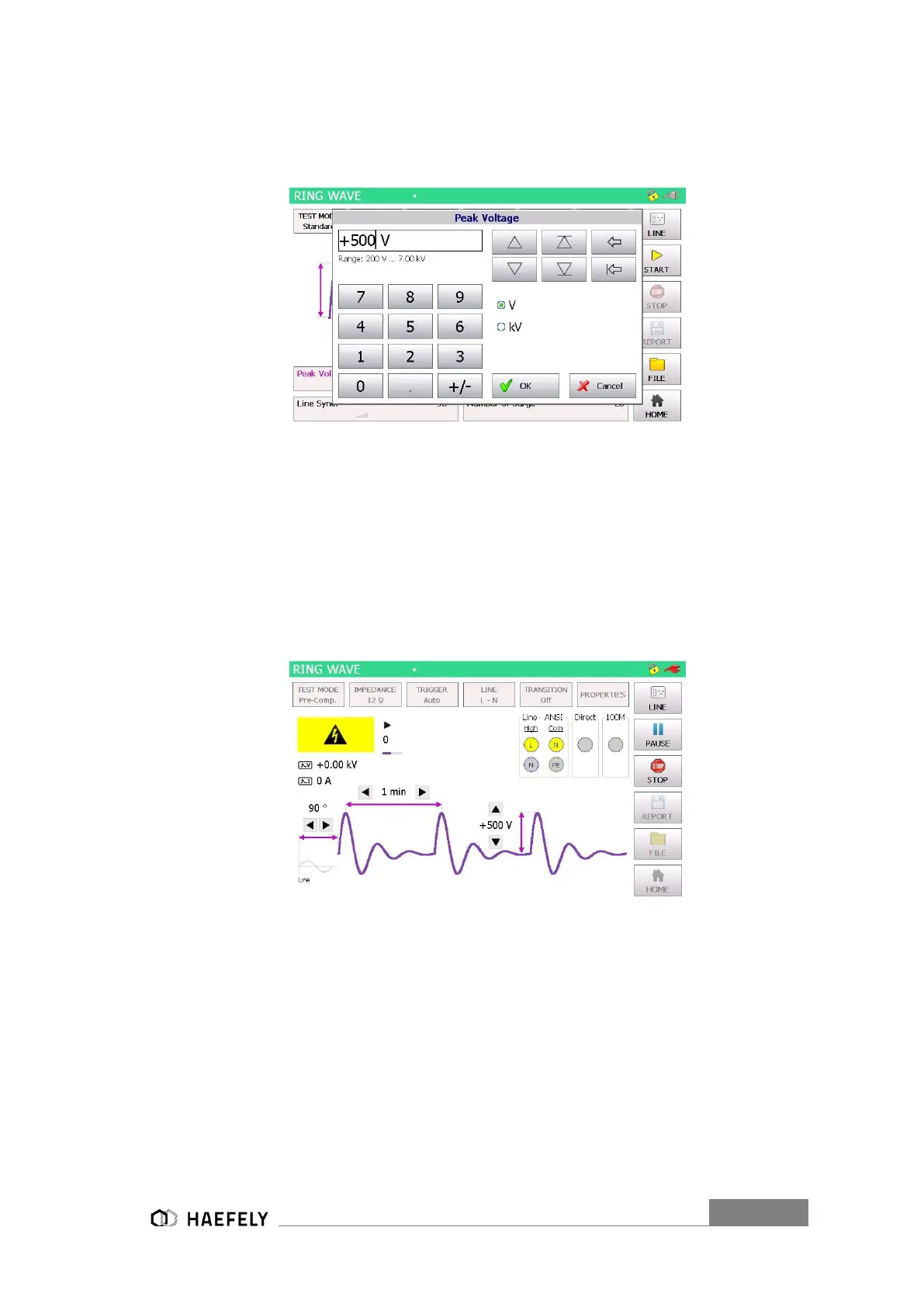
In Pre-Compliance Mode, the parameter values can be changed in set increments with the use
of arrow keys or by pressing the number between the arrow keys. Pressing the number between
the arrow keys will bring up the numeric display shown in Figure 9-4: Ring Wave peak voltage.
Figure 9-4: Ring Wave peak voltage
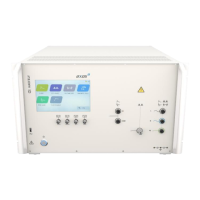
After values entered, the start button can be pushed and the window Figure 9-3: Ring Wave pre-
compliance mode opens up, if selected pre-compliance mode.
The safety symbol, the direct output and the output voltage and output current are displayed. In
addition, the user is able to see nominal values of the peak voltage, reputation time and the
synchronization period. Additionally, these values can be modified while the test is proceeding. It
happens by simply pressing each particular function. The test stops when pushing the “STOP”
button.
Figure 9-5: Ring Wave Pre-compliance mode charging
In the right corner of the graphic is the plug flashing in red, when direct connection between L, N,
PE to the “EUT Supply Input” and button “line” has been pushed. The safety lock symbols shows
that the safety circuit has been closed between PIN 4 and PIN 5 in Table 5-3.
Information about Transition, Trigger and properties has to be entered independently if the test
has stopped. “Transition” and “Trigger” are only accessible in standard operating mode.
9.1.3 Properties


 To Next Page