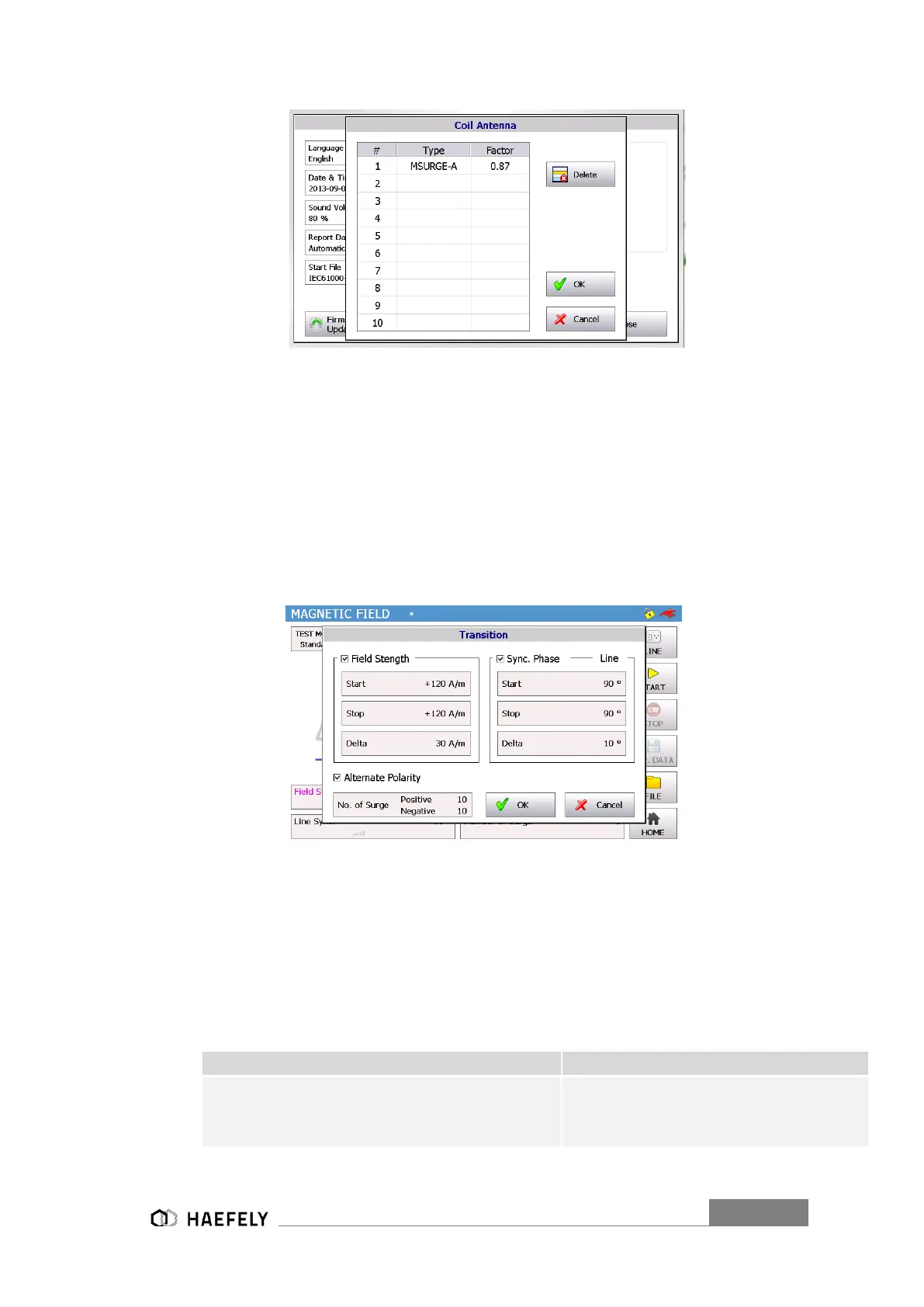
Figure 8-4: Coil Antenna factor from Set Up menu of AXOS8
To add a different coil, it will be entered in setup (Figure 6-3 Setup Menu). This selection can be
seen in the operating menu in the magnetic field.
8.2.2 Transition
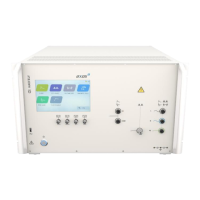
In “Transition” (Figure 8-5: Magnetic field transition) the user can adjust the “Field Strength”,
“Sync. Phase” and “Alternative Polarity”. The description from capture 6.3.2 is valid, except “peak
voltage” has been changed to “field strength”. The other parameters stay equal, since an OCC
will be applied to the coil antenna and is basically a Surge impulse.
Figure 8-5: Magnetic field transition
When all parameters has been entered then simply confirming with ok and in the menu is showing
“transition on”, this indicates the settings will be applied to the coil antenna when pushing the
“start” button. Furthermore, when test is proceeding, the intervals for instance of the “field
strength” gets displayed.
8.2.3 Properties
External condition (e.g. device or PLC
signal), the position becomes 1 and
causes an action (Ignore, Alarm, Test
Stop or test stop & line off)


 To Next Page