External condition (e.g. device or PLC signal), the position becomes 1
and causes an action (Ignore, Alarm, Test Stop or test stop & line off)
Action: Ignore, Alarm, Test stop,
Test stop & line off
Due to EUT fails, AXOS
8
cause an action which can be: Ignore,
Alarm, Test Stop, Test Stop & Line off.
10.1.7 Transition
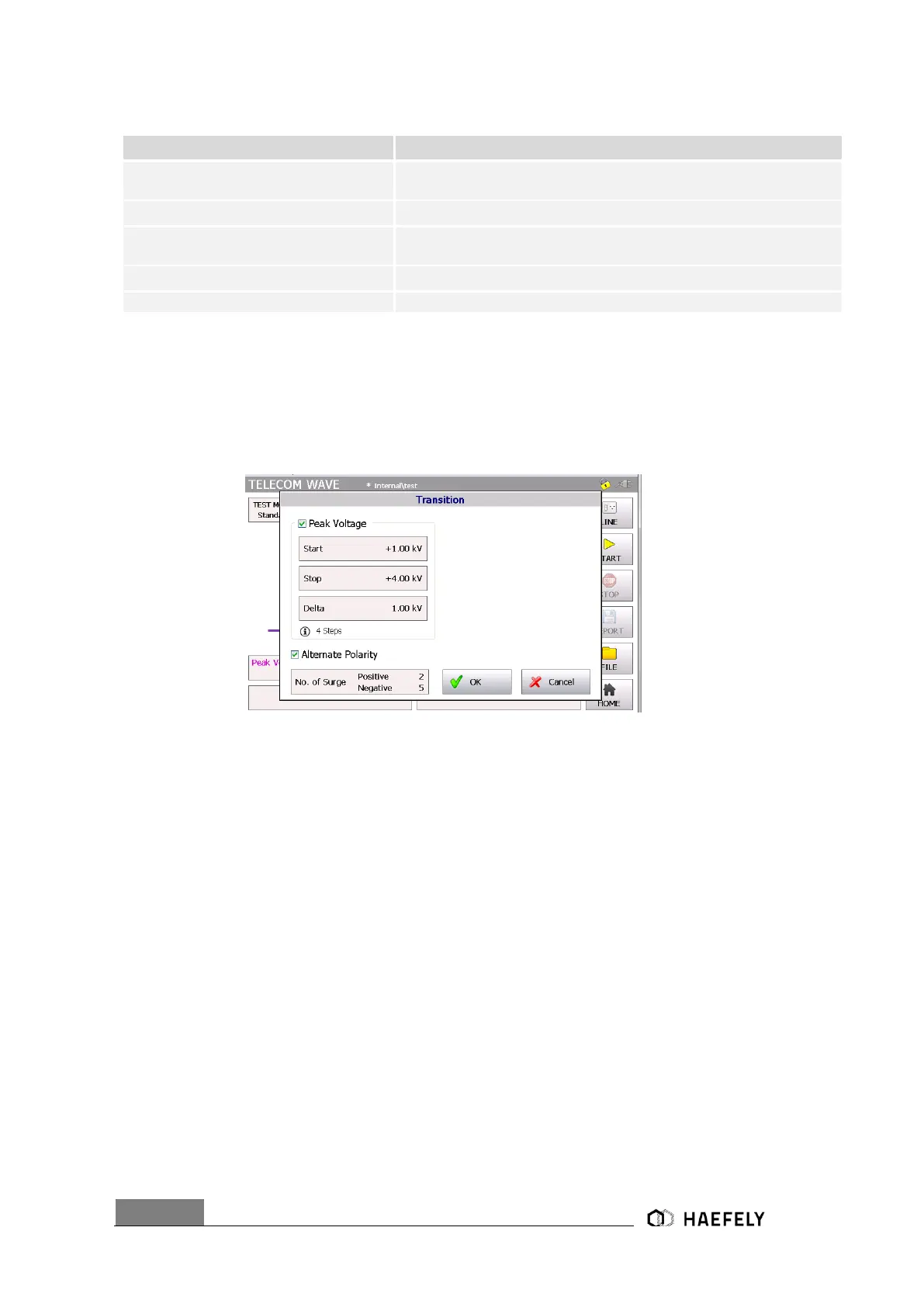
The Figure 9-10 reflects the transition window of the AXOS
8
. The “alternative polarity” makes
possible to switch between positive and negative impulses. Alternate polarity, peak voltage can
be selected and parameter entered.
Figure 10-10: Telecom Wave transition mode
After successfully entering the parameter, “OK” button can be pushed and then the “Start” button
in the main menu. Test should be proceeding now.
10.1.8 Trigger
In the trigger window it is possible to select between “auto” or “manual”. When being in “manual
mode” the user controls the trigger by pressing the start button first, after the generator is charged
the menu button “trigger” flashes up and can be pushed. “Auto mode” provides the signal
according to set up and works completely automatically. All key parameter like “peak voltage”
sets the user through the touch screen in the main operating window.


 To Next Page