13 Sequence
13.1 General information
The main aim of the sequence menu is to create automatic testing procedures. It contains either
one or several steps. Possible steps are: Message, Timer, Test or comment. The sequence gets
started automatically just by selecting the “start” button. The following points in this capture
describe the operation menu more detailed and indicate few examples.
13.2 Sequence menu
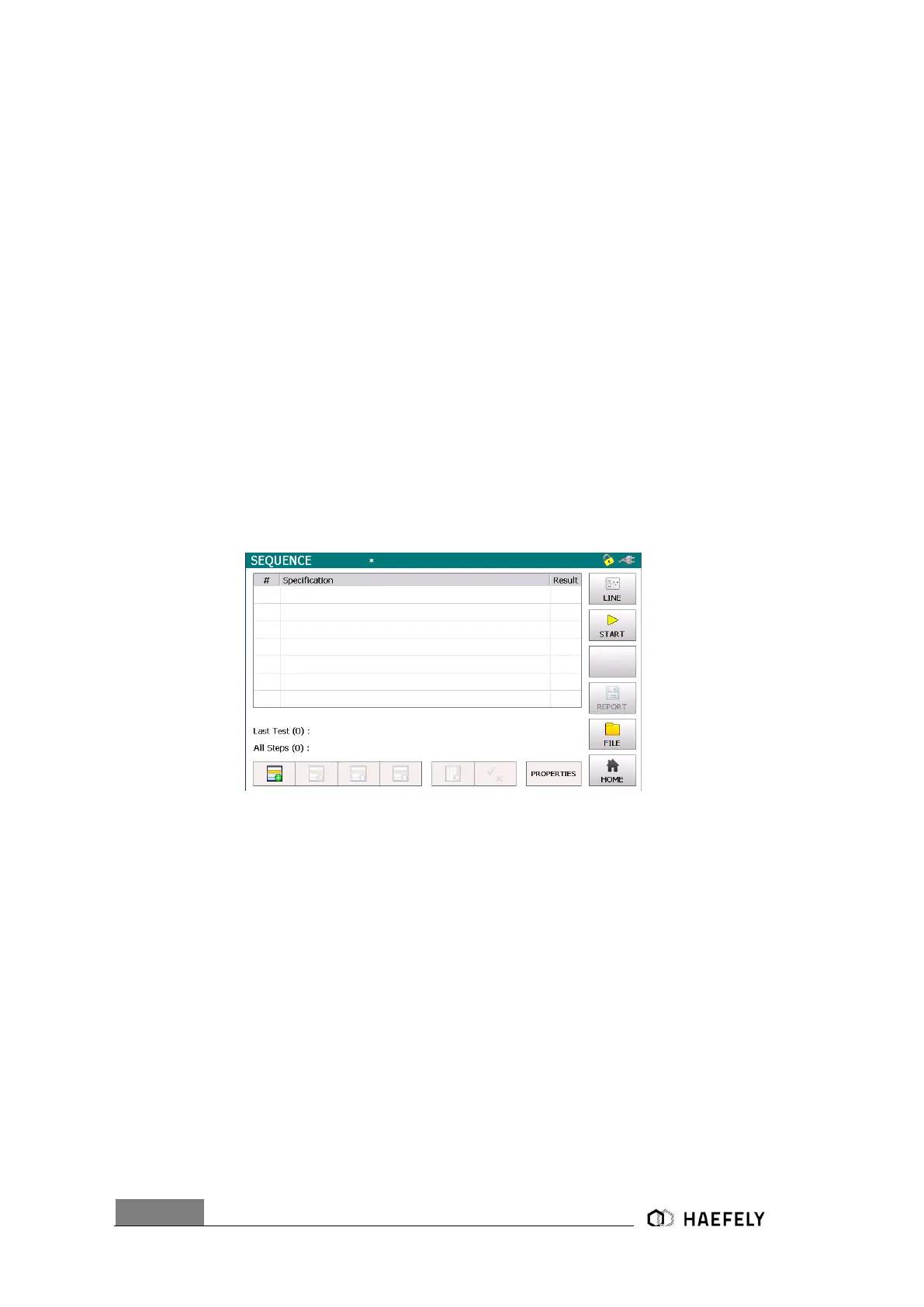
To access the sequence menu the “sequence” button must be selected in the starting screen of
the AXOS
8
Figure 13-1: Sequence
In the left corner of the Figure 13-1: Sequence you can select between adding a new impulse,
moving the step back and forward or simply deleting the entire function. There a behaviour of the
EUT can be defined as seen below.


 To Next Page