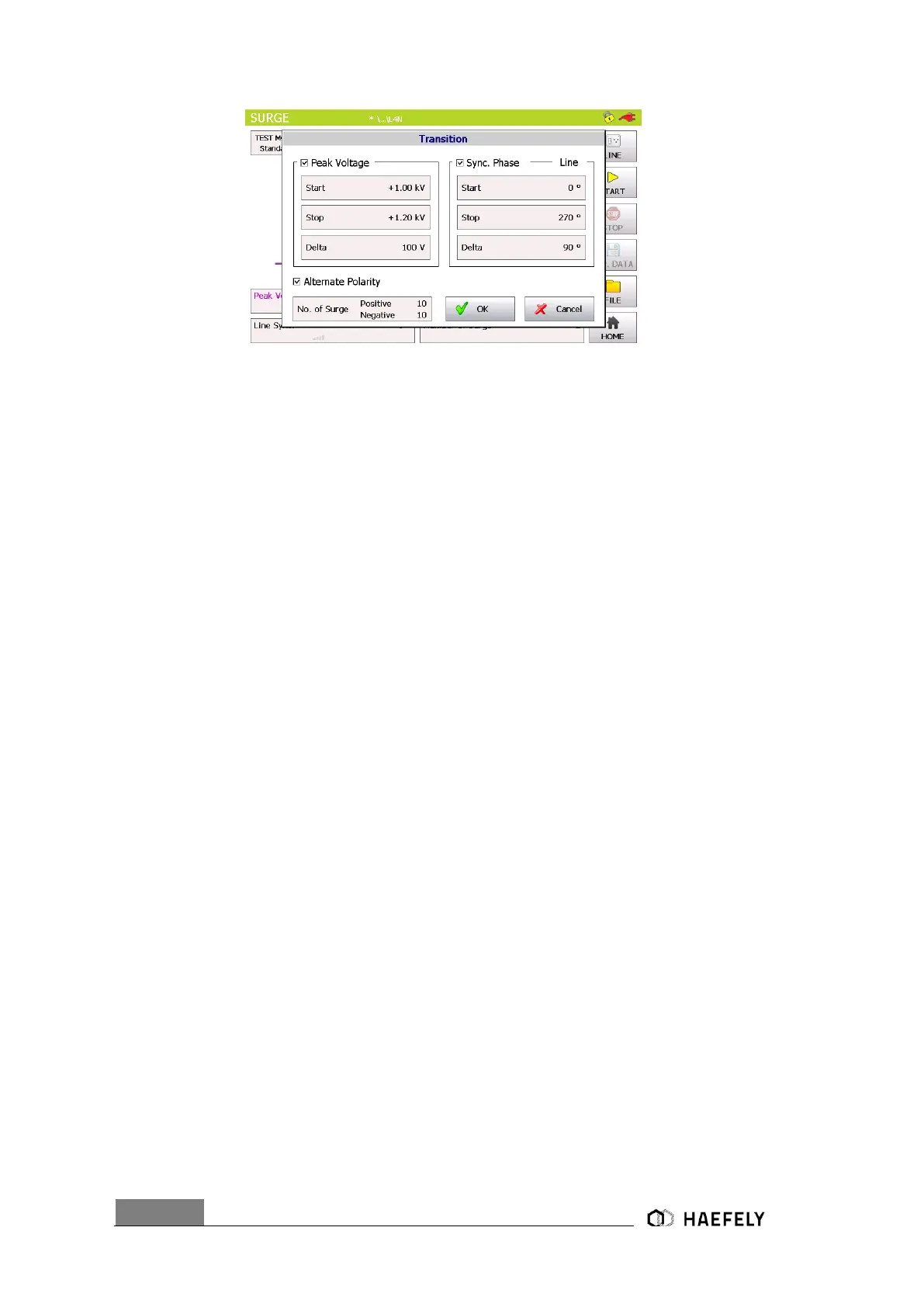
Figure 7-8: SURGE transition mode
After successfully entering the parameter, “OK” button can be pushed and then
the “Start” button in the main menu. Test should be proceeding now.
7.2.6 Trigger
In the trigger window it is possible to select between “auto”, “manual” or “external trigger”. When
being in “manual mode” the user controls the trigger by pressing the start button first, after the
generator is charged the menu button “trigger” flashes up and can be pushed. “Auto mode”
provides the signal according to set up and works completely automatically. All key parameter
like “peak voltage” sets the user through the touch screen in the main operating window. In
“external trigger” the signal for the trigger comes from an external source and gets connected via
PIN 11 in the AUX input at the rear view of the AXOS
8
.
7.2.7 Synchronization AC
To synchronize the surge signal with the main supply source it is necessary to adjust in the menu
“Synchronization” and then “Line Sync.”. Further adjustments of the angle can be done in a range
from 0°to 359°. However, if no power supply is connected to the EUT input at the rear view, it
has to be entered “Async.”, otherwise it is impossible to get a Surge impulse of the generator.
In external synchronization, the output with the position 8 Figure 5-2 in the rear view is in use. As
an external source could be used for instance a manual CDN. Normal operation through the touch
screen is possible.


 To Next Page