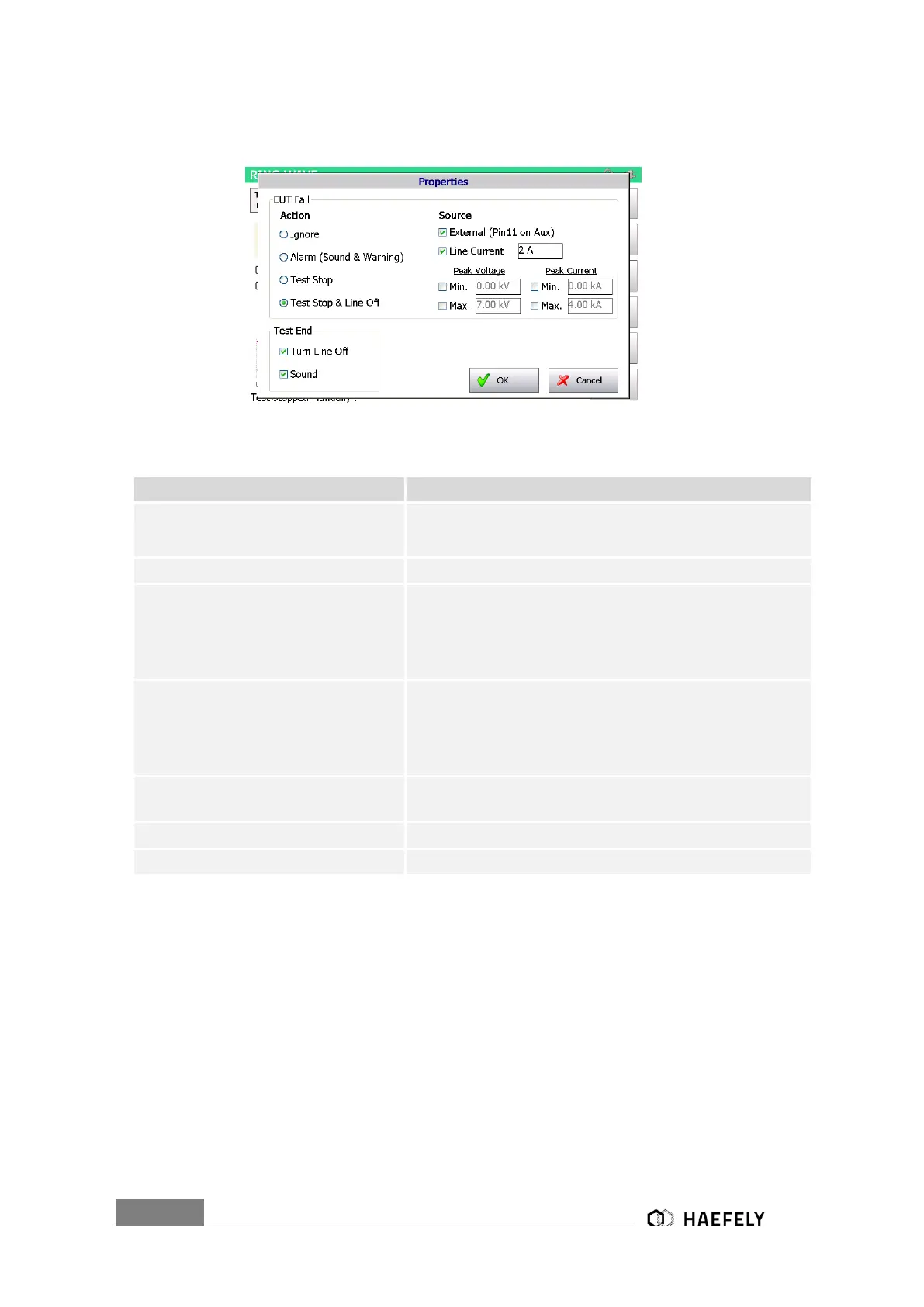
In the Figure 9-6: Ring Wave properties below is the properties menu displayed. The Table
explains the function more detailed.
Figure 9-6: Ring Wave properties
The window gets closed, when confirming the “OK” button.
External condition (e.g. device or PLC signal), the position
becomes 1 and causes an action (Ignore, Alarm, Test Stop or
test stop & line off)
Limits the current (L, N, PE front view) to the EUT.
It defines an area (min. and max.) within the peak voltage value
of the
surge waveform becomes. If not successful, it causes an
action, which can be: Ignore, Alarm, Test Stop or test
stop & line off.
It defines an area within the peak current (min. and max.) value
of the
surge waveform can become. If not successful, it causes an
action, which can be: Ignore, Alarm, Test Stop or test stop &
line off.
Action: Ignore, Alarm, Test stop, Test
stop & line off
Due to EUT fails, AXOS
8
cause an action which can be: Ignore,
Alarm, Test Stop, Test Stop & Line off.
Voltage locked at L, N, PE when test has finished
Acoustic signal when test ends
9.1.4 Transition
The Figure 9-7: Ring Wave transition mode reflects the transition window of the AXOS
8
. The
“alternative polarity” makes possible to switch between positive and negative impulses. Alternate
polarity, peak voltage and phase can be selected and parameter entered. It is only possible to
select phase in either external synchronization or synchronization mode.
Significant awareness must be given in the transitions mode, that Trigger “auto” mode is selected,
otherwise it is not possible to access the “Transition” function.


 To Next Page