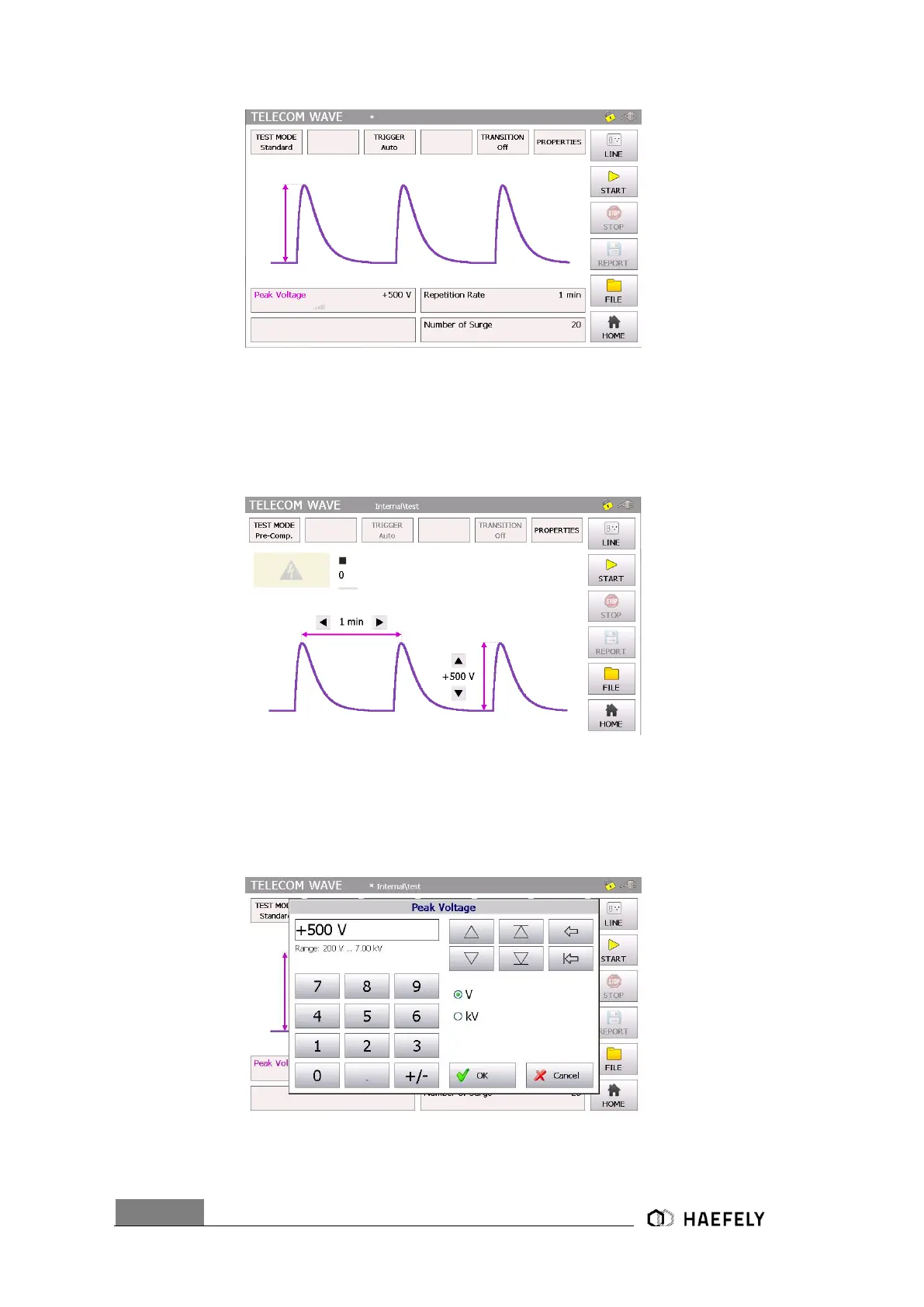
Figure 10-5: Telecom Standard mode
When pressing the “home” button the user gets transferred automatically to the start menu.
In the Figure 10-6: Telecom Wave pre-compliance mode it shows the use of the pre-compliance
mode. Indeed, every parameter can be changed by simply pressing on the black bows next to the
value. All data entries can be done while the generator is operating.
Figure 10-6: Telecom Wave pre-compliance mode
For instance, in the standard mode after selecting the peak voltage field the Figure 10-7: Telecom
Wave peak voltage opens up and the parameter can be entered. In a similar way functions the
repetition rate and the number of surge.
Figure 10-7: Telecom Wave peak voltage


 To Next Page