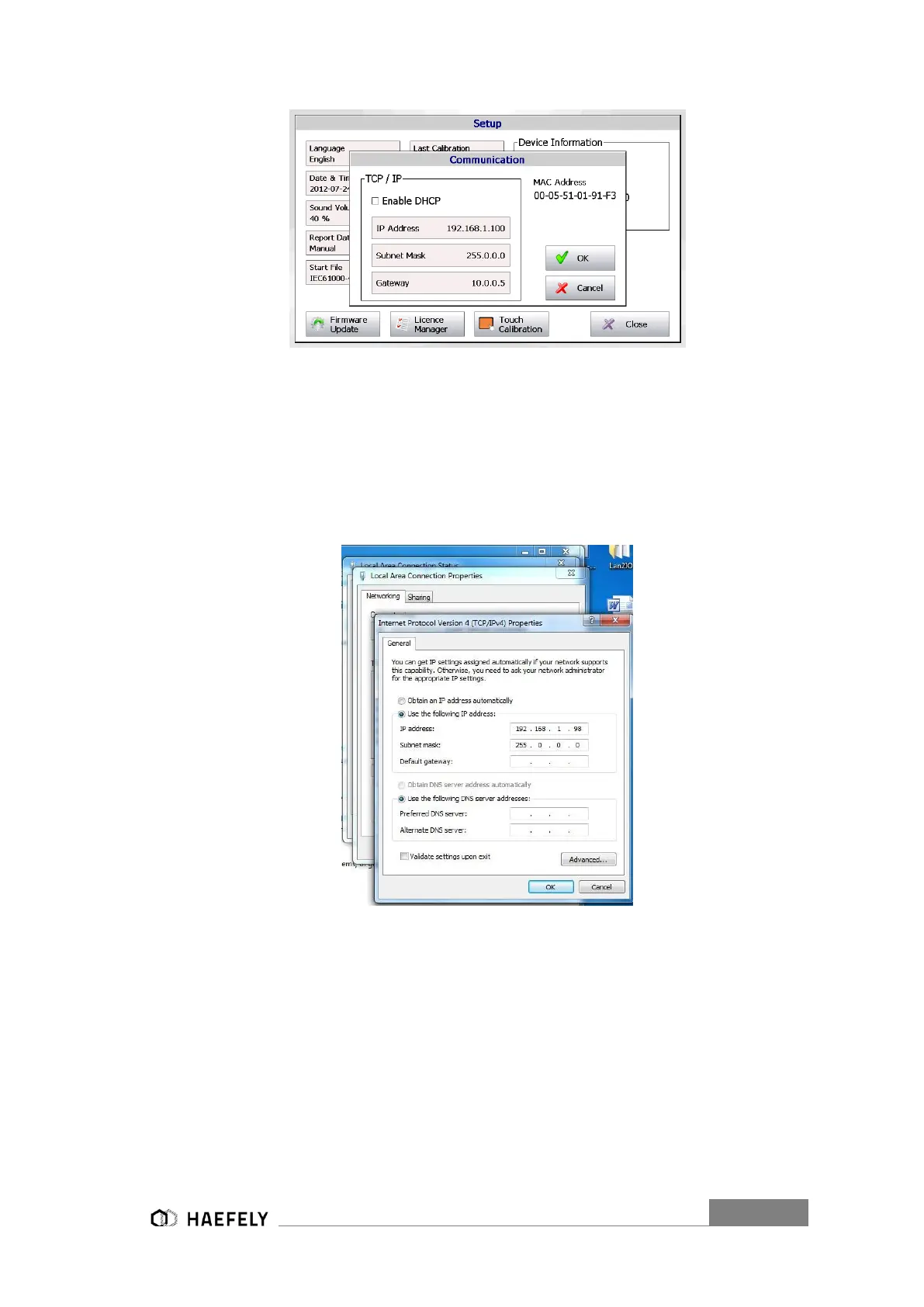
Figure 14-2: Ethernet communication
Setting of remote device with windows 7: Control Panel → Network and Internet → Network
sharing Centre → local area connection status → local area connection properties → Internet
protocol version 4 (TCP/IPv4) Properties.
The following window should be displayed. Now, changing the adjustments from “obtain an IP
address automatically” in “use the following IP address”.
Figure 14-3: Inter Protocol Version 4 (TCP/IPv4)
Enter the new IP address as showed in the AXOS
8
operation window (e.g. Figure 14-2: Ethernet
communication), however, the last digit must have ± 2 difference to initial IP address of AXOS
8
.
Confirm with ok.
In the last step starting of installed free software “VNC Viewer”. Entering of exact IP-Address as
displayed in Figure 14-4 as seen in the AXOS
8
operating window (e.g.192.168.1.100).


 To Next Page