3
4. n : 1 Connection (Multi-link) 3-17
Serial Communications
Wiring
Connection with Link Unit
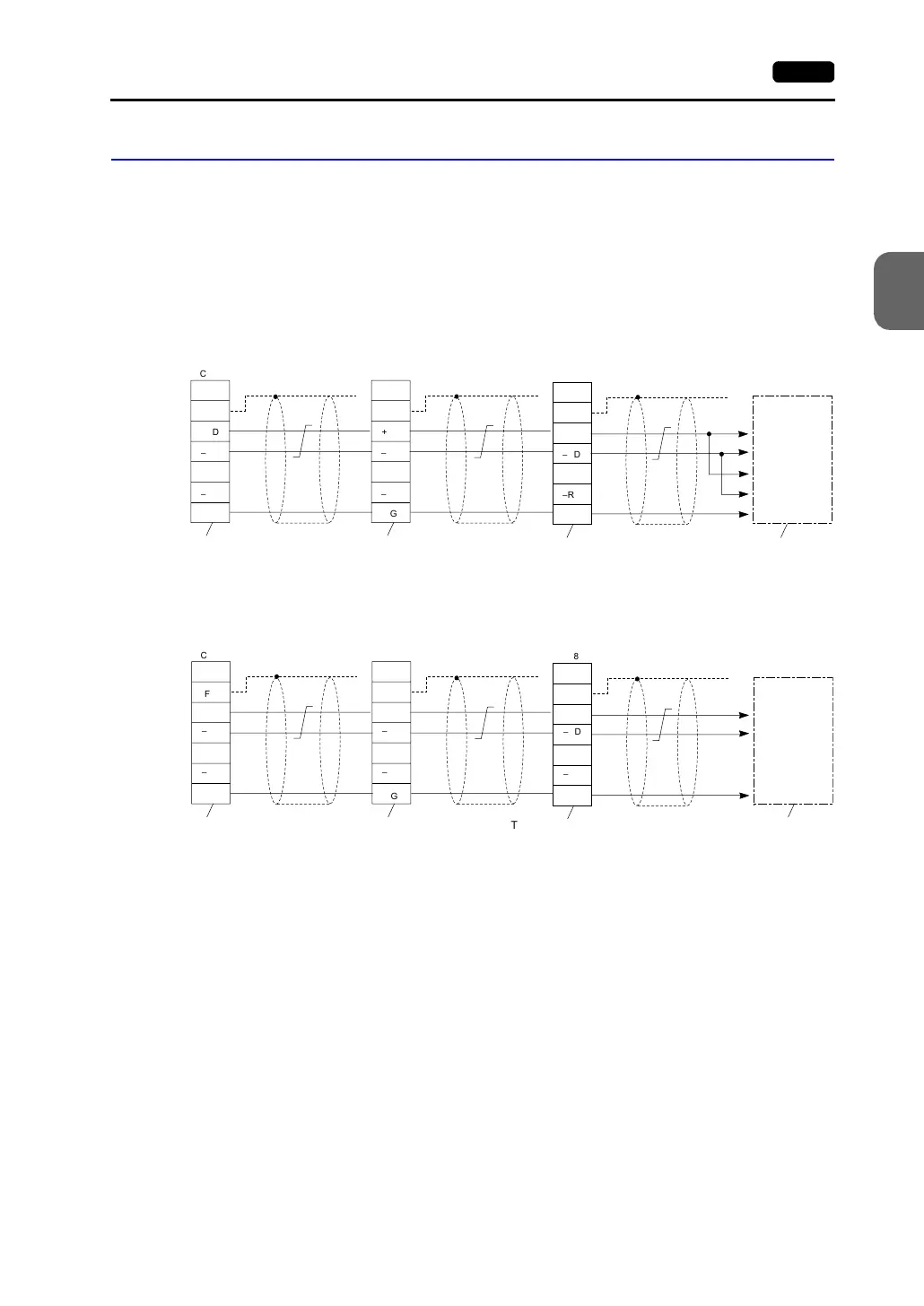
Use the RS-485 2-wire connection. (It is recommended that Hakko Electronics’ optional
terminal converter “TC485” be used.)
• When TC485 is used:
Set “2-wire connection” at the DIP switch (SW1) on TC485. When a jumper is required
on the PLC:
When no jumper is required on the PLC:
• When TC485 is not used:
Install jumpers between +RD/+SD and −RD/−SD.
FG
+RD
-
RD
+SD
-
SD
SG SG
TC485
FG
+RD
-
RD
+SD
-
SD
SG
TC485
FG
+RD
-
RD
+SD
-
SD
SG
TC485
Terminating resistance
(OFF)
Signal
Name
Shield
Shield
Shield
To the PLC’s
RS422 port of the
link unit
Send data (+)
Send data (−)
Receive data (+)
Receive data (−)
Terminating resistance
(ON)
Terminating resistance
(OFF)
Terminating resistance
(ON)
Signal
Name
Signal
Name
FG
+RD
-
RD
+SD
-
SD
SG
TC485
FG
+RD
-
RD
+SD
-
SD
SG
TC485
FG
+RD
-
RD
+SD
-
SD
SG
TC485
SG
Terminating resistance
(OFF)
Signal
Name
Shield
Shield
Shield
To the PLC’s
RS422 port of the
link unit
Send data (+)
Send data (−)
Terminating resistance
(ON)
Terminating resistance
(OFF)
Terminating resistance
(ON)
Signal
Name
Signal
Name



 To Next Page