3
7. PLC2Way 3-35
Serial Communications
V-SFT Setting – System Setting
PLC model selection and parameter setting to be made on the V-SFT editor for the
PLC2Way connection at the MJ port are explained.
Temp. CTRL/PLC2Way Setting
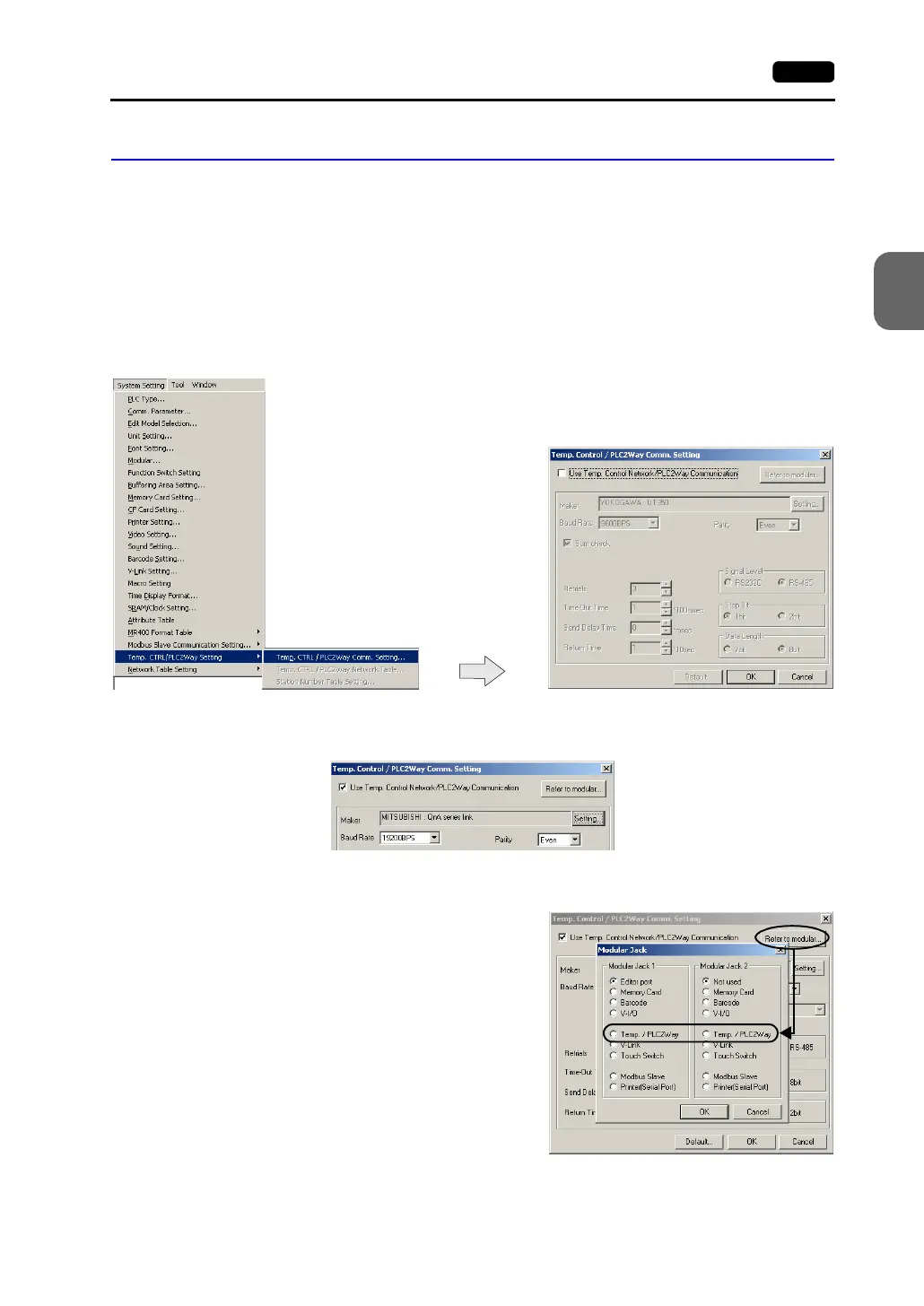
Select the PLC model and make the parameter setting as described below.
1. Select [System Setting] → [Temp. CTRL/PLC2Way Setting] → [Temp. CTRL/PLC2Way
Comm. Setting]. The [Temp. Control/PLC2Way Comm. Setting] dialog is displayed.
2. Check [Use Temp. Control Network/PLC2Way Communication].
3. Select the MJ port.
Click the [Refer to Modular] button. The
[Modular Jack] dialog is displayed. Select
[Temp./PLC2Way] for modular jack 1 or 2
that is used for PLC2Way communication.



 To Next Page