3-36 7. PLC2Way
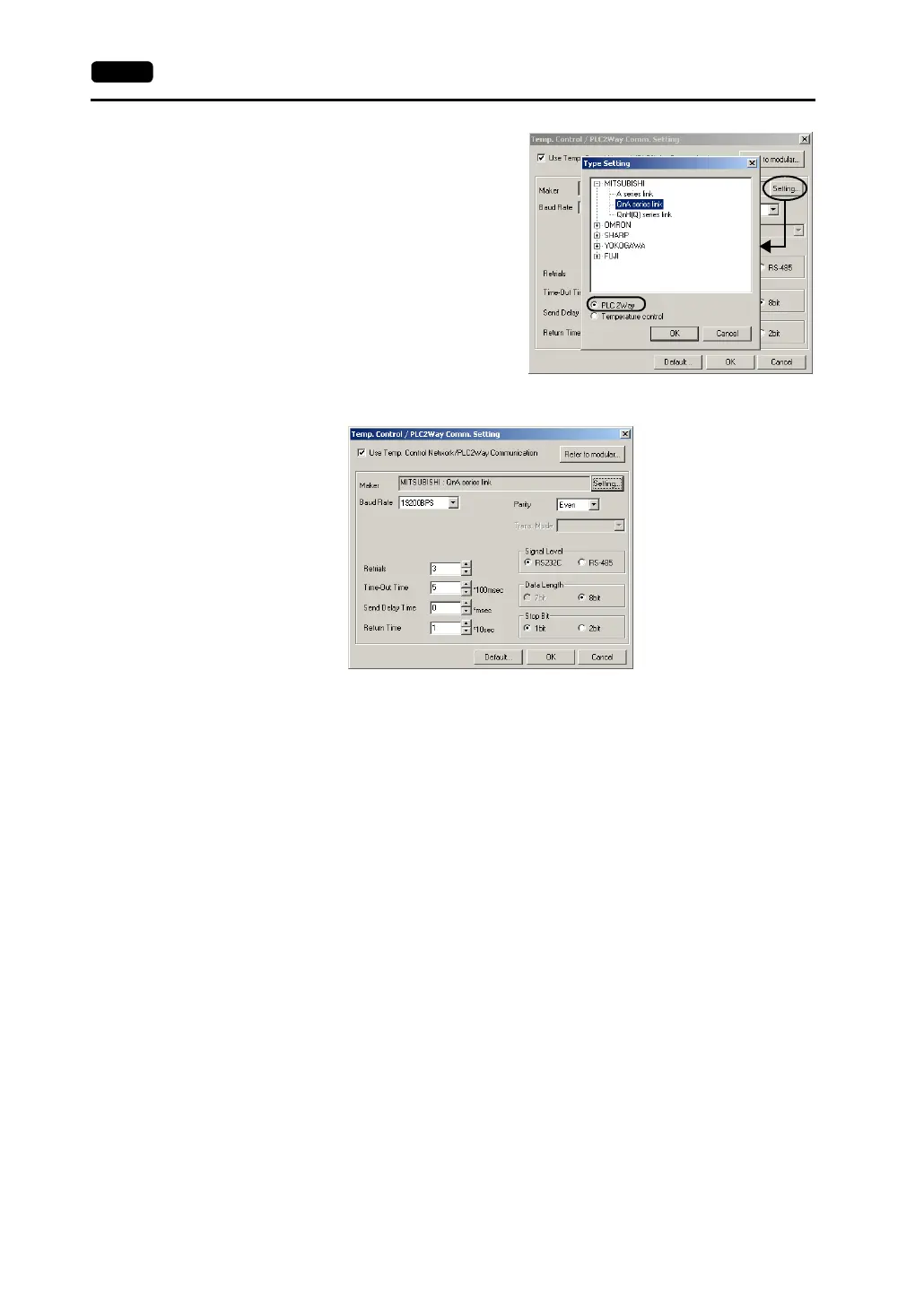
4. Select the PLC model to be connected at
the MJ port. Click the [Setting] button.
The [Type Setting] dialog is displayed.
Select [PLC2Way]. The PLC manufacturer
names who support PLC2Way
communication are displayed. Click [+].
The available model names of the selected
manufacturer are displayed. Select the
PLC model name and click [OK]. The
message communication “Communication
parameters are reset. OK?” is displayed.
Click [Yes].
5. Set the parameters for the PLC to be connected at the MJ port.
[Baud Rate] (4800, 9600, 19200, 38400, 57600, 115000, 115 kbps)
Select the communication speed with the PLC connected at the MJ port.
[Parity] (None/Odd/Even)
Select the parity setting for communications with the PLC connected at the MJ port.
[Data Length] (7-bit/8-bit)
Select the data length for communications with the PLC connected at the MJ port.
[Stop Bit] (1-bit/2-bit)
Select the stop bit setting for communications with the PLC connected at the MJ
port.
[Signal Level] (RS232C/RS485)
Select the signal level for communications with the PLC connected at the MJ port.
[Retrials]
Set the number of retrials to be attempted in the case that a communication error
occurs.
[Time-out Time] (×100 msec)
Select the receive time of the response from the PLC connected at the MJ port. If
no response is received within the specified time, a retrial is attempted.
[Send Delay Time] (× msec)
Set a time delay in sending the response to the PLC after receipt of data from the
PLC connected at the MJ port.



 To Next Page