1
8. Power Supply Cable Connection 1-21
Hardware Specifications
8. Power Supply Cable
Connection
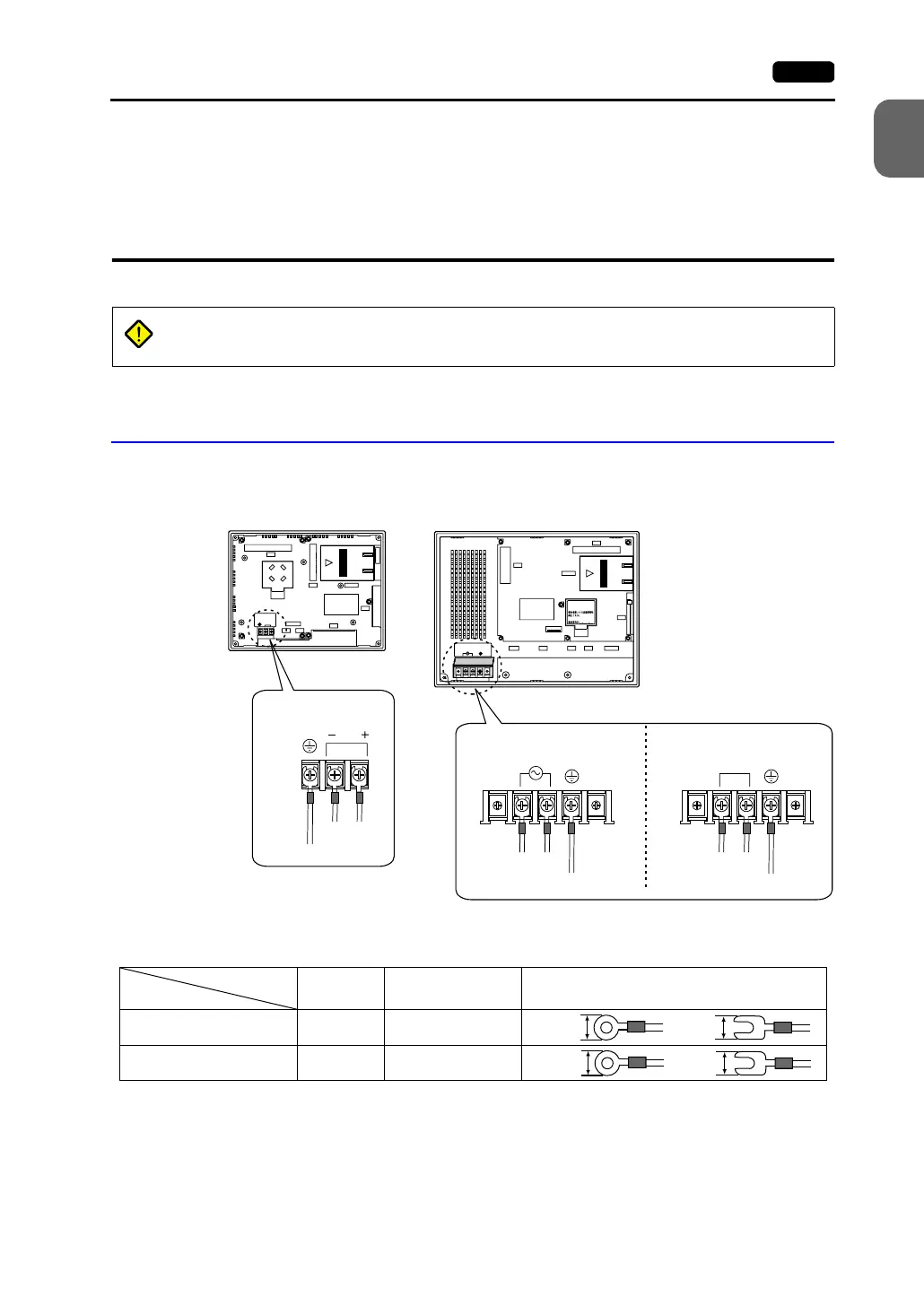
Power Supply Cable Connection
• Connect the power supply cable to the terminal on the backside of the unit.
- V708/V708i - V710/V710i/V712/V712i
• When connecting the power supply cable, tighten the terminal screws to the following
torque.
• The power source must be within the allowable voltage fluctuation.
• Use a power source with low noise between the cables or between the ground and the
cable.
• Use as thick a power supply cable as possible to minimize drop in voltage.
DANGER
Electric shock hazard
Shut the power off before connecting the power supply cable.
24 VDC
24VDC
- +
LAN
CN1
MJ1
MJ2
PRINTER
CF
CN5
MEMORY
CN6
LN + −
24VDC
100-240VAC
L N
LAN
CN1
MJ1 MJ2
PRINTER
CF
CN5
MEMORY
CN6
Seeoperatingormaintenance
instructionfortypeofbattery
tobeused.
Batteryreplacement.
Power supply
24 VDC ± 10%
Grounding
24 VDC specification
100-240 VAC specification
Power supply
100-240 VAC
Grounding
Power supply
24 VDC ± 10%
Grounding
24 VDC specification
Terminal Screw
Model
Screw Size Tightening Torque Crimp-style Terminal (Unit: mm)
V708/V708i M3.5 0.5 N•m
V710/V710i/V712/V712i M4 0.5 N•m
7.1 MAX 7.1 MAX
7.9 MAX 7.0 MAX



 To Next Page