3
7. PLC2Way 3-33
Serial Communications
Wiring
Two kinds of cables are available for PLC2Way connection at the MJ port. Cable
connections are explained.
Connecting method 1 (using MJ-D25)
• To connect the PLC and the V7 series at the MJ port, use the Hakko Electronics’ MJ to
D-sub conversion cable “MJ-D25” (0.3 m, metric thread) and the cable for 1 : 1
connection at CN1. For more information on the cable for 1 : 1 connection at CN1, refer
to “Wiring” in “Chapter 5 Connection to PLCs.”
• This combination of cables (MJ-D25 + 1 : 1 connection cable) can be used either for
RS-232C or RS-485 (RS-422) 2-wire connection.
• With RS-485 (2-wire connection), a maximum of 31 PLCs can be connected. For
information on connection between PLCs, refer to the instruction manual for the PLC.
Connecting method 2 (using V6-TMP)
• Use Hakko Electronics’ cable “V6-TMP” (3 m) when connecting the V7 series to a PLC
at the MJ port. The shielded frame ground of V6-TMP must be connected to the V7
series.
* Notes on Use of V6-TMP
There are six wires in the V6-TMP cable as
shown on the right. The wires to be used are
determined depending on the connecting
method. For the wires not used, be sure to
properly insulate with tape, etc.
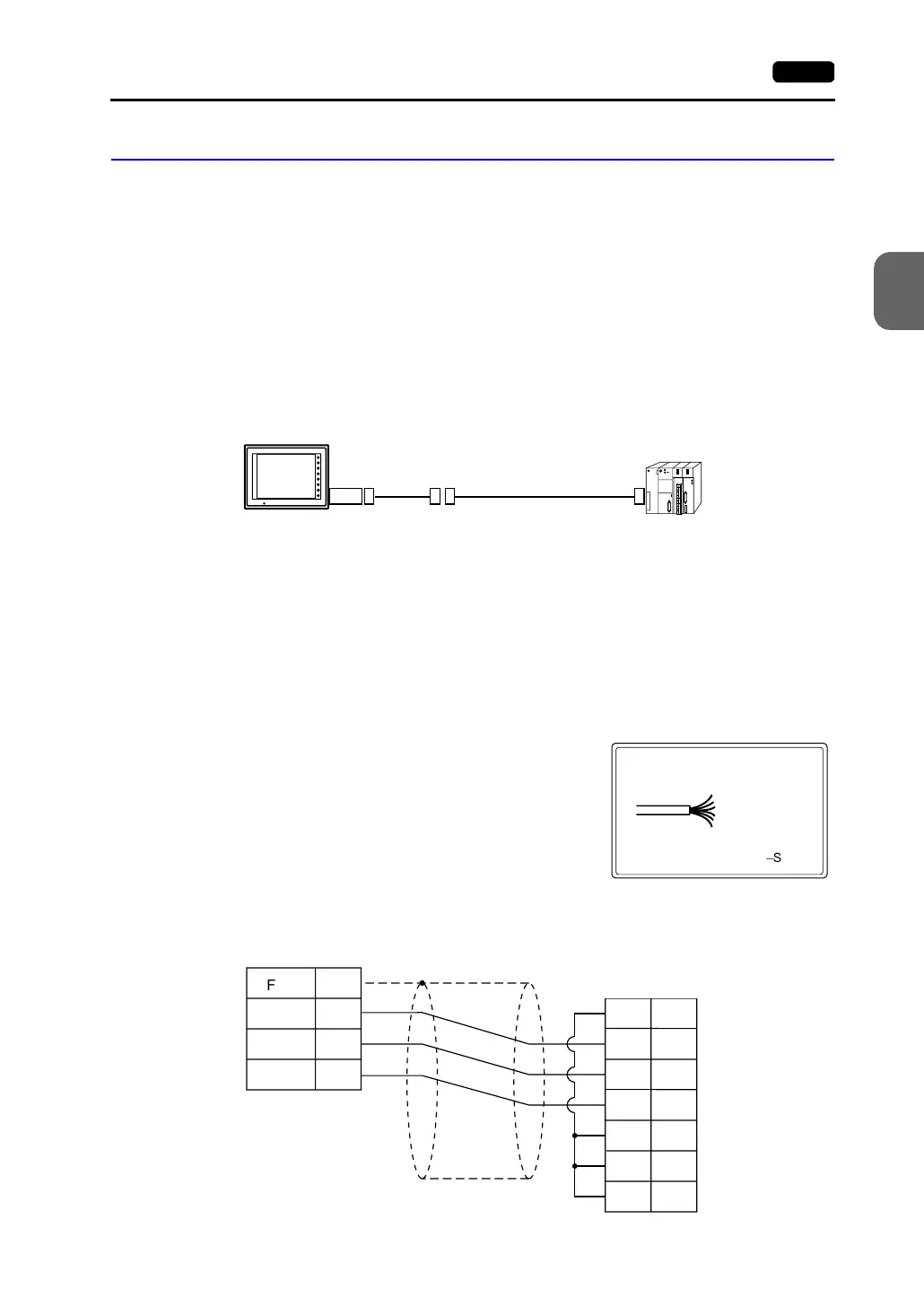
<RS-232C Connection>
• Connection example with MITSUBISHI A1SJ71UC24-R2
run
(RS-232C, RS-485/RS-422)
MJ2/1
F1
F2
F3
F4
F5
F6
F7
SYSTEM
POWER
MJ-D25
1 : 1 connection cable
V7 series
: 0V SG
: RXD
: TXD
: +5V
: +SD/RD
:
-
SD/RD
V6-TMP
Brown
Red
Orange
Yellow
Black
Green
PLC
D-sub 9pin(Male: )
FG
SD
RD
SG
8
7
5
RD
SD
RS
CS
DR
SG
CD
1
2
3
5
6
7
8
* Use the shielded cable.
V7 series
Modular jack, 8-pin
(Yellow)
(Orange)
(Red)
D-sub 9-pin (male)



 To Next Page