5-26 2. OMRON PLC
*1 When using EMn (extended data memory), specify the
bank number (CV: 0 to 7, CS1: 0 to C). The assigned
memory is indicated when editing the screen as shown
on the right.
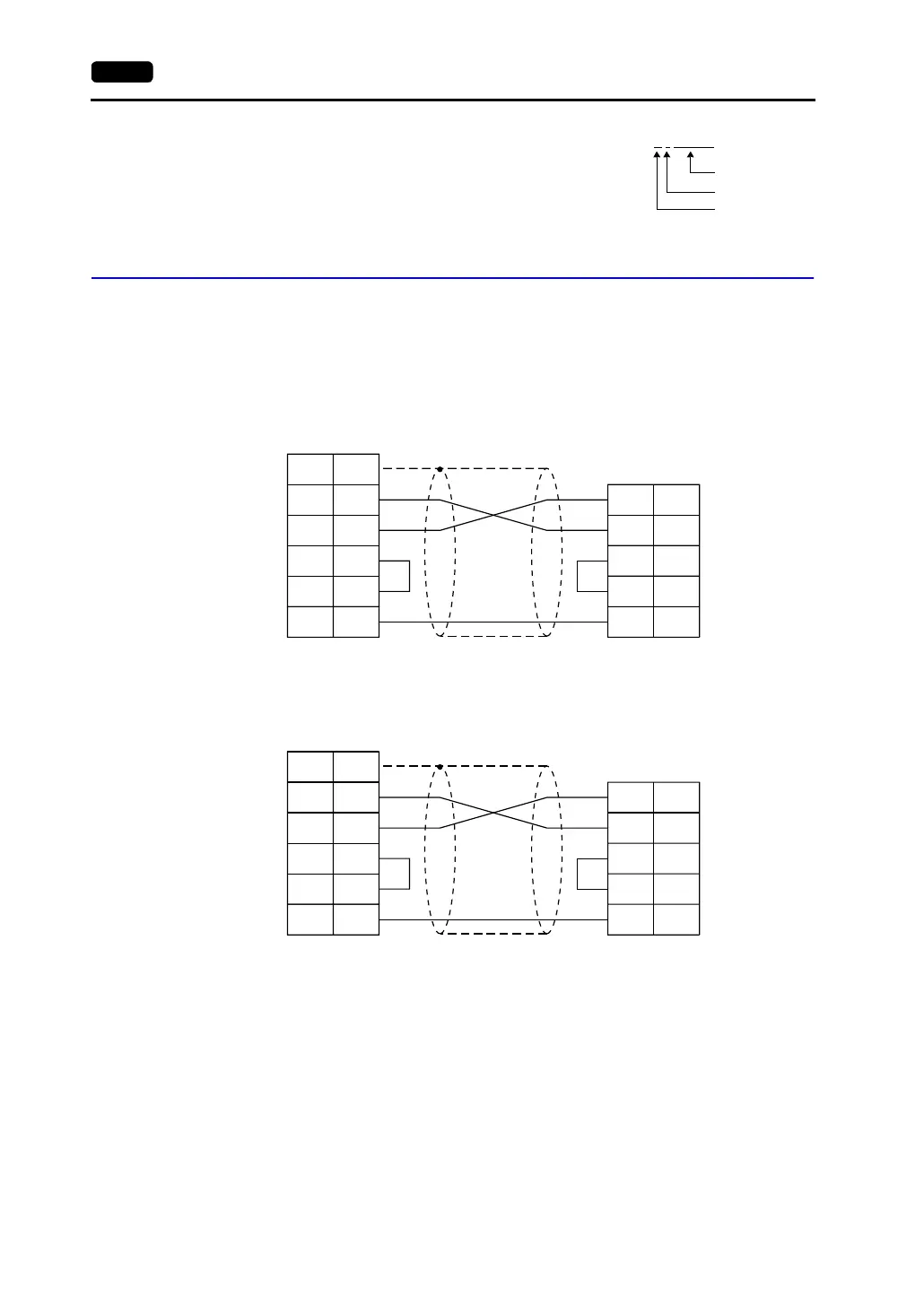
Wiring
Wiring diagrams with the PLC are shown below.
RS-232C
Wiring Diagram 1
Wiring Diagram 2
Example: EM0 : 30000
Address
Colon
Bank number
FG
RD
RS
CS
SG
1
3
4
5
7
RS
SD
CS
SG
2
4
5
7
V7 (CN1)
D-sub 25pin(Male: )
SD 2
RD 3
PLC
D-sub 9pin(Male: )
* Use shielded twist-pair cables.
D-sub 25-pin (male)
D-sub 9-pin (male)
FG
RD
RS
CS
SG
1
3
4
5
7
RS
SD
CS
SG
2
4
5
9
V7 (CN1)
D-sub 25pin(Male: )
SD 2
RD 3
PLC
D-sub 9pin(Male: )
* Use shielded twist-pair cables.
D-sub 25-pin (male)
D-sub 9-pin (male)



 To Next Page