3
7. PLC2Way 3-45
Serial Communications
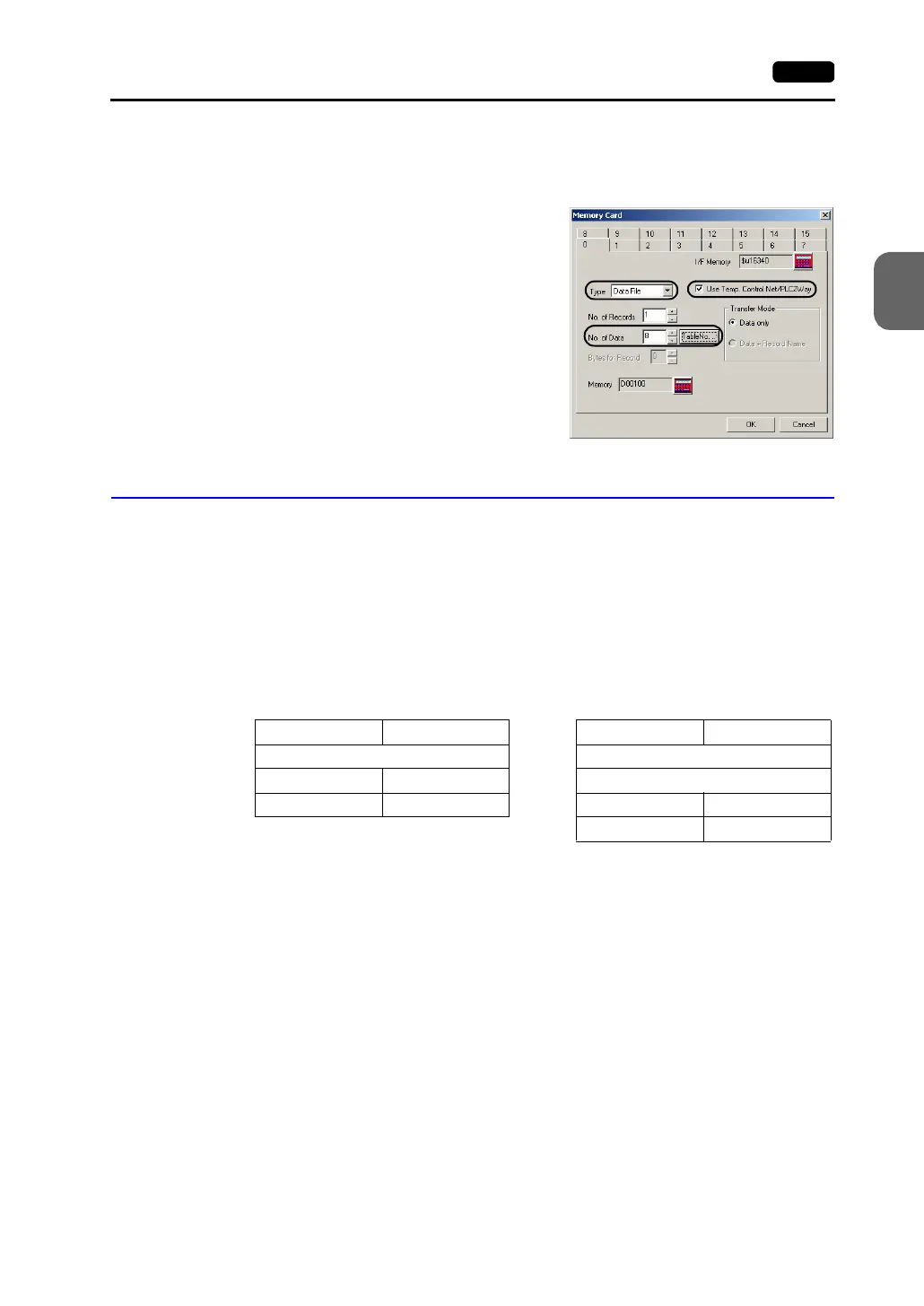
2. Memory card setting
The memory card setting should be made when the memory card is used as the source
or target memory for a macro command.
1) Click [System Setting] → [Memory Card
Setting]. The [Memory Card] dialog is
opened.
2) Select [Data File] for [Type].
Check [Use Temp. Control Net/PLC2Way].
3) Click the [Table No.] button and select the
table number to be used. The appropriate
number is automatically set for [No. of
Data].
Indirect Memory Designation
It is possible to have access to the PLC2 memory using the indirect memory designation as
a macro command. In this section, the indirect designation of the PLC2 memory is
explained. The internal user memory ($u) is used for the indirect memory designation.
Designating the indirect memory
• PLC2 memory
- Model
03: PLC2 memory (less than 16 bits)
83: PLC2 memory (16 to 32 bits)
- Memory type
Depends on the PLC model. Refer to “Chapter 5 Connection to PLCs/Available
PLCs” when setting.
- Port number
Set the port number of the PLC connected at the MJ port.
n + 0 Model Memory type
n + 1 Memory number (address)
n + 2 00 Bit designation
n + 3 00 Port number
15 8 7 0
Less than 16 bits
n + 0 Model Memory type
n + 1 Memory number (address) upper
n + 2 Memory number (address) lower
n + 3 00 Bit designation
n + 4 00 Port number
15 8 7 0
16 to 32 bits



 To Next Page