4
1. Ethernet 4-9
Network Communications
Transferring Screen Data from V-SFT Editor
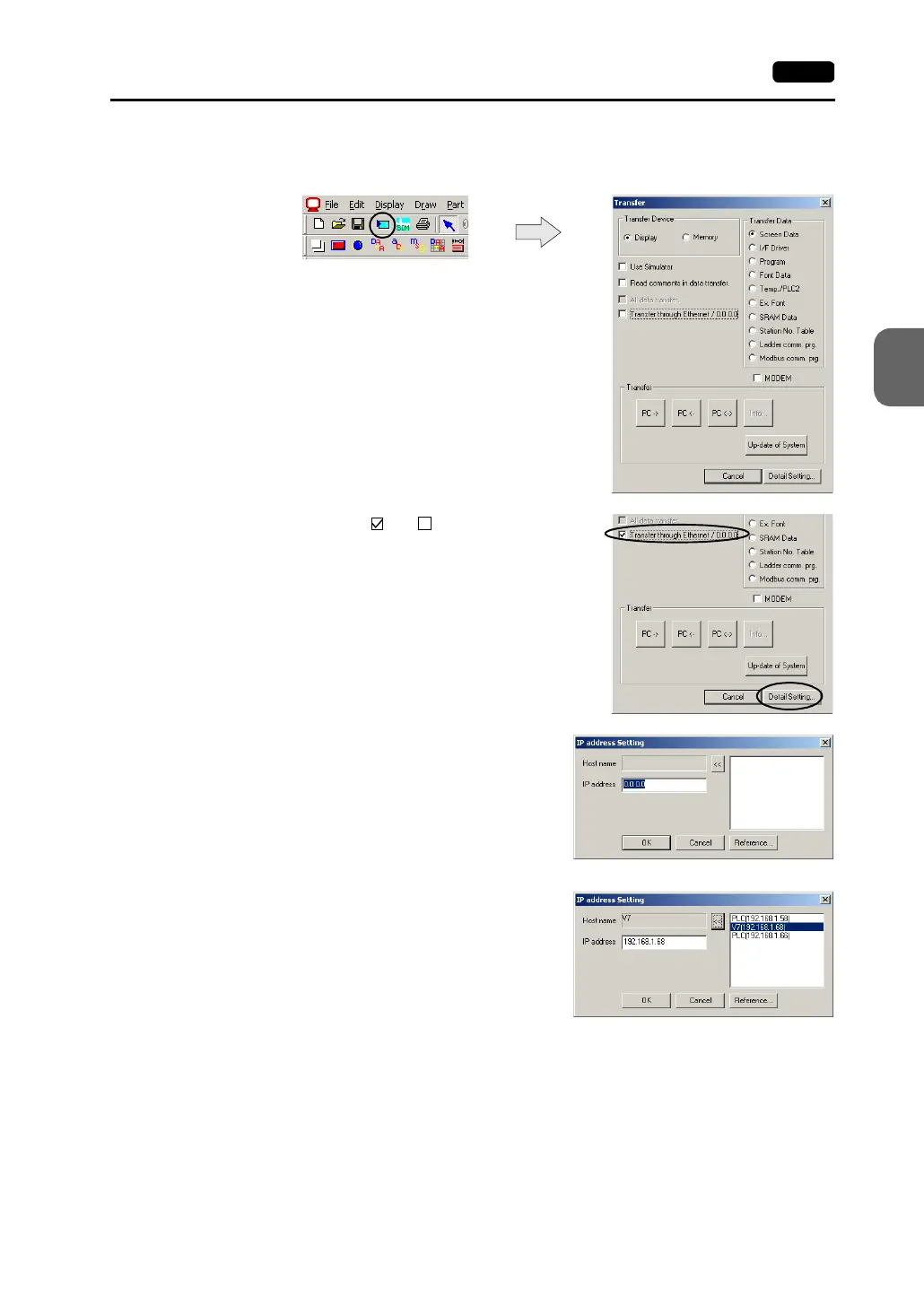
1. Click the [Transfer] icon. The [Transfer] dialog is displayed.
2. Attach a check mark ( ) to [ Transfer through
Ethernet].
3. Press the [Detail Setting] switch. The [IP Address
Setting] dialog is displayed.
4. Enter the IP address of the V7 series to which
the screen data is to be transferred.
When a list is shown, select the IP address of
the V7 series, and click the [<<] switch. The
host name and the IP address are
automatically entered.
Click [OK].



 To Next Page