5-20 1. MITSUBISHI PLC
Settings and Communications
1. PLC type setting
Select [PLC Type] from the [System Setting] menu. Select [MITSUBISHI: QnH (Q)
series CPU] in the [Select PLC Type] dialog.
2. PLC programming software port setting
Select [Modular Jack] from the [System Setting] menu.
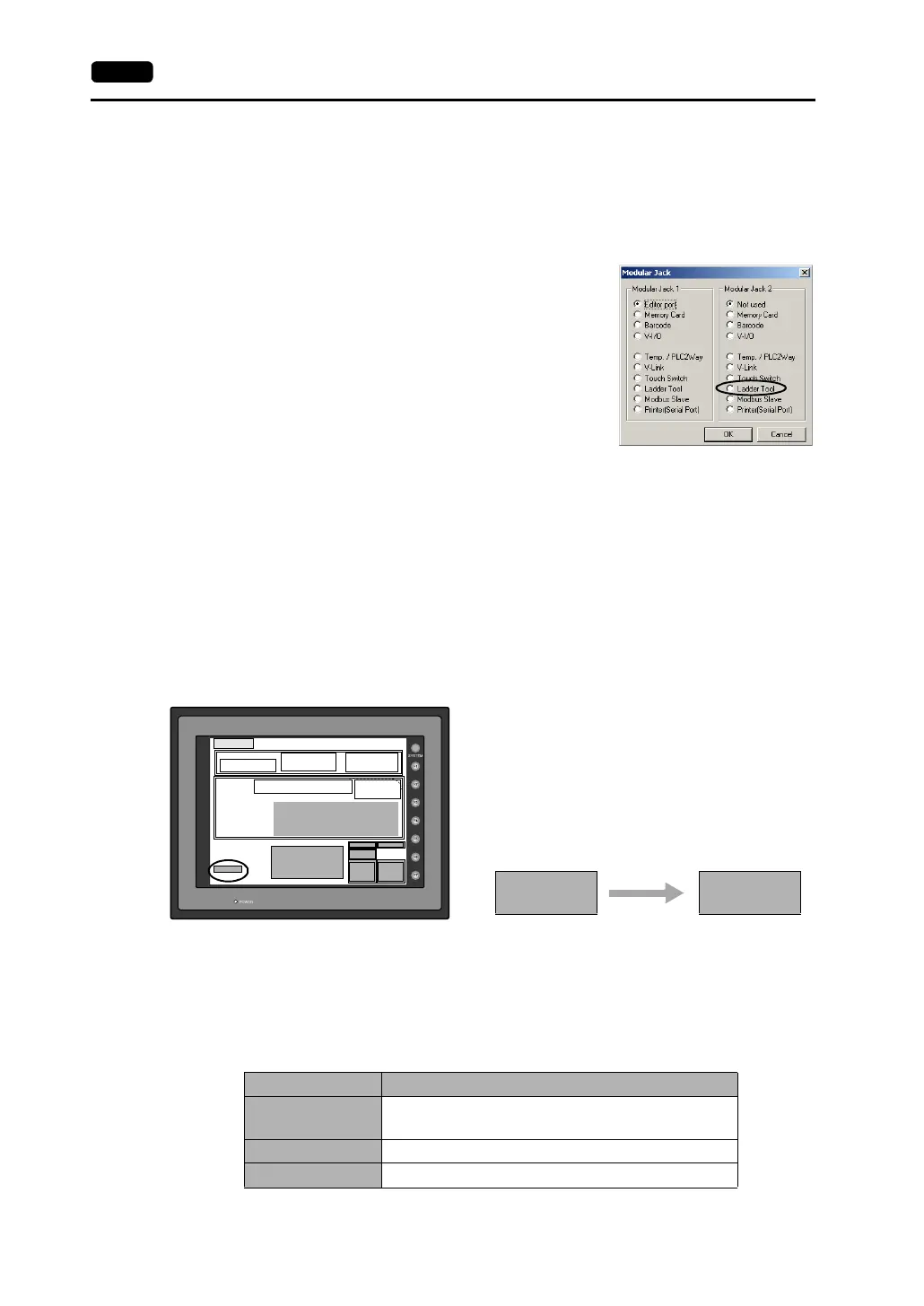
Select [Ladder Tool] for [Modular Jack 1] or [Modular
Jack 2] in the [Modular Jack] dialog.
Communications with V-SFT editor (for screen
data transfer)
* On-line editing between the V-SFT editor and the V7 series is not possible. If attempted,
communications between the PLC programming software and the PLC will not be
performed correctly.
• With [Ladder Tool] selected for [Modular Jack 2], MJ1 will be [Editor Port] when the
Main Menu screen is displayed on the V7 series, and communications with the V-SFT
editor become possible.
• With [Ladder Tool] selected for [Modular Jack 1], even when the Main Menu screen is
displayed on the V7 series, communications with the PLC programming software
continue so that communications with the V-SFT editor are not available.
When communicating with the V-SFT editor,
hold down the F2 switch for three seconds.
[Editor: ...] changes to [Editor: MJ1] and
communications with the V-SFT editor become
possible.
When the F2 switch is held down for three
seconds, [Editor: MJ1] changes to [Editor: ...]
and communications with the PLC
programming software become possible.
• Communicating statuses with the PLC programming software and the PLC during
communications between the V-SFT editor and the V7 series
V-SFT PLC programming software
Writing to V7 Communications disconnected
(normal communications on completion of writing)
Reading from V7 Normal communications
Comparing with V7 Normal communications
2002-4 -1 07:23:30
SYSTEM PROG. VER. 1.000
FONT
VER.1.300 / 1.000 / 1.000
ENGLISH
I/F DRV VER.1.240
MELSEC QnH Q
CPU Port
Editor:MJ1
Connection : 1:1
Signal Level :
RS232C
PLC Stat. No. :
0
Baud Rate :
19200
Data Length :
8
Stop Bit :
1
Parity : Odd
Send Delay :
0msec
Main Menu V710iTD
System Information
PLC Type : MITSUBISHIQnH(Q) series CPU
Comment :
Screen Data
Information
Size : 5783552
SRAM/Clock
Extension
Ethernet
Card
Menu
I/O Test
Error : Stop
Time-Out : 1.00 sec
Retry : 3
Ethernet Information
Trans.Speed: 10BASE-T
Stat. No. : 192.168.1.68
PORT: 10000
MAC: 0050FF000035
ommun
ca
ons w
e
PLC programming software
possible
ommun
ca
ons w
e
V-SFT editor possible
Editor: MJ1 Editor:



 To Next Page