EB+ Gen3Installation guide
832013 Innovative Vehicle Solutions
Summary statement
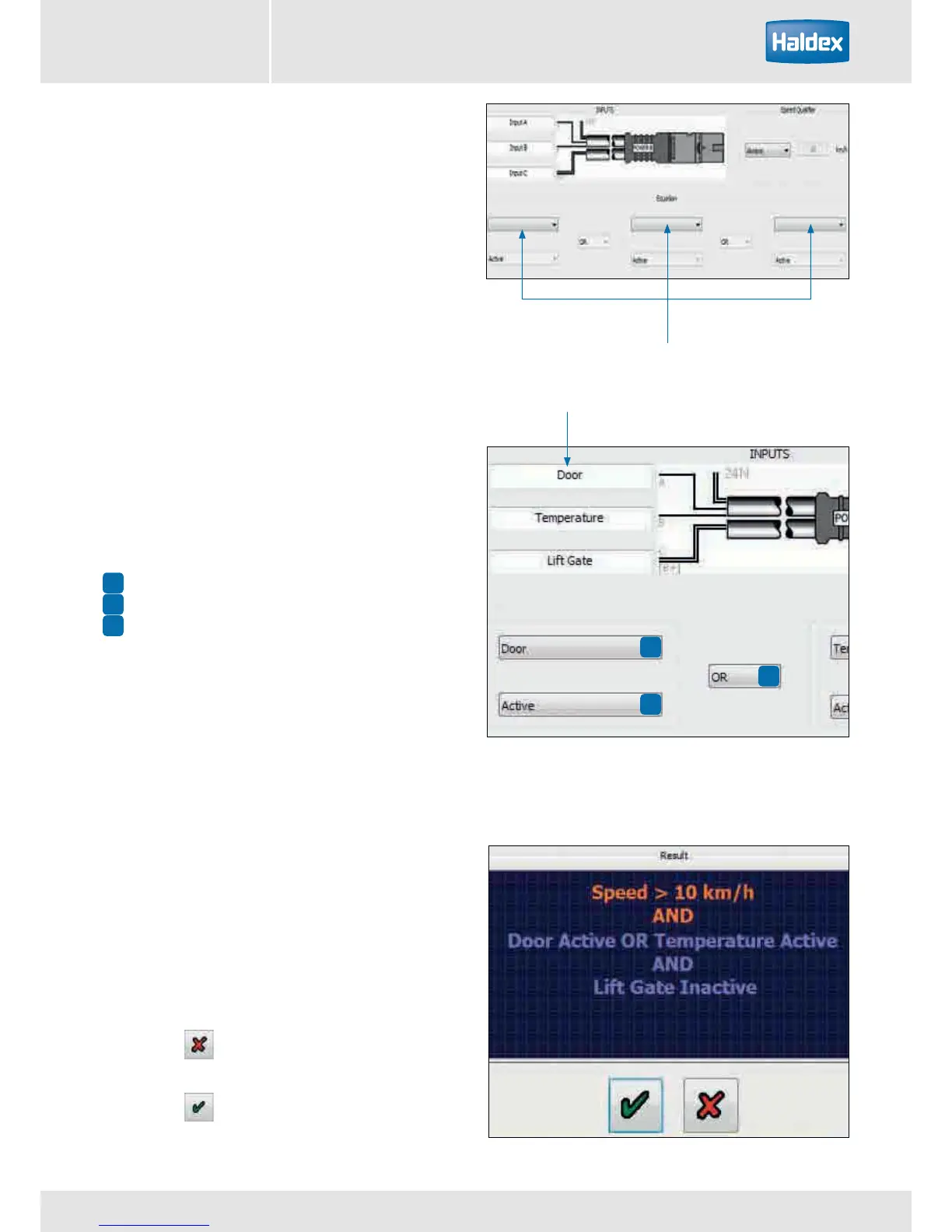
Drop down boxes used to configure the input signals.
1
2
3
1
2
3
door
Custom Super AUX input screen
Inputs A, B and C can now be configured using the
drop down boxes.
Speed qualifier
A speed signal can also be added to the final 'input
statement' by using the 'speed qualifier' drop down
box options.
Always No speed signal referenced
<= Less than and equal to selected km / h
> Greater than selected km / h
Click on the button to cancel with no
modifications.
Click on the button to exit and keep the
modifications.
Inputs A, B and C can also be renamed to there
intended activation input (e.g. door).
The required input combination can be achieved by
using the drop down boxes for:
The input signal (e.g. door)
The activation level (i.e. high or low)
The action (i.e OR & AND).
A combined summary input statement is shown in the
window at the bottom of the screen.



 To Next Page