EB+ Gen3Installation guide
992013 Innovative Vehicle Solutions
Alternative postions
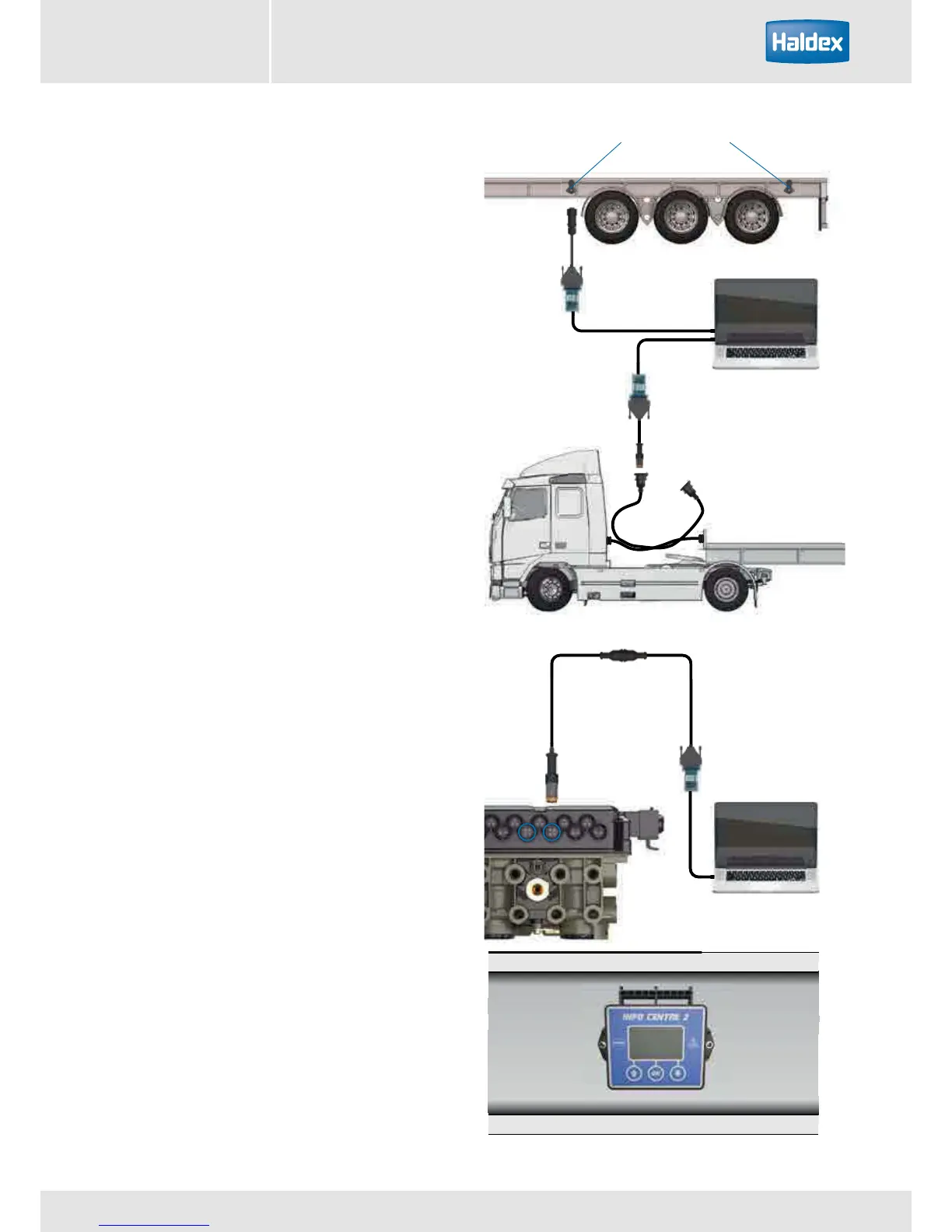
PC Interface
PC Interface
PC Interface
Alternatively - directly connected to
ECU or side-of-vehicle connection
Connect to ECU
directly or via
side-of-vehicle
connector
Diagnsotic
connection
‘DIAG’ on ECU
ISO Interface assembly
An important feature of the EB+ Gen3 system is that
it provides an extensive on board diagnostic capability.
The system displays a range of codes, which allow
rapid diagnosis of the problem should one occur.
Diagnostic communication is in accordance with ISO
15765 protocol and is accessed by either the ISO 7638
7-pin connector which uses pin 6 and 7 as a CAN data
bus using ISO interface assembly (815 018 001), or
optional side-of-vehicle connector, or directly to ECU.
Any suitable device connected to this CAN data bus
may read diagnostic information.
An Info Centre 2 can be connected permanently to the
ECU’s diagnostic ‘DIAG’ connection. While the ECU is
powered, information is transferred to the Info Centre’s
memory, which can be recalled. Power is supplied from
the vehicle system via the ECU diagnostics connector.
For further information refer to the Info Centre 2 user
guide (006 300 001).
Information
› Read diagnostic trouble code (DTC)
› Clear DTC
› Configuration
› ECU software version number
› ECU serial number
› Vehicle ident number (VIN)
› Manufacturer OEM
› Info Centre 2 software version number
Distance
› Odometer - total distance
› Trip distance (1st and 2nd)
› Service distance
› Wheel scale factor
› Clock (time and date)
› Clear trip 1 and 2
System diagnostics



 To Next Page