© 2013 Harmonic Inc. Harmonic All rights reserved. 22 Ellipse 3000 Release 3.0, Rev. B
Chapter 2
Initial Configuration and Basic Operation
This chapter provides detailed instructions for initialization and basic configuration in order to
activate the encoder.
It also provides step-by-step procedures for some of the more frequent set-up, configuration and
management activities required from the Ellipse operators.
Topics:
■ Web Configuration
■ Ellipse Set-Up Procedures
2.1 Web Configuration
In order to configure the encoder using the Ellipse Web Manager:
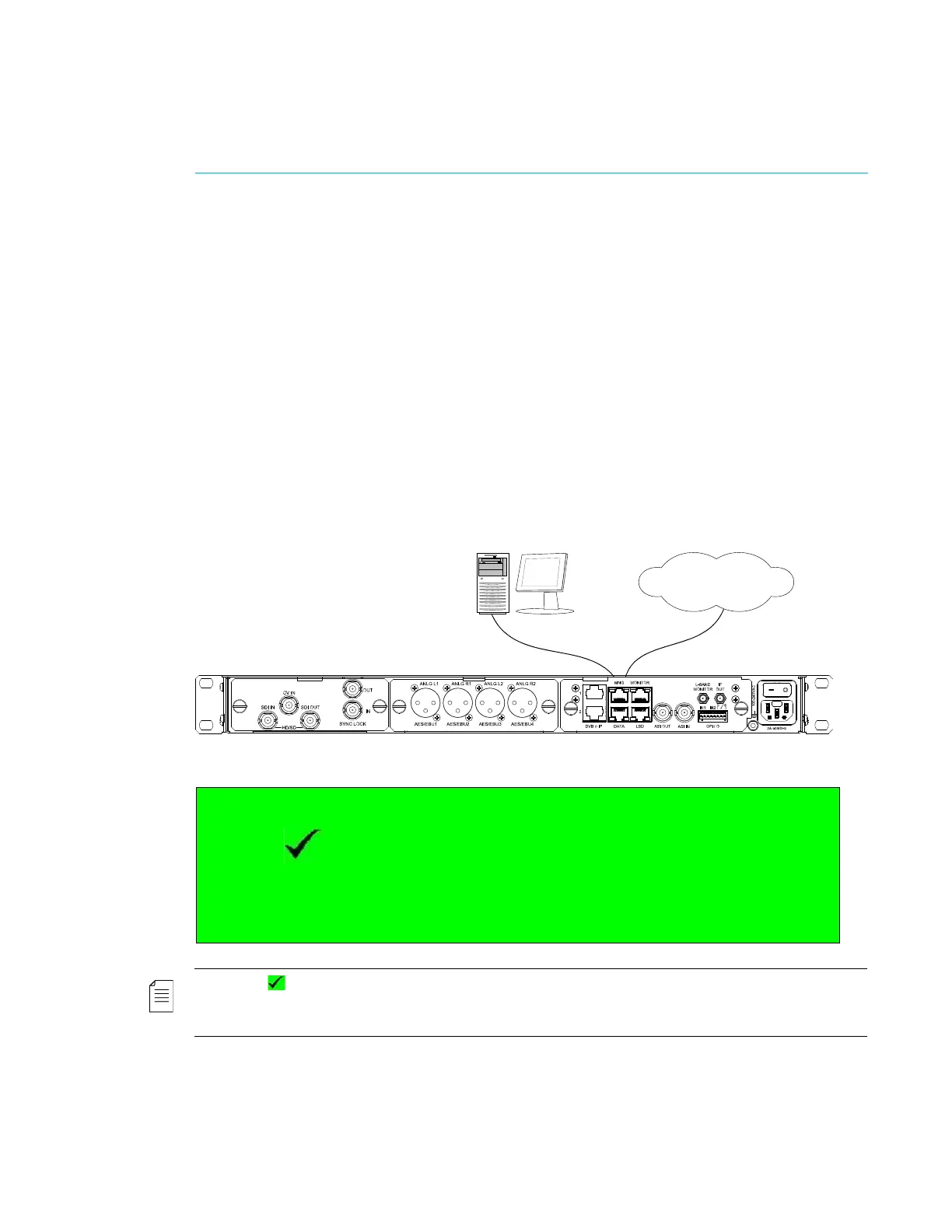
1. Connect an Ethernet cable to the MNG connector on the Ellipse Rear Panel and to a PC
station or a VLAN connection.
2. Power up the Ellipse, and wait for the LCD screen to display the initialization screen.
NOTE: The Status OK message displays on the idle screen.
This is the default screen of the operating device, providing all the immediate information needed to the user
for one-glance check. Whenever an alarm is raised, the idle screen displays an Alarm Active message.
V1-MPG2 rate00.00 resF720
Status OK
V1-H264 rate00.00 resF720
Modulation:ON * Carrier *ON
Symbol Rate: 10000000 sps
Press Enter for menu IF Frequency: 700000 kHz



 To Next Page