Chapter 1 Introduction
© 2013 Harmonic Inc. Harmonic All rights reserved. 16 Ellipse 3000 Release 3.0, Rev. B
Mechanical Structure
1.4 Mechanical Structure
Housed in a true 1RU slimline chassis and featuring low power consumption, the Ellipse Series of
Contribution Encoders fully integrates with the Harmonic product platform.
Figure 1–1: Ellipse Contribution Encoder – General View
1.4.1 Front Panel
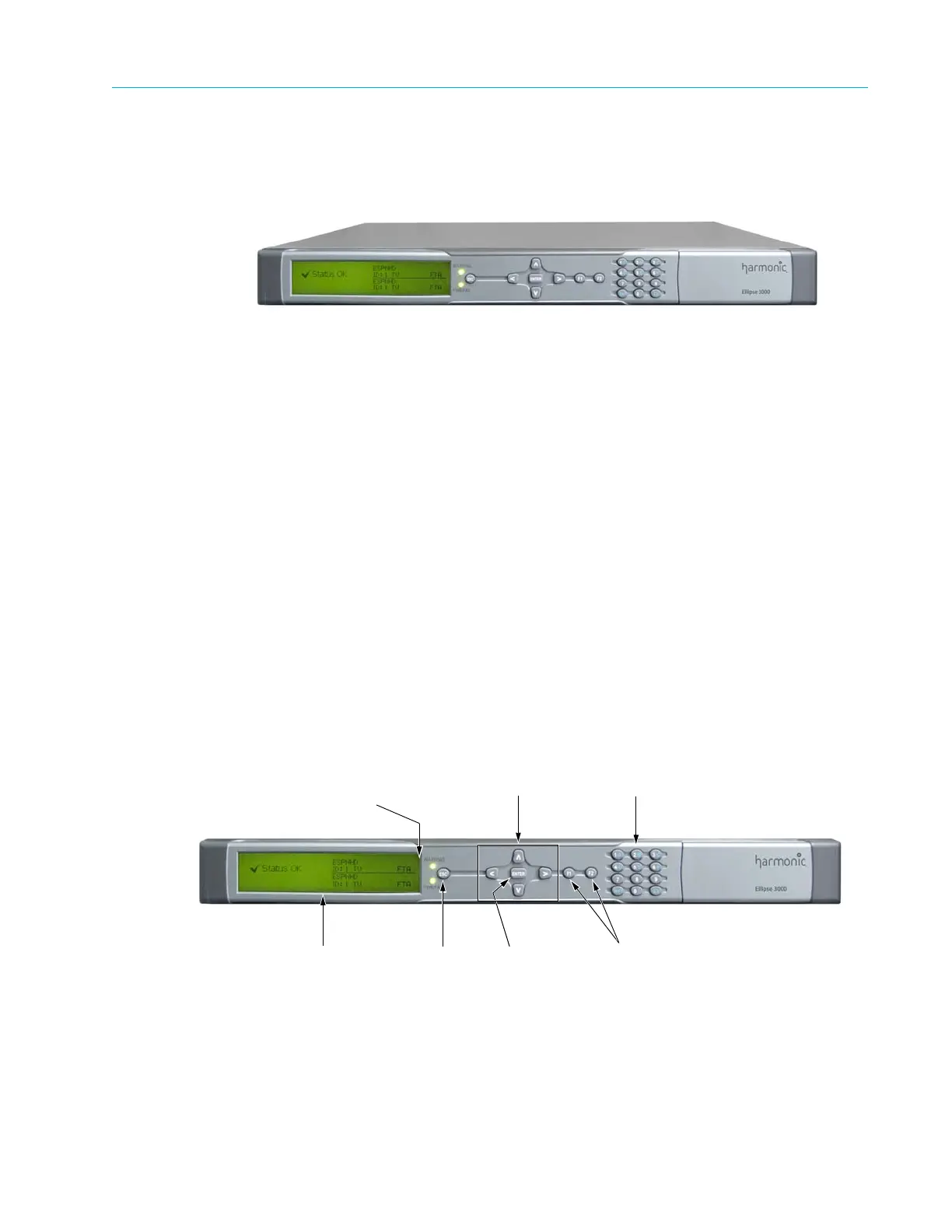
The front panel allows control using: four way touch pad, an Enter key, and an Esc key.
Operational commands and parameters are displayed on a graphical LCD. The four way touch pad
allows parameter modification and menu scrolling.
The F1 and F2 keys are short-cut keys, you can use them to perform the following tasks:
■ F1 is the Save/Drop key, use it from any screen or menu on the front panel.
■ F2 is currently active in DSNG modules only. The key sets the Carrier and Modulation Mode
parameters. For details see 3.1.1.1 Front Panel Controls and Displays on page 39.
The alphanumeric touch pad offers an easy-to-use keyboard for using parameters that require
setting a number or a string of characters. The user can directly set values and strings with free-
text using the alphanumeric touch pad.
For details on the touch-pad functionality and front panel components, see 3.1.1.1 Front Panel
Controls and Displays on page 39.
The front panel also contains warning and power/fail LEDs that operate as status indicators (see
3.1.1.1 Front Panel Controls and Displays on page 39).
Figure 1–2: Ellipse 3000 Front View
Alpha-Graphic LCD ESC and ENTER
control keys
Function keys
WARNING, PWR/FAIL
LEDs
Four direction
touch-pad
Alpha numeric
touch-pad



 To Next Page