Chapter 3 Ellipse Management
© 2013 Harmonic Inc. Harmonic All rights reserved. 50 Ellipse 3000 Release 3.0, Rev. B
Ellipse Management Menu Tree
3.2.2 Web Manager Main Screen
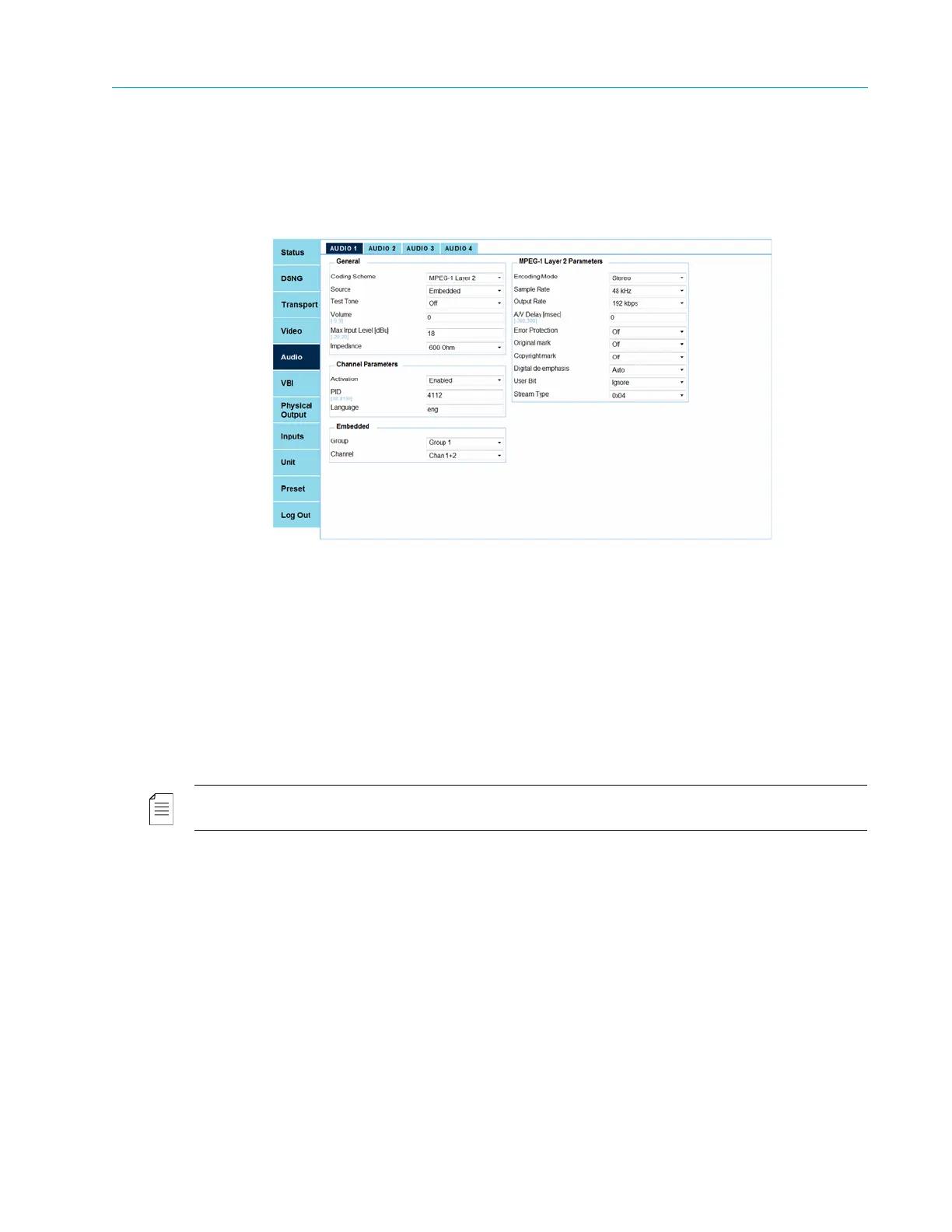
The Web Manager main screen is the work space of the web-management user. It displays the
browser window, around which are the tabs and sub-tabs of the encoder (see Figure 3–4).
Figure 3–4: Web Manager – Main Menu Example
The tabs aligned to the left of the browser window display all main menus of the encoder (see
3.5 Status Menu/Tab on page 62).
The sub-tabs arrayed at the top of the browser window. These tabs are displayed specifically
according to the selected tab. Selecting a sub-tab displays its general parameters and other
available parameter sections in the browser window (see details in 3.3 Preset Menu and 3.4 Front
Panel Configuration Menu on page 60).
Figure 3–5 illustrates the Root menu of the Web Manager. The figure is divided into different
sections, displaying the tabs and sub-tabs.
NOTE: The DSNG menu is only available when the encoder is equipped with a modulator card (Ellipse 3200
encoders). The amount of video and audio channels is set according to the encoder licenses and capabilities.



 To Next Page