Chapter 3 Ellipse Management
© 2013 Harmonic Inc. Harmonic All rights reserved. 67 Ellipse 3000 Release 3.0, Rev. B
Status Menu/Tab
3.5.2 Permissions
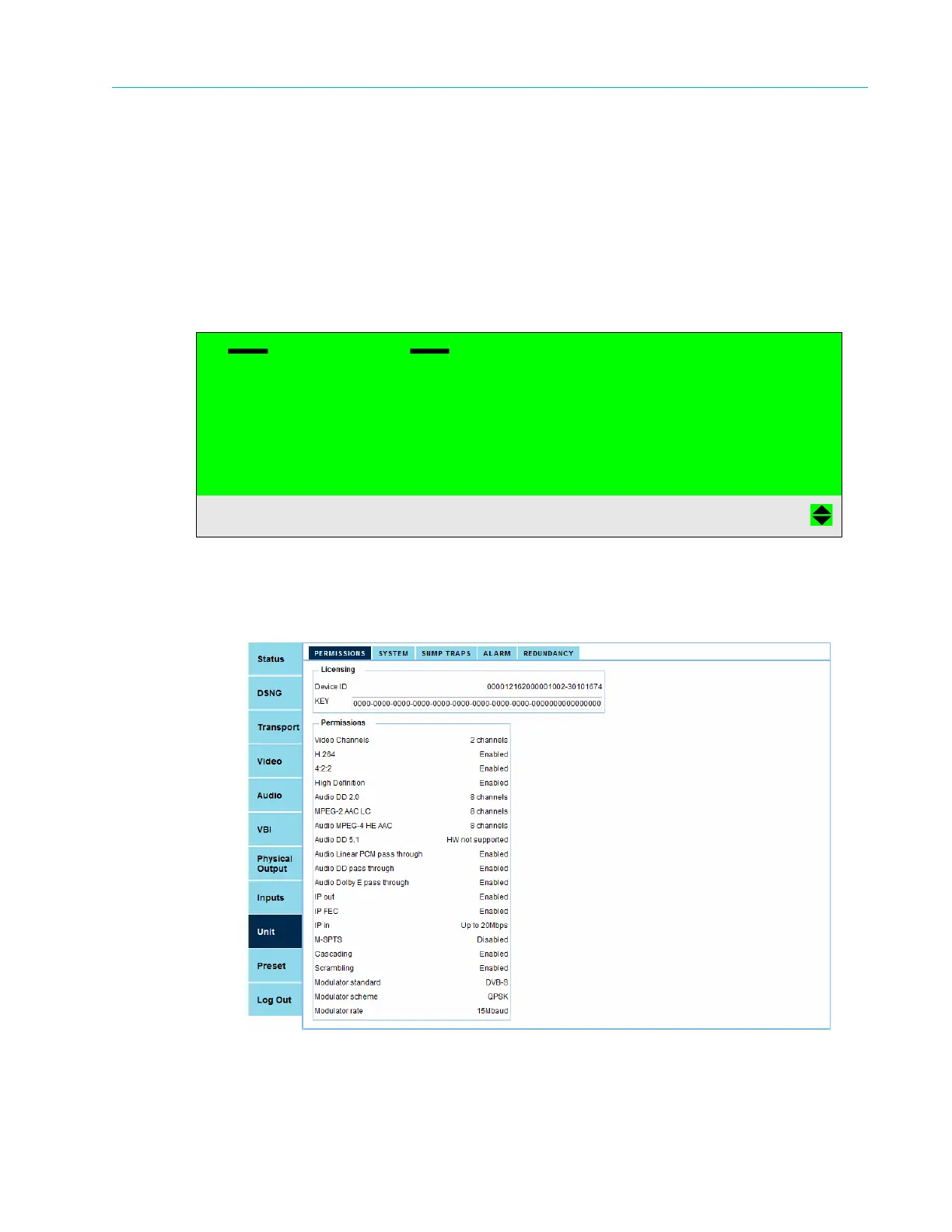
Permissions screen displays the unit-permitted features. The menu displays a list of all permission
features in the Contribution Encoder series and states, on the right column, the amount of
permitted features the module has (see the screen example).
Front Panel
To view the Permissions menu on the front panel:
❖ Navigate Root > Unit > Permissions.
Web Manager
To view the Permissions list in the Web Manager:
❖ Select Unit > Permissions (see Figure 3–12).
Figure 3–12: Permissions tab
Permissions
01 Video Channels 2 Channels
02 H.264 Enabled
03 Audio DD 2.0 8 Channels
04 MPEG-2 AAC LC 8 Channels



 To Next Page