Appendix C Database Cloning Updating Database through FTP
© 2013 Harmonic Inc. 337 Ellipse 3000 r.3.0, Rev. B
C.4.2 Cloning the File
NOTE: When cloning a database, one unit's database overrides another unit's database. Thus, the
database file (e9k.db) must not to be deleted.
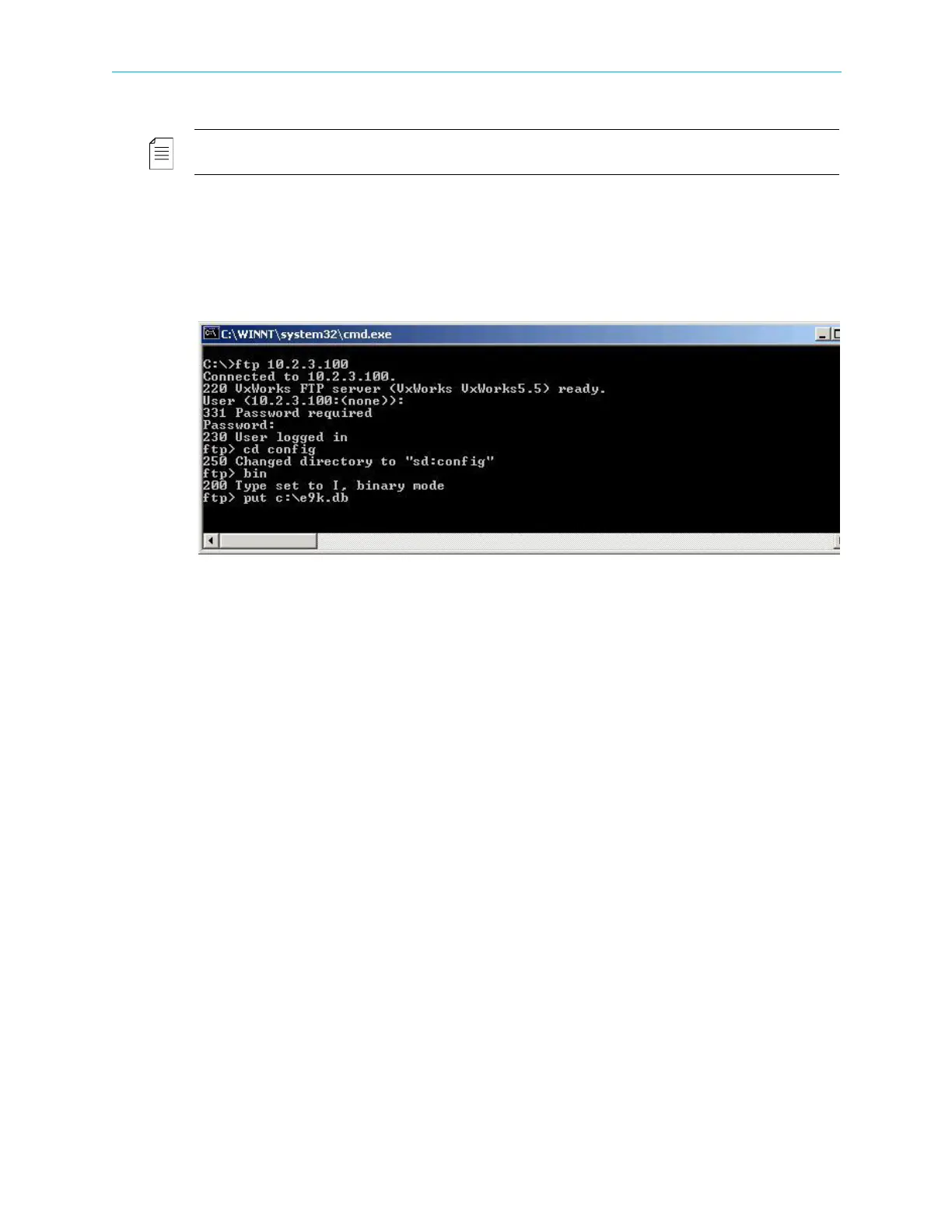
To clone a source database file to the Ellipse from a local PC:
1. Enter
cd config to change the directory to config.
2. Enter
put with the location of the new database file (in the C:\tmp folder, for example
put C:\tmp\e9k.db).
3. Click <Enter>.
4. The Database cloning is divided into two parts:
a. Download Database using FTP.
The Download can last up to several minutes. This phase is complete once the user
receives a relevant message.
b. Extract the downloaded database into the device.
After download is complete, the user must reboot the device to enable the extraction
of the new database into the device.
After the reboot, download is complete.



 To Next Page