Chapter 3 Ellipse Management
© 2013 Harmonic Inc. Harmonic All rights reserved. 47 Ellipse 3000 Release 3.0, Rev. B
Ellipse Management Interfaces
3.1.2.3 Parameter Set-Up
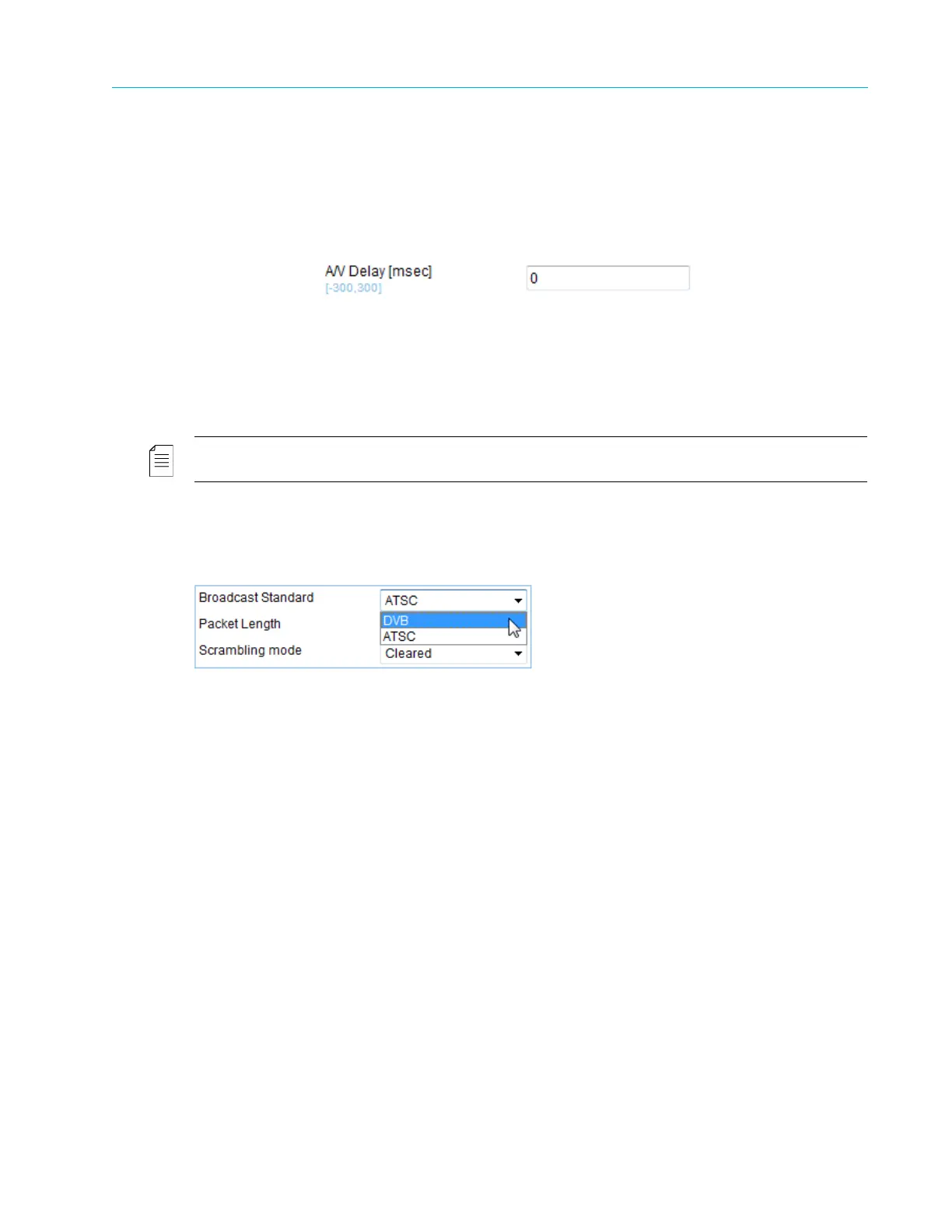
Edit Value Parameter
The parameter sections in the browser window display lists of editable parameters, available for
user configuration. The edit-value parameters provides a free text field for typing the required
value (from within a given range).
The edit-value parameter is divided into two sections:
■ Left Side – Displays the parameter name. Measured units display in square brackets ([ ]) and
the available range is specified in light blue.
■ Right Side – A free-text field. To edit the text, the user must click the field once for the cursor to
appear, and then the user can type the requested value.
NOTE: For the new value to take effect, the user must type <Enter> after inserting the new value.
Select Value Parameter
The parameter sections in the browser window display lists of editable parameters, available for
user-configuration. The select-value parameters display a drop-down list of available values.
The select-value parameter is divided into two sections:
■ Left Side – Displays the parameter name
■ Right Side – A select-value field displaying the currently-selected value. Click the triangle to
display all available values.



 To Next Page