Chapter 4 Transport Stream Configuration
© 2013 Harmonic Inc. Harmonic All rights reserved. 82 Ellipse 3000 Release 3.0, Rev. B
Services Sub-Menu/Tab
Front Panel
To access the Services Configuration menu on the front panel:
❖ Navigate Root > Configuration > Transport Stream > Services > Service List >
[Service Name].
Web Manager
To access the Service Configuration menu in the Web Manager:
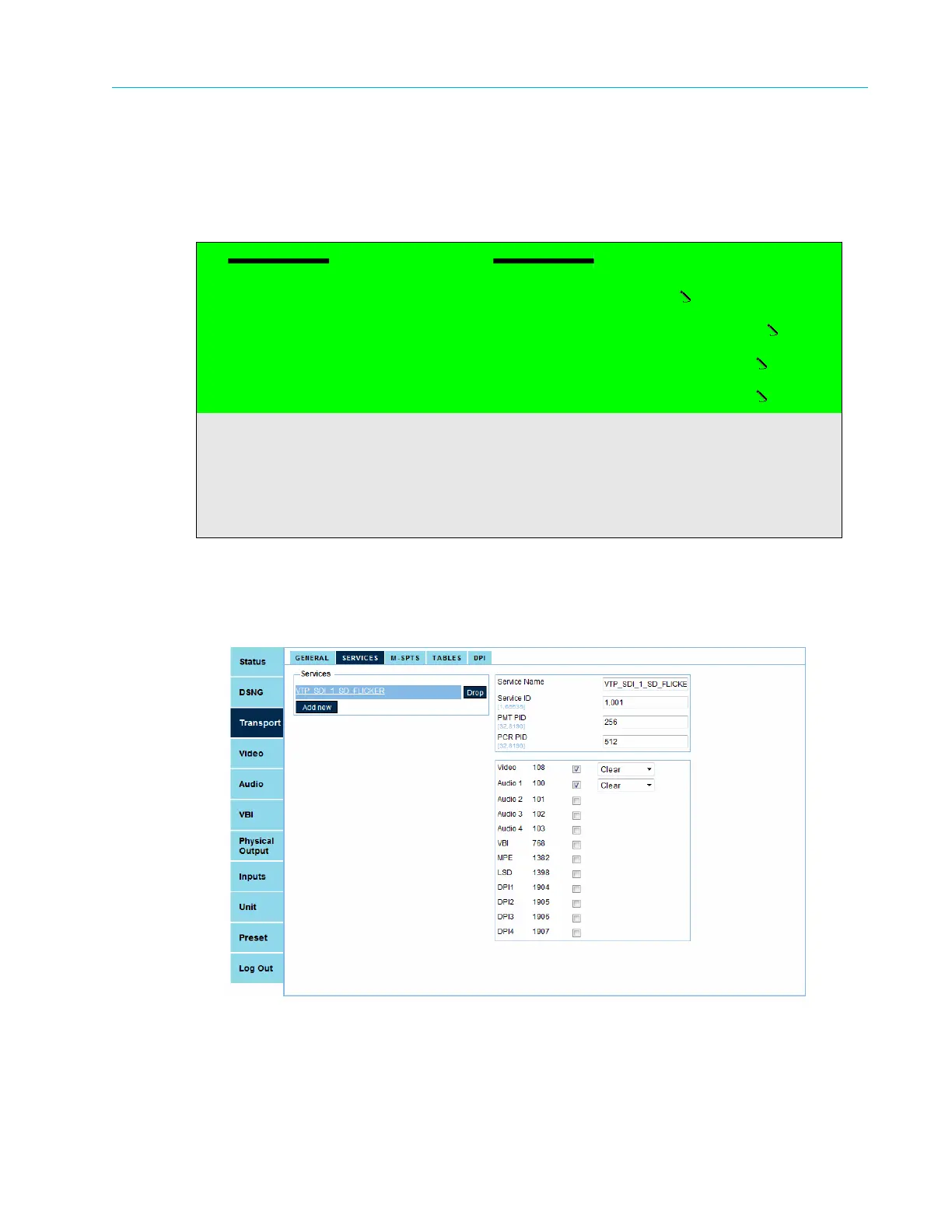
❖ Select Transport > Services > [Service Name] (see Figure 4–3).
Figure 4–3: Service Configuration Menu
First Service
1 Service Name
First_Service
2 Service ID
04096
3 PMT PID
0x00c8
4 PCR PID
0x0096
5 BISS-1 Configuration
6 Scrambling
7 Add PID
8 List/Drop PID



 To Next Page