Chapter 4 Transport Stream Configuration
© 2013 Harmonic Inc. Harmonic All rights reserved. 92 Ellipse 3000 Release 3.0, Rev. B
Services Sub-Menu/Tab
4.2.4.3 PID List (Web Manager
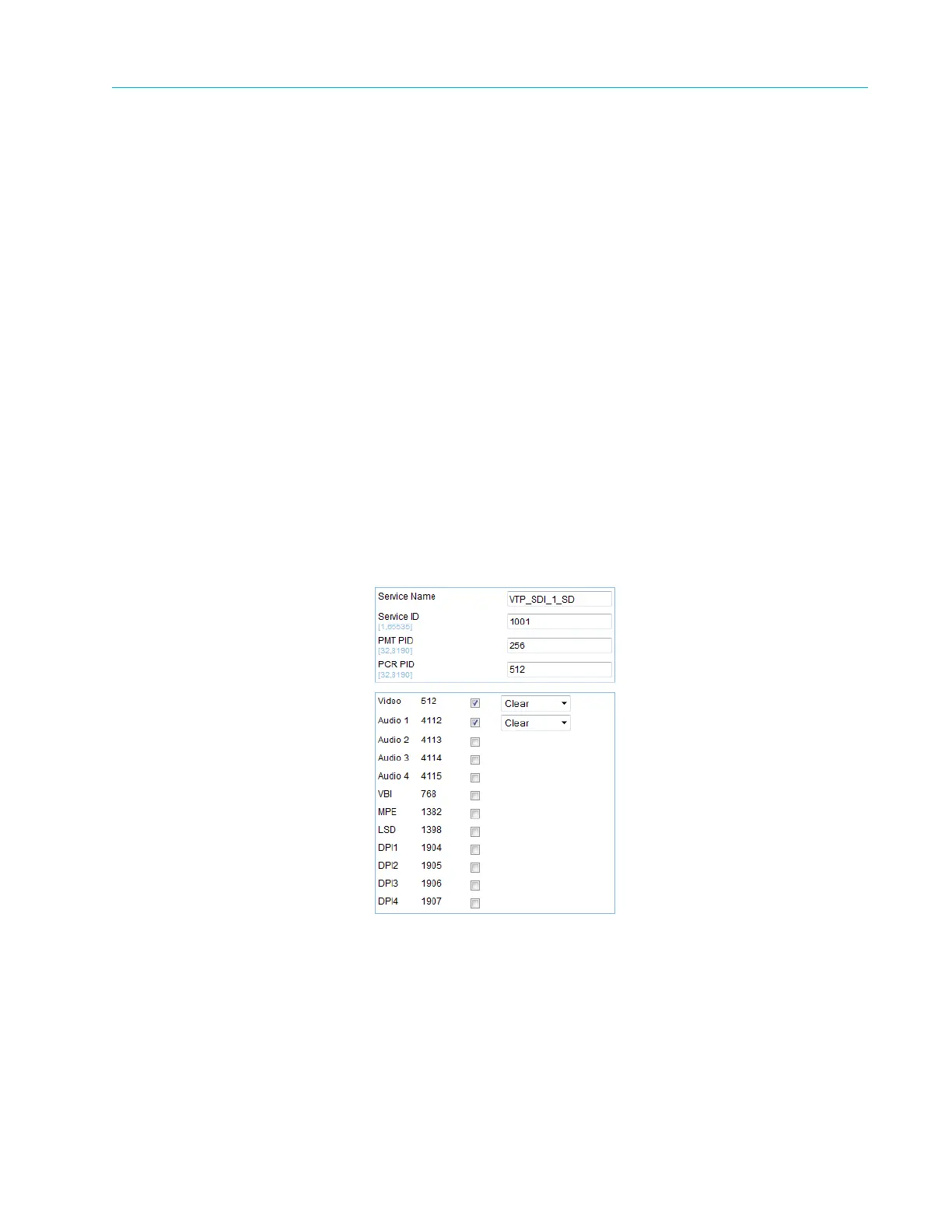
The PID List displays all available audio, video, and VBI elementary streams in the Ellipse. The
table also details the elementary stream PID number.
The checkboxes in the right-most column are for each elementary stream. Marking or clearing an
elementary-stream checkbox allows adding or dropping elementary streams from the selected
service.
To set the PID List table in the Web Manager:
❖ Select Transport > Services > [Service Name].
The available columns and information in the PID List are:
■ Name – Elementary stream name
■ PID – Elementary stream PID number
■ Availability Checkbox – Check box for allocating the elementary-stream to the selected
service.
■ Scrambling Activation Field – A drop-down menu that sets the scrambling mode of the
elementary stream. The available options are:
❑ Clear
❑ Scrambled



 To Next Page